7 Smart Ways to Automate Small Business Admin Without Adding Complexity
If you want to automate small business admin, the goal is not to replace good judgement or add another layer of software. The real win is to remove repetitive work, reduce errors and make everyday processes easier to manage.
For most small businesses, admin is spread across email, spreadsheets, accounting tools, calendars, forms and CRM systems. That is where time gets lost. In this guide, you’ll see seven practical ways to automate small business admin, plus where AI can help and where human review still matters.
null
This approach works best when you start with clear, repeatable tasks. If you are looking for a broader overview of how to automate your small business, this article will help you identify the best places to begin.
What counts as small business admin?
Small business admin is any repetitive back-office task that keeps the business running. It usually includes invoicing, follow-ups, receipts, booking requests, document handling, reporting and record updates.
The best tasks to automate small business admin are the ones that have a predictable trigger, a standard process and a clear outcome. If the same steps happen over and over, automation can often save time without making the workflow harder.
Common repetitive tasks worth automating
- Sending invoices and reminders
- Capturing receipts and expense details
- Sorting incoming emails
- Booking appointments and sending reminders
- Collecting form submissions and enquiries
- Generating standard documents
- Updating customer records across systems
- Creating simple reports and alerts
Tasks that should stay manual
Some work still needs a person involved. That includes financial exceptions, legal terms, payroll decisions, sensitive customer complaints and anything that requires judgement or approval.
A good rule is to automate the routine parts and keep a human step where the risk is higher.
1. Automate invoicing and payment follow-up
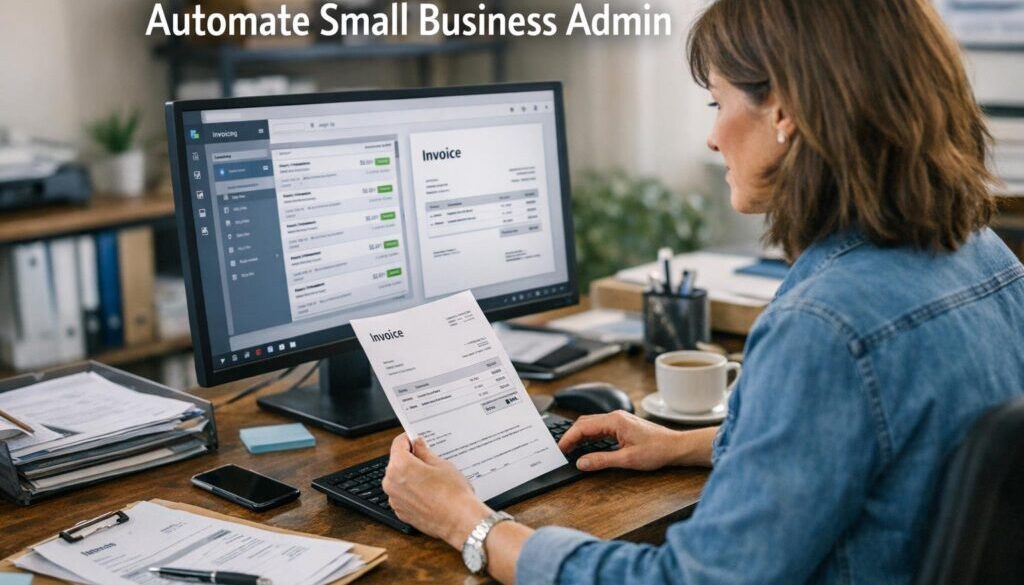
Invoicing is one of the clearest ways to automate small business admin because the process is usually structured and repeatable. When a job is marked complete or a sale is recorded, an invoice can often be created and sent automatically.
The Australian Taxation Office provides guidance on digital record keeping and eInvoicing, which makes this area especially relevant for businesses that want cleaner records and less manual handling.
Best triggers and workflows
- Job completed in your job system
- Quote accepted by the customer
- Order marked as paid or fulfilled
- Invoice overdue by a set number of days
A simple workflow might look like this: a job is completed, invoice data is pulled from the booking or order record, the invoice is sent, and a payment reminder is scheduled if the invoice remains unpaid.
Where human review is still needed
Even when you automate invoices, it is wise to review pricing exceptions, unusual terms, disputed jobs and anything connected to a customer relationship that needs care.
For businesses with more complex back-office workflows, this is often a good example of where automation solutions can reduce manual steps without changing how the business makes decisions.
2. Capture receipts and expenses automatically
Expense admin is another strong candidate when you want to automate small business admin. Instead of chasing paper receipts or manually entering each expense, businesses can use tools that capture and organise the data as it arrives.
That matters because small errors in expense records create unnecessary cleanup later. The ATO’s record keeping for business guidance is a useful reference point when thinking about digital records and retention.
Syncing receipts to accounting tools
A typical workflow is simple: a receipt is emailed, scanned or uploaded; the details are extracted; the expense is categorised; and the record is attached to the accounting system.
Many small businesses use accounting platforms such as Xero, MYOB or QuickBooks alongside workflow tools to reduce manual entry. The exact setup depends on the tools already in use.
Tax and categorisation checks
AI or automation can help extract values from receipts, but categorisation still deserves review when the tax treatment is unclear. If the receipt is missing key information or the expense is unusual, a person should confirm it before it becomes part of the books.
Document-heavy workflows like this are often a good place to explore practical automation. Our trust account automation case study is one example of how a repetitive administrative process can be simplified when the steps are clear and structured.
3. Streamline email triage and admin inboxes
Email is often where small business admin becomes messy. Messages arrive from customers, suppliers, team members and systems all in the same inbox. That makes it hard to see what needs attention first.
When you automate small business admin, inbox triage is one of the most practical places to begin. Rules, labels, task creation and draft replies can all reduce the time spent sorting routine messages.
Sorting, labelling and task creation
Incoming messages can often be filtered by sender, subject line or keyword. For example, enquiries can be labelled, support requests can be routed to a shared inbox, and routine notifications can be moved out of the way.
The aim is not to hide everything. It is to make sure important messages are easier to find and respond to.
When AI drafting is useful
AI can be useful for summarising long email threads, drafting first responses or turning a message into a task list. That said, customer complaints, legal notices and sensitive matters should still be checked by a person before anything is sent.
If you are building a more organised admin process, this is the kind of workflow that can be tied into business automation resources so your team can keep improving the process over time.
4. Automate appointment booking and reminders
For service businesses, appointment admin can consume a surprising amount of time. Booking requests, calendar updates, confirmation emails and reminder messages all take effort, especially when rescheduling is involved.
This is another strong opportunity to automate small business admin because the workflow is usually consistent and easy to standardise.
Calendar syncing and reminder sequences
Booking tools can often create a calendar event automatically when a client chooses a time. Reminder emails or SMS messages can then be sent before the appointment, which helps reduce no-shows and cuts down on manual follow-up.
Useful automation steps may include:
- sending a booking confirmation
- adding the appointment to the calendar
- creating a prep checklist
- sending a reminder the day before
- alerting staff if the booking changes
Handling reschedules and exceptions
Not every booking is straightforward. Late changes, special requirements and priority clients may still need manual handling. Automation should support the booking process, not replace the flexibility your business needs.
For service businesses that rely on repeatable scheduling and reminders, this can be one of the fastest ways to reduce admin load without changing the customer experience.
5. Use forms to collect and route data
Forms are one of the easiest ways to automate small business admin because they standardise the information you receive. Instead of chasing details through email, you can ask clients or leads to submit the right information in the right format.
That makes forms useful for lead capture, onboarding, quotes, support requests and internal requests.
Lead capture, onboarding and intake
A form submission can trigger several actions at once. For example, it can create a CRM record, notify a team member, send a welcome email and start an onboarding checklist.
This is especially useful for consultants, agencies and professional services businesses that want a clean handover from enquiry to client setup.
Connecting forms to CRM and workflow tools
Common tools in this space include Microsoft Forms, Google Forms, Typeform and booking or intake forms connected to CRM systems such as HubSpot or Zoho. The actual setup depends on the software you already use and the level of automation you want.
When a form starts becoming the front door to your process, it is often worth looking at business automation solutions that connect form data with the rest of the workflow.
6. Generate documents and e-signatures faster
Document admin can be time-consuming when you are sending the same proposals, agreements, onboarding packs or approvals repeatedly. If the content is mostly standard, it can often be templated and routed automatically.
Tools such as DocuSign and Adobe Acrobat Sign provide official e-signature workflows, and their documentation shows how digital approval processes can replace a lot of manual chasing.
Templates, approvals and signature flows
A standard workflow might look like this: a client is approved, a document template is populated with their details, the document is sent for signature, and a signed copy is stored in the right folder or system.
This reduces delays and helps keep records consistent.
Contract and compliance caution points
Documents that carry legal or financial consequences should always be reviewed carefully. Automation can fill in standard details, but it should not be used to skip proper review of terms, conditions or compliance obligations.
Where document handling is repetitive and structured, it can be useful to build the workflow with a specialist rather than patching together separate tools. That is the kind of work Simple Automations supports through automation services.
7. Sync customer records and reporting across systems
Many small businesses lose time because the same information gets entered more than once. A customer’s details may appear in email, a spreadsheet, a CRM, an accounting system and a project tool, all in slightly different versions.
To automate small business admin well, it helps to reduce duplicate entry and keep key records in sync.
Reducing duplicate entry
When one system updates, another can often be updated too. That might mean a new contact in a CRM triggers a matching record in the accounting system, or a job update creates a task for the team.
The goal is simple: less copying and pasting, fewer mistakes and less confusion about which version of the record is current.
Alerts, dashboards and approvals
Automation can also support reporting. A daily or weekly summary can show overdue invoices, open tasks, recent leads or unusual exceptions. That helps owners and managers spot issues earlier without digging through multiple systems.
If you want to see how this plays out in a real workflow, our content calendar automation case study shows how a repeatable planning process can be structured more efficiently.
Where AI fits in small business admin
AI can be very helpful when admin work involves language, summary or extraction. It is increasingly useful for drafting text, classifying emails, summarising notes and pulling information from documents.
Still, AI is best treated as an assistant, not a final decision-maker.
Drafting, summarising and extracting data
Good uses for AI include:
- drafting routine email replies
- summarising meetings or long email threads
- turning notes into task lists
- extracting key details from invoices or forms
- creating first-draft templates or checklists
Why human review is still essential
AI output may be wrong, incomplete or inconsistent. That is why it should be reviewed before it is used for payroll, tax, legal terms, customer complaints or other sensitive communications.
Some AI tools are built into Microsoft 365 and Google Workspace, while others sit inside workflow or productivity apps. Because features can vary by plan and change over time, it is best to check current official documentation before relying on any specific feature. Microsoft’s Microsoft 365 Copilot documentation and Google Workspace’s Gemini documentation are useful starting points.
Australian privacy, tax and payroll considerations
When you automate small business admin, the workflow is not just a productivity issue. It can also involve privacy, tax, payroll and record-keeping responsibilities.
Australian businesses should think carefully about how personal information is collected, stored and shared. The Office of the Australian Information Commissioner is the key reference for privacy guidance, and the Notifiable Data Breaches scheme is relevant if a serious breach occurs.
Privacy and data handling
If your automation stores customer names, contact details, invoices, employee records or other personal information, make sure access is controlled and only the data needed for the workflow is shared across systems.
This is one reason to keep automation simple. The more systems involved, the more places there are for data to move.
ATO record-keeping, eInvoicing and STP
The ATO’s guidance on record keeping, eInvoicing and Single Touch Payroll is relevant wherever automation touches invoices, wages or business records. If admin automation is connected to payroll, the workflow should be checked carefully before it goes live.
Spam, consent and secure access
If automation sends email or SMS reminders, the communication must be handled in line with consent and spam rules. Security also matters: use strong access controls, multi-factor authentication and restricted permissions for automation accounts.
The Australian Cyber Security Centre provides practical guidance for protecting small business accounts and reducing phishing risk.
How to choose your first automation
If you are trying to decide where to start, the best first step is to choose one workflow that is repetitive, annoying and easy to define. That gives you a quick win without making the system too complicated.
- Pick one process that happens often.
- Write down the current steps.
- Identify the trigger, inputs and desired outcome.
- Decide where a human review step is still needed.
- Test the workflow with a small group or a single use case.
- Refine it before expanding to other areas.
This approach helps you automate small business admin in a way that is manageable and measurable. It also makes it easier to spot whether the workflow is genuinely saving time.
For businesses that want a practical starting point, the Business Hub is a useful place to explore more automation thinking and related resources.
Keep automation simple, useful and secure
The best admin automation is often the one you barely notice. It quietly removes repetitive work, keeps information flowing and reduces the number of small tasks that interrupt the day.
If you want to automate small business admin well, focus on one process at a time, keep human review where needed and choose tools that fit the way your business already works.
Simple Automations helps small businesses find practical ways to reduce admin without unnecessary complexity. If you are ready to explore what could be automated in your business, start with small business automation or look at our automation solutions to see how a straightforward workflow could work in practice.
Ready to Simplify Your Admin?
If repetitive admin is taking too much time, Simple Automations can help you identify practical workflows that are worth automating first.
More practical examples
If you want to see how automation can simplify repeatable workflows in real projects, these case studies are worth a look:
Each one shows a different kind of process that can be made simpler when the workflow is clear and repeatable.