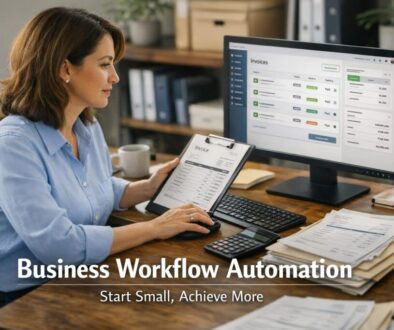
5 Signs Your Business Needs Automation
If your team is spending too much time on repetitive admin, fixing avoidable errors, or chasing the same tasks through email, your business may be ready for automation. The goal is not to automate everything. It is to spot where manual work is slowing you down and decide whether a smarter workflow would make the business simpler.
In this guide, we will look at five clear signs your business needs automation, what those signs usually mean in practice, and how to tell whether a process is a good candidate for improvement. We will also cover what to automate first, what should stay human-reviewed, and the common tools Australian small businesses use.
null
For many small businesses, the right starting point is not a big technology project. It is simply removing repetitive work from everyday operations. That is the kind of change Simple Automations helps businesses think through, whether the issue is admin overload, inconsistent handoffs or manual data entry.
What business automation actually solves
When people hear the phrase business needs automation, they sometimes think of complex systems or major software changes. In reality, automation usually solves three very practical problems:
- Repetitive admin that keeps pulling people away from more valuable work
- Delays and handoffs where work gets stuck waiting for someone to act
- Inconsistent processes where the outcome depends on memory, not a system
That might include invoice processing, lead follow-up, appointment reminders, document generation, support triage, internal approvals, or data entry between systems. In many cases, the workflow already exists. It is just being handled manually.
If you are exploring practical ways to reduce admin, the small business automation page is a useful place to start. You can also explore automation solutions if you want to see how process problems are turned into workflows.
Sign 1 — Your team keeps doing the same manual tasks
The first and most obvious sign your business needs automation is repetition. If your team is copying the same information between systems, sending the same follow-up emails, or manually creating the same documents over and over, the process is probably ready for review.
Common examples
- Typing lead details from a form into a CRM
- Re-entering invoice or customer data into accounting software
- Sending the same enquiry response by hand
- Creating the same onboarding or approval documents repeatedly
- Chasing appointment confirmations one by one
Repetition matters because it wastes time, but it also creates inconsistency. The more often a person has to repeat a task, the more likely it is that something gets missed or done slightly differently.
Why repetition is a red flag
When work is highly repetitive, it is usually a good candidate for standardisation. That does not always mean full automation. Sometimes it means building a clearer process first. But if the same steps are happening every day or every week, that is a strong signal that your business needs automation.
Many small businesses start with one repetitive workflow and build from there. Our trust account automation case study is a good example of how a document-heavy process can be simplified when the steps are routine and structured.
Sign 2 — Small errors are happening too often
Another sign your business needs automation is recurring error. If mistakes are showing up in invoices, customer records, reminders, or approvals, the issue may not be staff capability. It may be that the process depends too much on manual handling.
Examples of avoidable errors
- Duplicate data entry between systems
- Missed invoices or late payment reminders
- Wrong contact details being used
- Tasks being forgotten during busy periods
- Version mix-ups in documents or approvals
Even small mistakes can have a big business cost. They can delay cash flow, create awkward customer experiences, and add rework for staff. If the same type of error keeps happening, automation may help reduce the number of places where a person has to manually intervene.
How automation helps reduce mistakes
Automation can reduce avoidable errors by moving data from one place to another in a structured way. For example, if a form submission creates a CRM record automatically, there is less chance of a typing error. If an invoice reminder is triggered by a due date, there is less chance someone forgets to send it.
The important point is not that automation removes all mistakes. It is that it can reduce the manual steps where mistakes usually happen.
Sign 3 — Work is getting stuck between steps or approvals
If tasks keep sitting in inboxes, waiting for approvals, or bouncing between people, your business may need automation. Bottlenecks usually mean the workflow is not visible enough, not clear enough, or too dependent on someone remembering to move the next step forward.
Typical bottlenecks in small businesses
- Approval requests waiting for a manager to notice them
- Quotes or contracts not being sent out promptly
- Staff not knowing who owns the next step
- Internal requests getting lost in email threads
- Jobs or tickets sitting unassigned
These delays often create a hidden drag on the business. The work may not look urgent, but over time it slows down service delivery, invoicing, and customer response times.
What automation can do here
Automated approvals, status updates, reminders, and task routing can make workflows easier to follow. Instead of relying on memory, the system can move work along or notify the right person when it is time to act.
This is one reason workflow platforms such as Microsoft Power Automate are often used in businesses that already work across email, files, forms and approvals. Microsoft also provides current product information on Power Automate pricing for businesses that want to check the latest options directly.
Sign 4 — Customers or leads are waiting too long
Slow follow-up is one of the clearest signs your business needs automation. If enquiries are sitting unanswered, leads are not being routed quickly, or appointment bookings take too much back-and-forth, the business is likely losing time and possibly opportunity.
Common signs of slow response
- Website enquiries are checked manually
- Leads are assigned by hand instead of automatically
- Customers wait too long for acknowledgement
- Appointment booking requires too many email exchanges
- Follow-up reminders depend on someone remembering them
From a customer’s point of view, speed matters. A quick acknowledgement does not solve every issue, but it shows the business is organised and responsive. That can make a real difference when a customer is comparing options.
Where AI can help, and where it should not
AI can be useful for drafting replies, summarising enquiries, or classifying incoming requests. But it should be reviewed before anything important is sent. For customer promises, pricing, complaints, or sensitive issues, human judgment still matters.
Tools like HubSpot automation are commonly used for lead routing, follow-up sequences and task creation. For businesses that want a broader cross-app approach, platforms such as Zapier and Make are also widely used for connecting everyday business tools.
Sign 5 — Admin is taking time away from higher-value work
The final sign your business needs automation is often the most important one. If admin is taking so much time that staff cannot focus on sales, service, delivery or planning, the business may have outgrown manual processing.
Signs the business has outgrown manual work
- Staff are spending too much time on routine admin
- Processes live in people’s heads instead of systems
- The business struggles when one person is away
- More work is coming in, but admin capacity is not growing
- Simple tasks are delaying more valuable work
This is where automation becomes less about convenience and more about capacity. If a process is consuming skilled time but does not require skilled judgment, that is often a strong candidate for automation.
Our content calendar automation case study shows how a repeatable planning workflow can be organised more efficiently when the process is structured. For digital delivery workflows, the digital product automation case study shows another practical example of reducing manual handling.
What to automate first
If the signs above sound familiar, the next question is not “what can we automate?” It is “what should we automate first?” The best starting points are usually the tasks that are repetitive, standardised, and high-volume.
Best candidates for automation
- Lead capture and follow-up
- Appointment reminders
- Invoice creation and payment reminders
- Receipt and expense handling
- Document generation from templates
- Internal approvals and notifications
- Simple support triage
These workflows are often easier to improve because the steps are already known. The challenge is usually not invention, but consistency.
A simple test
Ask three questions:
- Does this task happen often enough to matter?
- Does it follow a clear pattern?
- Would a mistake or delay create a problem?
If the answer is yes to all three, the process is worth exploring.
When not to automate
Not every manual process should be automated. In some cases, automation can make a workflow worse if it is applied too early or too broadly.
Keep human review where judgment matters
- Financial approvals
- Legal review
- Compliance-related communication
- Sensitive customer complaints
- HR and employment matters
- Exceptional or unusual cases
Automation works best when the process is stable and predictable. If the process changes constantly, or if the wrong outcome would be costly or sensitive, keep a person in the loop.
That is one reason many businesses use automation to prepare work, then have a human review the important parts before anything is finalised.
Tools small businesses often use for automation
You do not always need a separate automation platform to get started. Many tools already used by small businesses include built-in automation or workflow features.
| Tool type | Common use | Why it matters |
|---|---|---|
| Microsoft 365 | Documents, email, approvals and workflow automation | Useful for businesses already working in Outlook, Excel, Teams and SharePoint |
| Google Workspace | Forms, Docs, Sheets and scripting | Helpful for lightweight process automation and collaboration |
| Xero, MYOB, QuickBooks | Invoices, expenses, bank feeds and bookkeeping workflows | Common accounting platforms for Australian small businesses |
| CRM tools | Lead routing, email sequences and task creation | Helps sales and customer follow-up stay consistent |
| Zapier and Make | Connecting apps across systems | Useful when two or more tools need to talk to each other |
For official product information, you can review Google Workspace Gemini features, Google Apps Script documentation, and the official sites for Xero, MYOB and QuickBooks.
Privacy and security considerations for Australian businesses
If automation moves customer, supplier, or employee information between systems, privacy and security need to be part of the discussion. Australian businesses may need to consider the Australian Privacy Principles and the way personal information is collected, used, stored and shared.
Key things to think about
- Only collect information you actually need
- Check where data is stored and who can access it
- Review permissions for connected apps
- Make sure staff use approved tools
- Consider what happens if an automation sends the wrong information
It is also sensible to think about record keeping, especially for accounting and tax workflows. The business.gov.au record keeping guidance and the ATO’s record keeping for business page are useful references for businesses that handle invoices, receipts and payroll records.
For broader cyber awareness, the Australian Cyber Security Centre is a trusted source on security basics and connected-system risks.
Final check: is it time to automate or fix the process first?
Before you automate anything, look at the process itself. Sometimes the issue is not the tool. It is the workflow. If a process is confusing, poorly defined or inconsistent, it may need to be cleaned up first.
A good rule of thumb is this:
- Fix the process first if the steps are unclear, changing often or full of exceptions
- Automate next if the process is stable, repetitive and easy to define
If your business is showing several of the signs in this article, it is probably time to map the workflow and identify the manual steps that are slowing things down.
That is exactly where a practical automation review can help. Simple Automations works with small businesses to find the right starting point, simplify recurring admin and build workflows that actually fit the way the business operates. If you are ready to explore the next step, start with automation solutions or visit Simple Automations to see how technology can make business simpler.
Ready to Simplify Repetitive Work?
If your business is stuck doing too much manual admin, we can help you identify the best workflows to automate first.
Useful resources
If you want to keep learning, the Business Hub is a good place to find more practical business automation resources and guides.
For more examples of automation in action, you can also explore our automation case studies.