10 Business Tasks You Can Automate With AI
If you run a small business, you probably already know the feeling: too much admin, too many follow-ups, and not enough time for the work that actually grows the business. The good news is that there are many business tasks you can automate with AI without making your operations complicated.
This guide breaks down which tasks are good candidates for AI automation, which ones still need human oversight, and how small businesses can use automation safely and practically. The goal is simple: reduce repetitive work, avoid unnecessary errors, and make your business easier to run.
null
AI works best when it supports your team rather than replacing judgment. In many cases, the smartest approach is to use AI to draft, sort, summarise or extract information, then let a person review the result before anything important is sent, filed or approved.
For businesses looking for practical, low-complexity improvements, automation for small business is often the right starting point. And if you want to see how this thinking applies in real workflows, Simple Automations has examples such as trust account automation, content calendar automation and digital product automation.
What kinds of business tasks can AI automate?
Not every task should be fully automated, but a lot of everyday work can be partly automated with AI-enabled tools. The best candidates are usually repetitive tasks that involve text, data entry, classification, reminders or summarising information.
In simple terms, there is a difference between automation and AI assistance:
- Automation moves information and triggers actions, such as creating a record, sending a reminder or updating a system.
- AI assistance helps draft, summarise, classify or suggest a response based on the information it receives.
That distinction matters because many business tasks can benefit from both. For example, AI might draft a reply to an enquiry, while automation sends it to the right person for review.
For a broader look at how this fits into practical business process improvement, see business automation solutions and the Simple Automations Business Hub.
What’s best left to humans?
AI is useful, but it is not a substitute for judgment. Tasks involving payments, legal wording, customer complaints, privacy-sensitive information or anything high-stakes should usually keep a human in the loop.
A practical rule is to automate the first draft, the data movement or the sorting step, while keeping approvals, exceptions and sensitive decisions human-led.
10 business tasks you can automate with AI
Here are ten common workflows where AI can save time and reduce repetitive admin for small businesses.
1. Email triage and response drafting
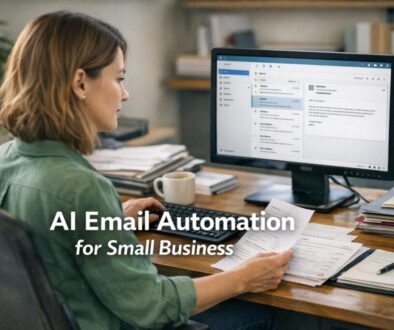
Many businesses spend a lot of time reading emails, sorting them and replying to the same questions again and again. AI can help by scanning incoming messages, summarising what the sender wants and drafting a reply.
Current problem: inbox overload and slow responses.
Automation opportunity: classify emails by topic or urgency and draft a response.
How it could work: an incoming email is checked by an AI tool, then routed to the right folder or person, with a draft reply prepared for review.
Business benefit: faster response times and less manual triage.
2. Meeting notes and follow-up tasks
Meeting notes are easy to delay and action items are easy to forget. AI tools built into meeting and productivity platforms can help turn a discussion into a summary, a list of actions and a draft follow-up email.
Current problem: important details get lost after meetings.
Automation opportunity: transcribe, summarise and extract action items.
How it could work: the meeting ends, the transcript is processed, and the key points are turned into notes or tasks.
Business benefit: clearer accountability and less time rewriting notes from scratch.
Tools such as Microsoft 365 Copilot and Gemini in Google Workspace are designed to help with drafting and summaries inside everyday business apps.
3. Lead capture and CRM updates
When a lead comes in through a form, email or website enquiry, the data often needs to be copied into a CRM or sales system. That is a good automation candidate.
Current problem: duplicate entry and missed follow-up.
Automation opportunity: create a CRM record, assign the lead and send an acknowledgement.
How it could work: when a new enquiry arrives, the system captures the details, categorises the lead and creates a task for the right person.
Business benefit: fewer missed leads and a more consistent sales process.
Workflow tools such as Microsoft Power Automate, Zapier and Make are often used to connect forms, email, CRMs and task systems.
4. Invoice and receipt processing
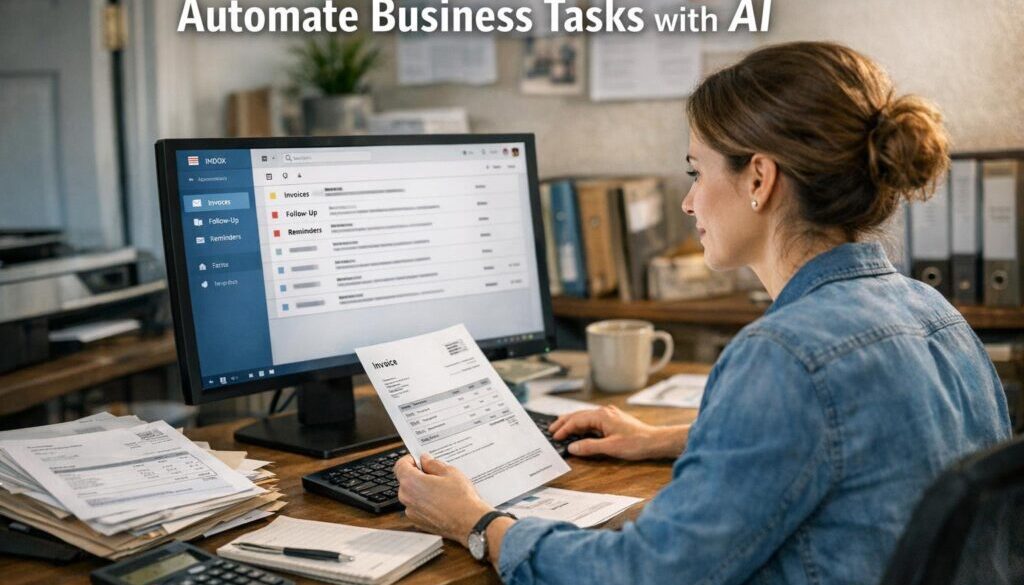
Invoice and expense workflows are a classic example of where AI can reduce tedious admin. AI can read documents, extract key fields and help categorise information before it is reviewed.
Current problem: manual data entry for invoices, receipts and bills.
Automation opportunity: extract supplier names, dates, amounts and other key details.
How it could work: a receipt is uploaded or emailed into the system, the details are read and a draft transaction is created for checking.
Business benefit: less copying and pasting, fewer errors and a cleaner bookkeeping process.
For Australian businesses, this needs to align with accounting and record-keeping requirements. The Australian Taxation Office record keeping guidance is a useful reference point, especially when automation touches invoices or expense records.
5. Customer support responses
Customer support is another area where AI can help, especially by classifying tickets, suggesting replies and surfacing relevant help articles. That does not mean every query should be answered automatically.
Current problem: support teams spend too much time on routine questions.
Automation opportunity: route tickets, suggest first responses and summarise the customer’s history.
How it could work: a ticket arrives, AI identifies the issue type, drafts a response and sends it to a staff member for approval or escalation.
Business benefit: quicker handling of common questions with better consistency.
Support platforms such as Zendesk AI and Intercom Fin show how AI-assisted support workflows are becoming normal in mainstream tools.
6. Social media and content repurposing
Many businesses create one good piece of content and then struggle to turn it into multiple usable formats. AI can help repurpose a blog post, newsletter or webinar into social captions, email snippets or short summaries.
Current problem: content creation takes too long.
Automation opportunity: draft variations for different channels.
How it could work: once a blog post is published, AI suggests social captions, a short summary and a few content angles for reuse.
Business benefit: faster publishing and better use of existing content.
This is one reason the content calendar automation case study is a useful example of practical workflow simplification.
7. Scheduling and appointment reminders
If you run a service business, appointments and reminders can generate a lot of admin. AI and automation can help confirm bookings, send reminder messages and handle simple rescheduling workflows.
Current problem: missed appointments and manual reminder follow-up.
Automation opportunity: send confirmations and reminders automatically.
How it could work: when a booking is made, the customer receives a confirmation. Another message goes out before the appointment, with a simple reschedule path if needed.
Business benefit: fewer no-shows and less back-and-forth for the team.
8. Document generation
Business documents often follow a pattern. That makes them suitable for automation, especially when the same structure is used for quotes, onboarding packs, checklists or proposals.
Current problem: staff keep recreating similar documents.
Automation opportunity: generate a first draft using data already stored in your systems.
How it could work: a form is completed or a client record is updated, then a document is created using approved templates and standard wording.
Business benefit: faster turnaround and more consistent documents.
For workflows involving formal records or approvals, document automation should be carefully controlled. This is especially true when the process has financial or compliance implications, which is one reason the trust account automation example is relevant to document-heavy work.
9. Internal knowledge search and drafting
Small teams often waste time looking for the right policy, template, instruction or answer. AI can help staff search internal knowledge bases and draft responses based on stored material.
Current problem: knowledge is scattered across emails, folders and notes.
Automation opportunity: surface relevant documents and generate a draft answer from them.
How it could work: a staff member asks a question, the system searches approved documents and returns a short summary or draft.
Business benefit: faster access to information and less time searching.
Tools in the Atlassian ecosystem are built around this kind of knowledge workflow, and Atlassian support documentation is a useful starting point if your business uses Jira or Confluence.
10. Reporting and dashboard summaries
Reports are useful, but preparing them manually can be time-consuming. AI can help turn numbers into a plain-English summary so owners and managers can quickly understand what changed.
Current problem: reports take too long to prepare and interpret.
Automation opportunity: pull data from business systems and create a summary.
How it could work: on a scheduled basis, a workflow gathers figures from accounting, CRM or project tools and produces a short update for review.
Business benefit: quicker visibility without extra admin.
If you work with digital products or automated delivery systems, digital product automation can also be relevant when you want to reduce repetitive post-sale tasks.
Which tasks should only be partially automated?
The safest use of AI is usually not full automation. It is partial automation with clear checkpoints.
Good tasks for AI assistance include:
- drafting emails or replies
- summarising meetings and documents
- classifying enquiries or tickets
- extracting data from forms and receipts
- suggesting next steps or follow-up tasks
Tasks that should usually remain human-reviewed include:
- sending financial approvals
- making legal or compliance decisions
- handling sensitive customer complaints
- finalising contracts or official documents
- approving public-facing statements
AI can make these tasks faster, but it should not be treated as an authority on its own. Major vendors also note that AI outputs can be incomplete or inaccurate, so review still matters.
Common tools Australian small businesses use
There is no single “best” tool for every business. The right choice depends on what your business already uses and how much automation you need.
Microsoft 365 Copilot and Power Automate
If your team already works in Outlook, Word, Excel and Teams, Microsoft’s AI and automation stack can be a practical option. Copilot is aimed at drafting, summarising and helping with productivity tasks, while Power Automate is designed to move data and trigger workflows between systems.
Google Workspace Gemini
For businesses using Gmail, Docs, Sheets and Meet, Gemini in Workspace can help with writing, summaries and meeting support. That makes it useful for businesses that live inside Google tools every day.
Zapier, Make and Airtable automations
These no-code and low-code tools are often used to connect apps without custom development. They are helpful when you want one system to trigger actions in another, such as sending a form submission to your CRM or creating a task from an email.
Xero, MYOB, QuickBooks and business software ecosystems
Accounting platforms and their connected apps are important for invoice, expense and record-keeping workflows. If automation touches accounting data, it should respect tax records, approvals and auditability.
For more on practical automation thinking, you can also explore automation services and the wider Simple Automations website.
Privacy, security and compliance considerations
Automation should make business simpler, not create new risk. That means being careful about where data goes and who can access it.
Australian Privacy Act and APPs
If your business handles personal information, you may need to comply with the Australian Privacy Act and the Australian Privacy Principles depending on your circumstances. The OAIC’s Australian Privacy Principles guidance and the OAIC page on privacy and artificial intelligence are useful starting points.
Record keeping and tax obligations
When automation touches invoices, receipts or GST-related records, the process still needs to support proper record keeping. The ATO GST guidance is relevant for businesses that rely on automated financial workflows.
Data handling, retention and access control
Before using an AI tool, check:
- where data is stored
- whether data is retained or reused
- who can access the workflow
- how approvals are managed
- whether sensitive information should be excluded
For small businesses, a sensible approach is to start with low-risk tasks, use approved tools and build review steps into anything involving customers, money or compliance.
How to choose the right workflow to automate first
If you are not sure where to begin, start small. The best first automation is usually the one that is high-volume, repetitive and low-risk.
Start with high-volume, low-risk tasks
Look for work that happens every day or every week and follows a consistent pattern. Email sorting, reminders, lead capture and content repurposing are common starting points.
Build human review into the workflow
Not every step needs to be automated. In many cases, the best result comes from AI doing the first pass and a person approving the output before it is sent or saved.
Test, monitor and refine
Automations are rarely perfect on day one. They should be tested with real business scenarios, checked for mistakes and refined over time. This is especially important when the workflow affects customers, finance or records.
If you want help identifying which business tasks you can automate with AI in your own business, a practical review of your current processes is often the best next step. That is where a tailored approach matters more than buying another app.
Ready to Simplify Your Business?
If you are spending too much time on repetitive admin, Simple Automations can help you identify practical workflows that are suitable for automation and AI assistance.
Final takeaway
The best business tasks you can automate with AI are the ones that are repetitive, structured and low-risk. AI is especially useful for drafting, summarising, classifying and extracting information, while automation handles the movement of data and the triggering of actions.
The aim is not to automate everything. It is to reduce admin, improve consistency and free up time for the work that actually needs your judgment.
Used well, AI can make a small business simpler to run. Used carelessly, it can create errors or compliance risk. The difference is usually in the design of the workflow and the amount of human oversight built in.
For businesses that want practical help with workflow design, small business automation is a sensible place to start.