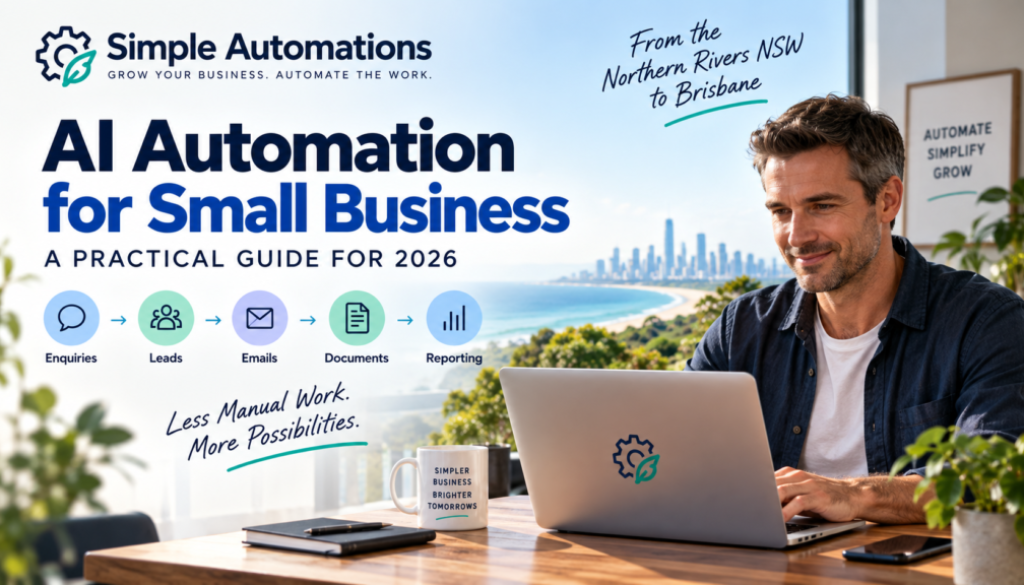
AI Automation for Small Business: A Practical Guide for 2026
Running a small business often means doing far more than the work you actually get paid for.
You might spend part of your day responding to enquiries, following up leads, moving information between systems, processing documents, sending emails, updating spreadsheets and preparing reports.
None of these tasks are necessarily difficult. The problem is that they take time — and many of them have to be repeated again and again.
AI automation for small business can help.
Instead of simply using AI to write an email or answer a question, AI can be combined with business automation to help manage parts of a complete workflow.
For example, an incoming customer enquiry could be read by AI, categorised, recorded in your system, given an appropriate response and passed to you when human involvement is needed.
The goal isn’t to replace people or automate everything.
The goal is much simpler:
Use technology to remove unnecessary repetitive work so you can spend more time running and growing your business.
This guide explains what AI automation is, what small businesses can use it for, where it makes sense and where a human should remain involved.
What Is AI Automation for Small Business?
AI automation for small business is the combination of artificial intelligence and automated workflows to perform business tasks with less manual involvement.
Traditional automation normally follows a set of predetermined instructions.
For example:
When a customer completes a form, add their details to a spreadsheet and send them an email.
AI adds another layer.
Instead of simply following fixed instructions, an AI system can help interpret information, classify it, summarise it or make a decision within defined boundaries.
For example:
A customer sends an email → AI reads the enquiry → identifies what the customer wants → automation records the enquiry → sends the appropriate information → alerts the business owner if personal attention is required.
This distinction is important.
Automation follows the process.
AI can help understand the information within the process.
When the two are combined properly, they can solve much more useful business problems.
If you are interested in how this can be applied to your own business, you can explore our small business automation solutions.
Why Should Small Businesses Consider AI Automation?
Large organisations have entire departments dedicated to administration, customer service, finance and operations.
A small business often doesn’t.
The owner might be doing the sales, answering the phone, managing customers, sending invoices and looking after the actual work.
That makes repetitive administration particularly expensive in terms of time.
AI automation isn’t about adding technology simply because it is available.
It’s about finding tasks where technology can genuinely make the business simpler.
That principle is at the heart of Simple Automations: using practical technology to reduce unnecessary manual work rather than adding complexity to a business.
What Business Tasks Can You Automate With AI?
There are many possibilities, but the best starting point is usually a task that is:
- Repetitive
- Time-consuming
- Based on reasonably consistent information
- Currently handled manually
- Easy to check when something goes wrong
Here are some common examples.
1. Customer Enquiries
A business might receive enquiries through email, a website form or another channel.
Manual process:
Someone reads each enquiry, works out what the customer wants and decides what to do next.
Automated solution:
AI reads and categorises the enquiry. An automation can then send the information to the appropriate system, notify the right person or send an approved response.
Result:
Less manual sorting and faster handling of routine enquiries.
2. Lead Follow-Up
A new lead can be valuable, but following up every enquiry consistently can be difficult when you’re busy.
Manual process:
A business owner receives an enquiry, remembers to follow up, writes an email and updates their records.
Automated solution:
The enquiry triggers an automated workflow. AI can help understand the enquiry, while the automation records the lead and initiates an appropriate follow-up sequence.
Result:
Fewer leads falling through the cracks.
3. Email Management
Not every email requires the same response.
Some may be sales enquiries. Others could be support requests, booking enquiries, documents or routine questions.
Manual process:
Someone opens, reads and sorts every message.
Automated solution:
AI can classify incoming messages according to predefined categories. Automation can then route or process them appropriately.
Result:
Less time spent sorting routine email.
4. Document and Invoice Processing
Businesses regularly receive PDFs, invoices, forms and other documents.
Manual process:
Someone opens the document, reads the information and manually enters it into another system.
Automated solution:
AI can extract relevant information from a document, while automation transfers that information to the appropriate system for checking or processing.
Result:
Less data entry and fewer opportunities for manual transcription errors.
Human review can remain part of the workflow where accuracy or financial decisions require it.
5. Reporting
Many businesses spend time collecting information from different systems before creating a report.
Manual process:
Export information, copy it into a spreadsheet, format it and write a summary.
Automated solution:
Automation gathers the information. AI can help summarise or explain the data, while the final report can be prepared automatically.
Result:
Less repetitive reporting work.
AI Automation Doesn’t Mean Automating Everything
This is one of the most important things for a small business to understand.
You don’t need to automate your entire business.
In fact, trying to do so is often the wrong approach.
A better question is:
Which parts of my business are consuming time without requiring much human judgement?
For example, you might not want to automate the final decision on whether to accept a major customer.
But you might want to automate:
- Collecting the enquiry
- Checking that required information has been provided
- Categorising the enquiry
- Creating a customer record
- Sending an acknowledgement
- Scheduling a follow-up
- Notifying the right person
The human remains responsible for the important decision.
The automation handles the administration surrounding it.
That’s where AI automation for small business can become particularly useful.
AI Automation vs Traditional Automation
The terms can sound confusing, but the basic difference is relatively straightforward.
| Traditional Automation | AI Automation |
|---|---|
| Follows defined rules | Can interpret information |
| Usually works with structured information | Can work with less structured information |
| “If this happens, do that” | Can determine what information means |
| Highly predictable | Can handle greater variation |
| Excellent for repeatable processes | Useful when information requires interpretation |
Neither is automatically better.
Often, the best solution combines both.
For example:
AI: Understands a customer’s email.
Automation: Moves the information to the correct system.
AI: Determines the likely enquiry type.
Automation: Starts the appropriate workflow.
Human: Deals with anything that requires judgement.
This combination is where modern business automation becomes particularly useful.
Where Do AI Agents Fit In?
You may also have heard the term AI agent.
An AI agent is a system that can use AI to carry out tasks and, within defined limits, determine what actions should happen next.
For example, an AI agent could potentially:
- Receive a customer enquiry.
- Understand the request.
- Check relevant information.
- Decide which workflow applies.
- Take an approved action.
- Escalate the enquiry to a person when required.
An AI agent and a traditional automation aren’t necessarily alternatives.
They can work together.
AI Agent
Understands and decides.
↓
Automation
Carries out repeatable actions.
↓
Human
Handles decisions that require experience, judgement or personal interaction.
We’ll explore this subject in greater detail in our Business Hub and future AI agent content.
What Should Your Small Business Automate First?
If you’re new to automation, don’t start by looking for the most impressive technology.
Start with the most annoying repetitive task.
Ask yourself:
What do I do every day?
Look for tasks that happen repeatedly.
What takes the most time?
A task that takes five minutes might not matter.
A task that takes five minutes and happens 30 times a day might.
What do I keep forgetting?
Follow-ups, reminders and routine administration are often good candidates.
What involves copying information?
Moving information between emails, spreadsheets, forms, CRM systems and other software is often suitable for automation.
What doesn’t require much judgement?
The less judgement a task requires, the easier it may be to automate safely.
A Simple Example
Imagine a small business receives 20 customer enquiries each week.
The current process might look like this:
Customer submits enquiry
↓
Business owner receives email
↓
Reads enquiry
↓
Works out what customer wants
↓
Copies details into spreadsheet
↓
Sends response
↓
Sets reminder to follow up
↓
Updates customer record
That could involve several minutes of administration for every enquiry.
An automated version could look like:
Customer submits enquiry
↓
AI reads and categorises enquiry
↓
Automation records customer details
↓
Approved response sent
↓
Follow-up task created
↓
Business owner receives notification when human attention is required
The business hasn’t eliminated the customer relationship.
It has simply removed much of the repetitive administration surrounding it.
What Software Can AI Automation Work With?
One of the biggest misconceptions about automation is that you have to replace all the software you’re already using.
That’s usually not the case.
Automation can often connect existing tools and move information between them.
Depending on the business, that might include:
- Google Workspace
- Microsoft 365
- CRM systems
- Accounting software
- Online forms
- Spreadsheets
- Ecommerce platforms
- Customer databases
- Project management software
- AI services
Automation platforms such as Make and Zapier can connect different applications and help businesses build automated workflows.
AI tools such as OpenAI and Claude can also be used as part of workflows where AI is required to interpret, generate or summarise information.
The important question isn’t:
“Which automation tool should I buy?”
It’s:
“What problem am I trying to solve?”
The technology should follow the business requirement — not the other way around.
What About Privacy and Customer Data?
This is an important consideration when introducing AI into a business.
If an AI system handles personal information, the business needs to understand how that information is collected, used, stored and disclosed.
The Australian Information Commissioner provides guidance on privacy and the use of commercially available AI products, including considerations around personal information and appropriate safeguards.
It’s worth reviewing the OAIC guidance on privacy and AI before introducing AI into workflows that handle personal information.
This is one reason we don’t recommend simply connecting every business system to an AI tool and hoping for the best.
A good automation should consider:
- What information is being processed?
- Why is it being processed?
- Which system receives it?
- Who can access it?
- What happens if the AI gets something wrong?
- Where should human approval be required?
Automation should make a business simpler without creating unnecessary risk.
You Don’t Need to Be Technical
This is probably one of the biggest barriers stopping small businesses from exploring automation.
You may have heard terms such as:
- API
- Webhook
- Workflow
- AI agent
- Integration
- Scenario
- JSON
You don’t need to understand all of these terms to benefit from automation.
Think of an automation as a set of instructions connecting the tools your business already uses.
For example:
When a customer does this → understand the information → update this system → send this response → notify this person.
The technical work happens behind the scenes.
Your job is to explain how your business works and what you want to improve.
Should You Build AI Automation Yourself?
Sometimes, yes.
If you enjoy technology and have the time to learn, platforms such as Make and Zapier can allow you to build your own workflows.
But there’s another option.
You can have the automation designed and built for you.
This can make sense when:
- You aren’t particularly technical.
- You don’t have time to learn automation platforms.
- The workflow is important to your business.
- Several systems need to work together.
- You need help deciding what should and shouldn’t be automated.
- You want someone to maintain the system after it is built.
The important thing is to start with the business problem, not the software.
You can explore our automation solutions to see the types of business problems that can be addressed with practical automation.
Start Small
One of the best ways to introduce AI automation for small business is to start with one process.
Don’t attempt to automate everything on day one.
Choose something such as:
- Lead follow-up
- Customer enquiries
- Email sorting
- Invoice processing
- Document handling
- Appointment reminders
- Reporting
- Content workflows
Map out how the process works today.
Then ask:
Which parts genuinely need a person?
Everything else becomes a candidate for automation.
This approach makes the project easier to understand, easier to test and easier to improve.
AI Automation for Businesses from Northern Rivers NSW to Brisbane
Simple Automations is initially focused on helping businesses across the Northern Rivers, Northern NSW, the Gold Coast and Brisbane.
That includes businesses such as:
- Trades
- Professional services
- Consultants
- Retailers
- Ecommerce businesses
- Agencies
- Coaches
- Sole traders
- Other small and growing businesses
The specific industry matters less than the problem.
If you’re spending hours every week doing the same repetitive administrative tasks, there may be an opportunity to simplify the process.
Whether you’re in Byron Bay, Ballina, Lismore, Tweed Heads, the Gold Coast or Brisbane, the first step is simply understanding how your business currently works.
What Does AI Automation Cost?
There isn’t a single price for AI automation because every business and workflow is different.
A simple automation connecting two systems may be relatively straightforward.
A more complex system involving AI, multiple applications, customer data and approval steps requires considerably more planning and testing.
The cost should therefore be considered against the problem being solved.
For example:
Low-value task
Spending five minutes occasionally on a manual task probably isn’t worth a complex automation.
High-value repetitive task
Spending several hours every week manually processing enquiries, invoices or leads could be a much better automation opportunity.
The objective isn’t to automate something simply because it can be automated.
The objective is to create a system where the time, reliability or customer-service benefit makes the automation worthwhile.
What Makes a Good Business Automation?
A good automation isn’t necessarily complicated.
In fact, the best ones are often surprisingly simple.
A good automation should:
- Solve a genuine business problem
- Remove unnecessary manual work
- Be understandable
- Be reliable
- Have clear rules
- Include human oversight where appropriate
- Be easy to maintain
- Use the right technology for the job
And perhaps most importantly:
The business owner should understand what the automation is doing.
Technology should make business simpler — not create another complicated system that nobody understands.
The Future of Small Business Automation
AI is changing what automation can do.
Traditional automation has been excellent at moving information and following predictable rules.
AI makes it possible to work with information that previously required someone to read, interpret or categorise manually.
That creates opportunities for small businesses that previously might have been too expensive or complicated to implement.
But the fundamentals haven’t changed.
Find a repetitive problem.
Understand the process.
Decide what needs human judgement.
Automate the appropriate parts.
Test it.
Improve it.
That’s a much more useful approach than trying to automate everything simply because new technology makes it possible.
Ready to Find Something You Can Automate?
You don’t need to start with AI.
You don’t need to understand automation software.
And you don’t need to completely change the way your business operates.
Start by looking at the work you or your team repeat every day.
If there’s a process that involves copying information, sorting enquiries, sending routine emails, updating systems or following the same steps repeatedly, it could be a good candidate for automation.
Simple Automations helps small businesses identify those opportunities and build practical automation systems around the way they already work.
Whether you’re looking for a simple automation you can implement yourself or want someone to design and build the complete workflow for you, the aim is the same:
Grow Your Business. Automate the Work.