AI Email Automation for Small Business: Practical Ways to Save Time Without Losing Control
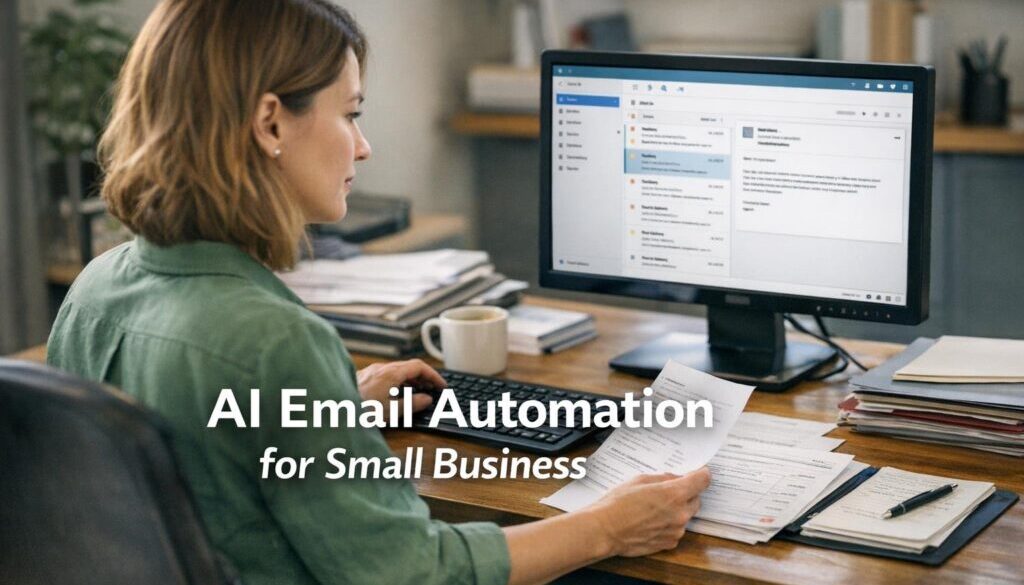
Small businesses often spend too much time sorting inboxes, replying to routine questions, chasing leads and moving information into other systems. AI email automation can help reduce that workload, but the safest approach is usually not to let software send everything on its own. The better approach is to use AI to triage, draft and route emails, while keeping a person involved where judgement, tone or compliance matter.
This article explains what AI email automation is, which email tasks are good candidates for automation, which ones still need human review, what tools small businesses can use, and what privacy and spam rules matter in Australia.
null
If your business already relies on email for enquiries, bookings, support or follow-up, a simple automation setup can make a real difference. It can also connect with broader workflow tools such as small business automation and automation solutions when you want to turn email into a more organised process rather than a daily firefight.
What is AI email automation for small business?
AI email automation is the use of artificial intelligence and workflow tools to help manage incoming and outgoing email more efficiently. In plain English, it means using software to do some of the repetitive thinking and admin around email, such as sorting messages, summarising long threads, drafting replies, or sending information to the right place.
What it does
For a small business, AI email automation can help with tasks like:
- identifying whether an email is a sales lead, support issue, booking enquiry or internal message
- drafting a first response to common questions
- summarising long email threads so staff can catch up quickly
- sending enquiries to the right person or department
- creating tasks, CRM entries or reminders from email content
- prompting follow-up when a message has not been answered
Why it matters now
Email is still a core business channel for customer service, sales, invoicing follow-up, bookings and internal coordination. That makes it one of the most practical places to look for time savings. Microsoft and Google both now offer AI-assisted email features in their productivity suites, and automation platforms can connect email to other systems such as tasks, calendars, CRMs and helpdesks.
That does not mean the inbox should be left to run itself. For most small businesses, the strongest results come from assistive automation rather than full automation. That means AI helps, but a human still checks the important stuff.
Which email tasks are best suited to automation?
Not every email task should be automated. The best candidates are repetitive, rules-based or low-risk tasks where the business wants speed and consistency.
Inbox triage and categorisation
One of the most useful applications of AI email automation is sorting incoming messages. AI can help identify whether an email looks like a lead, a customer support request, an invoice follow-up, a booking enquiry or something urgent that needs attention.
This is especially helpful when a shared inbox is getting noisy. Instead of manually reading every message in order, staff can see what needs action first.
Lead capture and follow-up
When a prospect emails with their name, phone number, service interest or deadline, that information can often be captured automatically and moved into a CRM, spreadsheet or task list. The same workflow can also create a follow-up reminder so leads do not sit unanswered.
This is a good example of where content calendar automation shows the broader value of structured workflows: when information is captured once and moved cleanly into the next step, admin gets simpler. The same thinking applies to lead enquiries, even if the exact workflow is different.
Booking and calendar workflows
For businesses that handle appointments, consultations or site visits, email can be linked to calendar workflows. For example, a booking enquiry can trigger an internal task, a draft confirmation or a reminder to respond. If the booking is simple and the rules are clear, this saves time and reduces missed appointments.
Helpdesk and support routing
Support emails can often be turned into tickets or assigned to the right team member. AI can help detect the subject of the request, while automation handles the routing. That means the right person sees the message sooner, and the customer does not get bounced around.
Drafting routine replies
AI is very useful for first-draft replies to common questions such as opening hours, next steps, service area, quote requests or booking instructions. The business can keep a library of templates and let AI adapt the wording to the message.
That is usually safer than asking AI to invent a response from scratch. A template gives structure, while AI helps save time on wording.
Where AI helps, and where humans should stay involved
The safest way to use AI email automation is to let AI support the process rather than make every decision.
Good uses for AI assistance
- summarising long email threads
- classifying messages by topic or urgency
- drafting a polite first reply
- rewriting a message to sound clearer or more professional
- pulling out key details such as names, dates or order references
Messages that need review
Some emails should still be checked by a person before anything is sent. That includes messages about:
- complaints or escalations
- pricing changes or commitments
- legal or contractual issues
- payment problems
- sensitive personal information
- health, financial or other regulated matters
Why “assistive” automation is safer
AI can misunderstand tone, invent details or misread a request. A human review step helps protect customer trust and reduces the risk of sending the wrong message. For small businesses, that balance matters more than trying to automate everything.
This is also why more complex document-heavy workflows are often handled with a mix of automation and review. Our trust account automation case study is a good reminder that repetitive processes can be simplified without removing oversight where it matters.
How AI email automation works in practice
A practical setup usually follows a simple sequence.
Typical workflow: trigger, AI step, automation, approval, send
- Trigger: a new email arrives in a shared inbox.
- AI step: the message is classified or summarised.
- Automation step: the system creates a task, label, ticket, CRM record or reminder.
- Approval step: a person checks the draft if the message is customer-facing or sensitive.
- Action: the reply is sent, or the right staff member is notified.
This approach gives you the speed benefits of automation without giving up control.
Common setup patterns for small businesses
Most small businesses do best with one of these patterns:
- Shared inbox + AI triage for sales, support or bookings
- Gmail or Outlook + automation platform for moving information into other tools
- CRM or helpdesk first for businesses that already manage customer requests in a structured system
If your business is looking at broader process improvement, a business automation resources page can be a useful place to keep learning before building out more advanced workflows.
What tools can small businesses use?
The right tool depends on where your business already works. In many cases, the best setup is the one that fits your current stack rather than forcing a change.
Microsoft 365 and Outlook
Microsoft offers AI-assisted email features in Outlook where available, and Power Automate can connect email with tasks, approvals and other business apps. This can work well for businesses already in the Microsoft ecosystem.
Official Microsoft documentation can help you understand the current capabilities: Copilot in Outlook and Power Automate documentation.
Google Workspace and Gmail
Google Workspace also provides AI support for email and workspace productivity, with Gmail, Gemini and automation options that can be combined depending on your setup. This can suit businesses that already use Google Calendar, Drive and Sheets.
Google’s official product and support pages are useful starting points: Gemini for Workspace and Google Workspace user support.
Zapier, Make, n8n and Power Automate
Automation platforms can connect email to other systems. For example, an incoming enquiry could create a lead in a CRM, send a notification in a team chat tool, or add a follow-up task. The best platform depends on complexity, budget and technical comfort.
Helpful official references include Zapier email integrations, Make email integrations and n8n documentation.
CRM and helpdesk platforms like HubSpot and Zendesk
Some customer platforms already include email automation features, shared inboxes and AI assistance. That can be a good option if the business wants email to live inside a sales or support system rather than a general inbox.
See HubSpot AI tools and Zendesk AI for official product overviews.
What are the privacy and compliance issues in Australia?
Any AI email automation workflow that handles customer information needs careful setup. Email often contains names, contact details, invoices, booking information and other personal data.
Privacy Act 1988 and Australian Privacy Principles
The Australian Privacy Principles set expectations for how personal information is collected, used, disclosed and secured. If your automation sends email content to a third-party AI tool, that disclosure may matter. Businesses should understand what information is being shared and where it is going.
Useful official guidance is available from the OAIC: Privacy Act 1988 and Australian Privacy Principles.
Spam Act 2003 and unsubscribe requirements
If email automation is used for marketing, follow-up campaigns or promotional messages, the Spam Act matters. Businesses need to pay attention to consent, identification and unsubscribe requirements.
The official ACMA guidance is here: Spam Act 2003 and spam compliance guidance.
Data handling, storage and third-party AI tools
Before using a new tool, check:
- whether it needs access to the full mailbox or only selected folders
- where data is stored or processed
- whether admin controls exist for permissions and logs
- whether business content is used for model training
- who can create or edit workflows
The Australian Government’s business guidance is also useful here: Privacy and your business.
What are the biggest risks?
Most of the risks with AI email automation come from trying to move too fast or automating the wrong things.
Errors and hallucinations
AI can invent details or make a guess that sounds confident but is wrong. That is why replies involving money, legal commitments, deadlines or policy should be reviewed carefully.
Over-automation
If too much is automated, customers may get the wrong response or feel ignored. A simple workflow with clear human approval points is usually better than a fully hands-off setup.
Brand tone issues
Automated replies can sound generic unless templates are written well. The goal is to sound helpful and consistent, not robotic.
Security and mailbox permissions
Email automations often need access to inboxes, calendars or customer systems. Keep permissions narrow, use multi-factor authentication, and review who can change the workflow.
How should a small business start?
The best starting point is a low-risk workflow that solves one real pain point.
Choose one low-risk workflow
Good starting points include:
- labeling or categorising enquiries
- creating a task from a new lead email
- drafting a standard acknowledgement reply
- routing support requests to the right person
Use templates and approval steps
Templates keep the wording consistent, and approval steps protect sensitive communications. This is often the right balance for a small team that wants speed without losing oversight.
Measure time saved and error rates
You do not need a complex KPI dashboard. Start by watching whether the workflow reduces missed replies, manual copying and rework.
Expand only after testing
Once the first workflow is stable, add another one. That might mean connecting email to your CRM, calendar or helpdesk. You can then build towards broader automation services if the business is ready for a more joined-up process.
How this fits into a broader business system
Email should not sit in isolation. The real value comes when it connects to the rest of the business.
- Sales: email enquiries become leads in a CRM
- Support: customer messages become tickets
- Operations: email requests become tasks or approvals
- Bookings: email confirmations flow into calendar reminders
That is why many businesses treat email automation as one part of a wider process improvement plan rather than a stand-alone feature.
For businesses that want to see how automation works in practice, the content calendar automation example shows how recurring admin can be simplified, while digital product automation shows how a repeatable workflow can remove manual delivery steps.
Final takeaway: AI email automation works best when it supports people, not replaces them
AI email automation can make a small business faster, more organised and less reactive. The practical win is not fully autonomous email management. It is better triage, faster drafts, fewer missed leads and less repetitive admin.
Start with one simple workflow, keep a human in the loop, and make sure privacy, security and spam requirements are part of the design. That approach is simpler, safer and much more useful for a real business.
Ready to Simplify Your Email Workflow?
If email is creating unnecessary admin in your business, Simple Automations can help you map the process and identify low-risk automation opportunities that fit your tools and workflow.