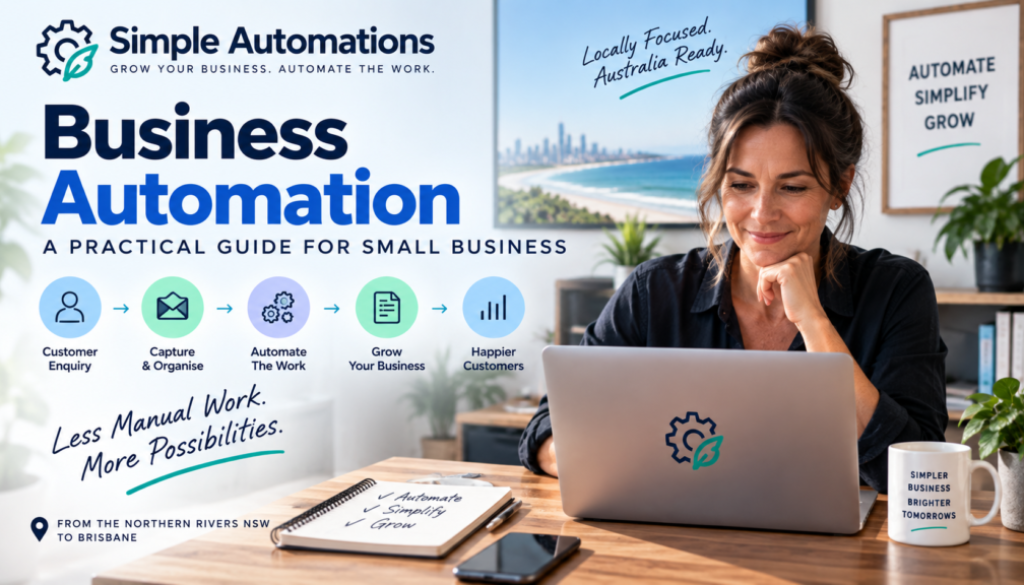
Business Automation: A Practical Guide for Small Business
Running a small business means juggling dozens of tasks every day. Some are important, some are unavoidable, and some simply take up time because they have always been done that way.
Sending emails, entering information, following up customers, moving data between systems, processing documents and preparing reports can all become part of the daily workload.
Individually, these tasks may not seem like a problem. But when they are repeated every day or every week, they can consume a significant amount of your time.
Business automation can help reduce that workload by allowing software to handle repetitive parts of your business processes automatically.
And automation doesn’t have to mean replacing people or completely changing the way your business operates.
In many cases, the most useful automation is simply a better way of handling the repetitive work that sits around the important work you actually want to be doing.
Technology should make business simpler, not more complicated.
In this guide, we’ll look at what business automation means, what you can automate, which tasks are worth considering and how to get started without trying to automate everything at once.
What Is Business Automation?
Business automation is the use of software and technology to perform repetitive business tasks with less manual involvement.
A simple example would be automatically sending an email when someone completes a contact form.
Without automation:
Customer completes form
↓
Business owner receives notification
↓
Business owner reads the enquiry
↓
Business owner sends a response
With automation:
Customer completes form
↓
Customer receives an automatic acknowledgement
↓
Enquiry is recorded
↓
Business owner is notified
The person is still involved where necessary, but the repetitive steps are handled automatically.
That is the basic idea behind business automation.
For more information about how this approach can be applied to a small business, see our small business automation solutions.
Why Is Business Automation Important for Small Businesses?
Large businesses often have employees dedicated to administration, customer service, finance, sales and operations.
Small businesses usually don’t have that luxury.
The owner may be responsible for almost everything.
You might be selling the product in the morning, answering customer enquiries at lunchtime and doing administration after dinner.
That makes repetitive work particularly costly.
Every hour spent copying information between systems or sending routine emails is an hour that cannot be spent on customers, sales, projects or other important work.
Business automation gives small businesses the opportunity to remove some of that repetitive workload without necessarily employing additional staff.
The objective isn’t simply to save time.
Good automation can also help create more consistent processes and reduce the chance of something being forgotten.
What Can a Small Business Automate?
Almost any repetitive process can potentially be automated, but that doesn’t mean every process should be.
The best candidates usually have several characteristics:
- The task happens regularly.
- The process follows reasonably consistent steps.
- Information needs to be moved between systems.
- The task doesn’t require constant human judgement.
- The process takes enough time to make automation worthwhile.
- The result can be checked or reviewed when necessary.
Here are some common areas where business automation can be useful.
Lead Management
Leads are one of the most obvious areas for automation.
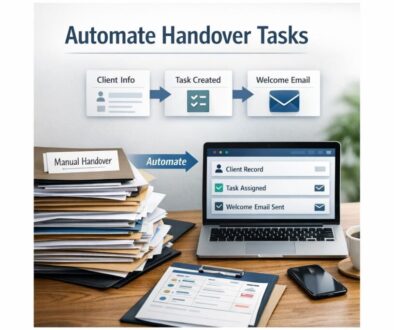
A new enquiry might currently require someone to read the message, record the details, send a response and remember to follow up later.
Automation can handle much of this process.
Problem: New enquiries arrive but follow-up is inconsistent.
Manual process: Someone reads the enquiry, enters the details, sends an email and creates a reminder.
Automated solution: The enquiry automatically creates a customer record, sends an approved acknowledgement and creates a follow-up task.
Result: Less administration and a more consistent follow-up process.
AI can also be added where an enquiry needs to be interpreted or categorised before the automation decides what should happen next.
Customer Enquiries
Customer questions can consume a surprising amount of time, particularly when many enquiries involve the same basic information.
Automation can help by collecting enquiries, categorising them and directing them to the right person or process.
Some routine enquiries may also be suitable for an AI-generated response based on approved information.
More complicated or sensitive enquiries can simply be passed to a human.
Email Automation
Email is another common source of repetitive work.
Businesses may receive enquiries, order notifications, documents, booking requests and support messages throughout the day.
Instead of manually sorting every message, automation can help organise incoming information.
For example:
- Identify the type of enquiry.
- Save important information.
- Notify the appropriate person.
- Create a task.
- Send an approved acknowledgement.
- Move information into another business system.
AI can be particularly useful where emails are written in natural language and cannot easily be processed using simple rules.
Document Processing
Businesses often receive information in documents such as PDFs, forms, applications and invoices.
Someone may need to open each document, find specific information and enter it somewhere else.
That is a strong candidate for automation.
AI can help identify information within documents, while automation can transfer the information to another system.
Human review can still be included before anything important is approved or processed.
Invoice Processing
Invoice administration can involve several repetitive steps.
For example:
Invoice received
↓
Invoice opened
↓
Supplier information checked
↓
Invoice details entered
↓
Invoice saved
↓
Payment process started
Some or all of these steps may be suitable for automation depending on the systems involved and the controls your business needs.
Where financial decisions are involved, automation should be designed with appropriate checks rather than simply allowing software to approve everything automatically.
Reporting
Creating regular reports can also involve a lot of repetitive work.
Information may need to be collected from several different systems before being combined into a report.
Automation can collect the information and prepare the data.
AI can then potentially help summarise the information in plain English.
This can turn a process that previously required several manual steps into a workflow that largely runs in the background.
Business Automation vs AI Automation
These terms are often used together, but they aren’t exactly the same thing.
Business automation is the broader concept of automating business processes.
AI automation uses artificial intelligence as part of that process.
For example, imagine a customer sends an email asking about a service.
A traditional automation might look for a specific form submission and then send a predefined email.
An AI-enabled workflow could read the customer’s message, determine what they are asking about and then trigger the appropriate workflow.
In simple terms:
| Business Automation | AI Automation |
|---|---|
| Follows defined processes | Can interpret information |
| Excellent for predictable tasks | Useful when information varies |
| Uses rules and conditions | Can use AI to classify or generate information |
| Moves information and performs actions | Can add interpretation to the workflow |
The two can work together extremely well.
If you’d like to explore the AI side in more detail, our Business Hub will provide additional resources as the Simple Automations content library grows.
What Is Workflow Automation?
You will often hear the term workflow automation when discussing business automation.
A workflow is simply a series of steps that needs to happen to complete a process.
For example, consider a new customer enquiry.
The workflow might be:
- Receive the enquiry.
- Capture the customer’s details.
- Determine what they are asking about.
- Send an acknowledgement.
- Notify the appropriate person.
- Create a follow-up task.
- Record the outcome.
Workflow automation means using technology to perform some or all of those steps automatically.
The workflow doesn’t have to be complicated.
In fact, simple workflows are often the best place to start.
How to Find Processes Worth Automating
You don’t need to be a technology expert to identify opportunities for business automation.
Start by looking at what you and your staff actually do every day.
Look for Repetition
What tasks do you perform over and over again?
Examples include:
- Copying customer details.
- Sending the same emails.
- Updating spreadsheets.
- Creating reminders.
- Downloading attachments.
- Moving information between systems.
- Preparing regular reports.
Look for Bottlenecks
Where does work regularly slow down?
Perhaps someone has to wait for an email before another person can continue a process.
Perhaps customer information is manually entered into several systems.
Perhaps reports cannot be prepared until someone has collected information from several places.
These bottlenecks can reveal good automation opportunities.
Look for Things People Forget
Some processes are easy to forget when you’re busy.
Following up a lead, sending a reminder or checking whether a customer has provided a document are good examples.
Automation can create reminders or trigger the next step automatically.
Look for Copy and Paste
If someone regularly copies information from one application and pastes it into another, there’s a good chance that the process could be automated.
Automation platforms such as Make and Zapier are designed to connect different applications and automate processes between them.
Should You Automate the Entire Process?
Not necessarily.
One of the biggest mistakes businesses make is assuming that a process needs to be completely automated before automation is worthwhile.
Often, the best solution is a combination of technology and human involvement.
For example:
Automation: Collects the customer’s information.
AI: Reads and categorises the enquiry.
Automation: Creates the customer record.
Automation: Sends an acknowledgement.
Human: Handles the sales conversation.
This approach allows technology to handle repetitive administration while people remain responsible for decisions and relationships that benefit from human involvement.
How Much Can Business Automation Save?
The amount of time a business can save depends entirely on the process being automated.
There is no universal figure that applies to every business.
A useful way to think about the potential benefit is to calculate how often a task occurs.
For example:
10 minutes per task × 20 tasks per week = more than 3 hours per month.
If the same process takes place hundreds of times, the opportunity becomes much greater.
But time saved isn’t the only consideration.
Automation can also help with:
- Consistency
- Faster response times
- Reducing repetitive data entry
- Making processes easier to manage
- Creating reminders and follow-ups
- Reducing unnecessary administrative work
The key is to automate a process where the benefit is greater than the cost and complexity of implementing it.
What About the Cost of Business Automation?
There isn’t one standard price for business automation.
A simple workflow connecting two applications can be relatively straightforward, while a more complex system involving multiple applications, AI, customer information and approval processes requires more planning and development.
The right question isn’t simply:
“How much does automation cost?”
A better question is:
“What is this process costing my business to do manually?”
If a business spends several hours every week performing a repetitive task, that time has a real cost.
Automation can be worthwhile when the long-term benefit justifies the investment.
Can You Build Business Automation Yourself?
Yes.
Modern automation platforms have made it possible for business owners to create many workflows themselves.
Make, for example, provides a visual platform for connecting applications and building automated workflows.
Zapier provides another popular approach to connecting applications and automating tasks.
For a straightforward process, building an automation yourself can be a good option.
However, there are situations where getting help makes more sense.
- You don’t have time to learn the software.
- The workflow involves several systems.
- The process is important to your business.
- You aren’t sure what should be automated.
- You need AI incorporated into the workflow.
- You want someone to test and maintain the automation.
The important thing is that the technology should serve the business process rather than the other way around.
Business Automation for Northern Rivers NSW to Brisbane
Simple Automations is initially focused on helping small businesses across the Northern Rivers, Northern NSW, Gold Coast and Brisbane.
That includes businesses such as:
- Trades and contractors
- Professional services
- Consultants
- Retail businesses
- Ecommerce businesses
- Agencies
- Coaches and freelancers
- Other small and growing businesses
Every business is different, but the underlying problems are often remarkably similar.
There are emails to answer, customers to follow up, documents to process, information to enter and systems to keep updated.
Whether your business is in Byron Bay, Ballina, Lismore, Tweed Heads, the Gold Coast or Brisbane, the first step is identifying where repetitive work is getting in the way of running the business.
Common Business Automation Mistakes
Automation can be extremely useful, but there are some common mistakes worth avoiding.
Automating a Bad Process
If a process is unnecessarily complicated, automating it doesn’t necessarily make it better.
Look at the process first.
Sometimes simplifying the process is more valuable than automating it.
Trying to Automate Everything
You don’t need hundreds of automations.
A handful of well-designed workflows that solve genuine problems can be much more valuable.
Ignoring Human Oversight
Important decisions should not automatically be handed to software simply because technology makes it possible.
Build appropriate review points into important workflows.
Choosing Technology Before Defining the Problem
It can be tempting to start by asking which automation platform you should use.
Start with the business problem instead.
Once the process is understood, the right technology becomes much easier to identify.
How to Get Started With Business Automation
You don’t need a huge project plan to begin.
Start with one repetitive process.
- Choose a problem. Find something that regularly consumes time.
- Document the current process. Write down what happens from beginning to end.
- Identify the manual steps. Look for copying, sorting, sending and updating.
- Decide what requires human judgement. Keep those steps with the appropriate person.
- Identify what can be automated. Look for predictable and repetitive actions.
- Choose the appropriate technology. Use the simplest reliable solution.
- Test the workflow. Make sure it works correctly before relying on it.
- Improve it over time. Good automation should evolve as your business changes.
This approach keeps automation manageable and helps prevent the project from becoming unnecessarily complicated.
Business Automation Is About Making Business Simpler
The best business automation isn’t necessarily the most advanced.
It might be a simple workflow that saves a business owner from entering the same information into two systems every afternoon.
It might automatically remind a business to follow up a new lead.
It might sort incoming enquiries or prepare a regular report.
It might use AI to understand information before passing it into a normal automated workflow.
What matters is whether it solves a genuine problem.
Technology should work in the background while the business owner gets on with running the business.
Ready to Find Something You Can Automate?
If you’re spending time every week performing the same repetitive tasks, there’s a good chance at least part of the process could be simplified.
You don’t need to understand APIs, automation platforms or AI agents to get started.
You simply need to understand your own business and identify where time is being lost.
Simple Automations helps small businesses identify practical opportunities for automation and build systems around the way they already work.
From the Northern Rivers and Northern NSW through the Gold Coast to Brisbane, we’re focused on making automation practical and accessible for small businesses.
Whether you want to explore automation yourself or would prefer someone to design and build it for you, the objective remains the same:
Grow Your Business. Automate the Work.
Explore Simple Automations Solutions →
For more practical guides and information about automation, visit the Simple Automations Business Hub.