How to Automate Customer Enquiries Without Losing the Human Touch
If you want to automate customer enquiries in a way that genuinely helps your business, the goal is not to replace people. It is to reduce repetitive work, respond faster, and make sure every enquiry reaches the right place.
For many small businesses, enquiries arrive from email, web forms, chat, social messages and even voicemail. That can make it easy for messages to get missed, replied to slowly or handled inconsistently. The good news is that you can automate much of the workflow without turning the customer experience into something cold or robotic.
This guide explains what customer enquiry automation actually means, which parts of the process are best automated, where humans should stay involved, and what Australian businesses should keep in mind around privacy and messaging rules.
null
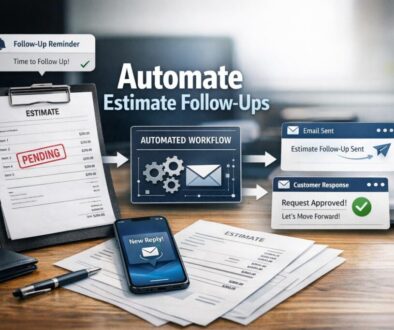
As you read, think about the workflow behind each enquiry: capture it, sort it, respond to it, and track it. That is where automation usually creates the most value. For businesses looking for a broader starting point, small business automation is often the easiest way to simplify repetitive admin across the whole business.
What customer enquiry automation actually means
When people talk about automate customer enquiries, they usually mean using software to handle the repetitive parts of incoming communication. That might include acknowledging a message, collecting key details, sending it to the right team member, creating a ticket, or drafting a reply for review.
In simple terms, automation does the organising. People still do the thinking, judgement and relationship-building.
Automation vs replacing staff
The best systems do not try to make humans irrelevant. They remove unnecessary manual steps so staff can spend more time on complex or sensitive enquiries.
- Automation can confirm receipt, tag the enquiry and route it correctly.
- Staff can answer anything that needs context, judgement or empathy.
This is the right approach for most small businesses. It keeps service personal while reducing repetitive admin.
Which channels can be automated?
You can often automate customer enquiries from several common channels:
- Email inboxes
- Website contact forms
- Live chat or messaging widgets
- Social media direct messages
- Voicemail or phone message capture
- Booking or marketplace messages
The main idea is to bring these messages into one organised workflow instead of checking each channel separately.
Which customer enquiries are best suited to automation?
Not every enquiry should be handled the same way. The easiest wins usually come from repetitive, predictable and low-risk messages.
Repetitive questions
If your team keeps answering the same questions, automation can help by sending approved information, surfacing help articles or drafting a response from a template.
Common examples include questions about opening hours, service areas, basic pricing categories, booking steps or next actions.
First-response acknowledgements
One of the most practical ways to automate customer enquiries is to acknowledge receipt immediately. That lets the customer know their message has been received and sets expectations for next steps.
This is especially helpful when the team is busy or the enquiry comes in after hours.
Triage and routing
Triage means sorting enquiries so they go to the right person or team. Automation can usually help with this by identifying the topic and applying rules based on urgency, enquiry type or customer segment.
For example, sales enquiries, support issues and accounts questions can be routed differently without someone manually reading every message first.
Booking, quote and lead capture
If enquiries are mostly about bookings or quotes, automation can collect the missing details up front. That helps staff respond faster because they receive a more complete request.
This is useful when a business needs names, contact details, preferred dates, service types or other structured information before following up.
Which enquiries should stay human-led?
To automate customer enquiries well, you also need to know where automation should stop. Some enquiries need human judgement from the beginning.
Complaints, refunds and cancellations
These conversations can be emotionally charged or policy-heavy. A rigid automated response can make the situation worse rather than better.
Automation can still help by capturing the enquiry and routing it quickly, but a person should usually handle the actual conversation.
Sensitive or urgent issues
If an enquiry involves privacy concerns, safety issues, urgent service failures or personal hardship, it should move straight to a human.
Automation should support escalation, not create barriers.
Complex cases that need judgement
Some enquiries simply do not fit a template. If the answer depends on context, exceptions or nuanced business rules, keep the human in the loop.
That is one of the main reasons many businesses use automation for workflow and AI for assistance, not for final decisions.
How to automate customer enquiries step by step
If you want to automate customer enquiries in a practical way, start with the workflow. The best results usually come from making the process clearer before adding tools.
1. Capture enquiries in one place
The first step is centralising incoming messages. That might mean sending form submissions into a shared inbox, creating a ticket in a help desk, or logging enquiries in a CRM.
When messages are scattered across several systems, it is easy for things to be missed or duplicated.
2. Send an automatic acknowledgement
A simple receipt message can reduce uncertainty for customers and buy your team time. It should be clear, polite and realistic about response times.
This kind of automation is one of the safest and most useful starting points because it does not need to answer the whole enquiry.
3. Categorise and route by topic
Once the message arrives, automation can tag it, assign a category and send it to the right person or queue. This is where many businesses save time because staff no longer need to do the sorting manually.
A contact form that asks the right questions can make this even more effective.
4. Create tickets, tasks or CRM records
Many businesses automate customer enquiries by turning them into structured records. That might be a support ticket, a sales lead or a follow-up task.
This keeps history in one place and makes follow-up easier to track.
5. Use AI for summaries and draft replies
AI can be very useful for summarising long enquiry threads, classifying the topic or suggesting a draft response. Used well, it reduces typing without taking away staff oversight.
However, AI drafts should be reviewed before sending. They can be helpful, but they are not always correct or complete.
6. Escalate to a human when needed
The final step is making sure difficult, urgent or sensitive enquiries reach a person quickly. Good automation does not trap the customer in a loop. It creates a cleaner handoff.
If you need help designing that kind of workflow, automation solutions can be tailored to the way your business actually handles enquiries.
Common tools used to automate enquiries
You do not need one perfect platform to automate customer enquiries. In practice, businesses often combine a few common tool types.
Shared inboxes and help desks
Shared inbox tools and help desk systems help multiple team members manage incoming emails and tickets from one place. They are useful when customer service is shared across staff.
Many help desk systems also support templates, automation rules and internal notes, which makes them practical for recurring enquiries.
CRM systems
A CRM can store customer details, track the conversation history and help you follow up consistently. It is especially useful when enquiries can become sales opportunities or repeat customers.
Website forms and chat tools
Forms and chat tools are often the front door for enquiry automation. They can collect key details before a human responds and reduce back-and-forth.
For many businesses, this is where the biggest improvement starts.
Workflow automation platforms
Workflow tools connect different systems together. For example, a form submission might create a task, notify staff in chat and log the enquiry in a CRM at the same time.
Microsoft explains workflow automation concepts in its Power Automate documentation, which is useful background reading if you want to understand how automated workflows are put together.
AI drafting and classification tools
AI tools are increasingly used to classify enquiries, summarise conversations and draft responses. Microsoft also provides official guidance for Copilot for Microsoft 365, which shows how AI assistance can support writing and summarising tasks.
Google Workspace also provides official help for its AI features in Gemini for Workspace.
What Australian small businesses need to consider
If you plan to automate customer enquiries in Australia, the operational benefits matter, but so do privacy and messaging obligations.
Privacy and personal information
Enquiry forms and chat tools often collect names, email addresses, phone numbers and message content. If that information is handled by your business, the Australian Privacy Principles may be relevant, depending on your circumstances.
The Office of the Australian Information Commissioner is the main official source to review before rolling out forms, transcripts or AI tools that process personal information.
Spam and follow-up messages
If automation includes follow-up or marketing messages, the Spam Act 2003 may be relevant. It is important to separate service messages from marketing messages and make sure follow-ups are sent appropriately.
Record-keeping and complaint handling
Many businesses need enquiry records for continuity, quality control and issue resolution. That is one reason why centralising messages into a shared system is often better than leaving them in scattered inboxes.
Data storage and third-party AI tools
If you use third-party tools to classify or draft responses, check where the data is stored, how it is used and whether staff understand the limits of the tool. Customer conversations can contain sensitive information, so it is worth being careful before switching AI on by default.
Risks of over-automation
It is possible to automate customer enquiries too aggressively. When that happens, the customer experience usually suffers.
Bad answers
AI-generated replies can be wrong, too generic or inconsistent with your policies. If you rely on them without review, mistakes can quickly become visible to customers.
Frustrated customers
If customers cannot reach a person when they need one, automation starts to feel like a barrier. Good automation should make support easier, not harder.
Poor routing
If enquiries are tagged or assigned incorrectly, staff may waste time fixing the system instead of helping customers.
Integration and maintenance issues
Automations need testing. Fields change, tools update and workflows drift over time. A simple workflow that is monitored regularly is usually better than a complex one nobody maintains.
How to measure whether enquiry automation is working
If you invest time in a system to automate customer enquiries, you should also check whether it is actually improving the business.
Response time
Are customers receiving faster acknowledgements and faster first responses?
First-contact resolution
Are more enquiries being resolved without extra back-and-forth?
Misrouted enquiries
Are messages going to the right person or queue more reliably?
Staff time saved
Are team members spending less time copying, pasting, sorting and re-entering information?
Customer satisfaction
Are customers still feeling heard and supported?
You do not need perfect metrics to get started. You just need to know whether the workflow is making life easier for staff and clearer for customers.
Examples of practical automation opportunities
To make the idea more concrete, here is a simple way to think about where you might automate customer enquiries.
| Current problem | Automation opportunity | Business benefit |
|---|---|---|
| Enquiries sit in multiple inboxes and get missed | Capture them in one shared workflow | Less risk of lost messages |
| Staff answer the same questions repeatedly | Use templates, knowledge articles or AI suggestions | Less repetitive typing |
| Messages need sorting before anyone can respond | Tag and route automatically | Faster handoff to the right person |
| Urgent issues are not escalated quickly | Build a clear escalation rule | Better customer care |
These are the kinds of workflow improvements that can make a noticeable difference without overcomplicating the operation.
How Simple Automations approaches enquiry automation
At Simple Automations, the focus is on making technology simpler to use in day-to-day business operations. That usually means looking at the full enquiry workflow rather than just one tool.
For document-heavy or repetitive workflows, our trust account automation case study shows how structured administrative work can be simplified when the process is designed carefully. For content and publishing workflows, the content calendar automation example shows how recurring work can be organised more efficiently. And for digital delivery workflows, digital product automation is a good example of how a repeatable process can be made more reliable.
Those examples are different from customer enquiries, but the principle is the same: identify the repetitive steps, automate what makes sense, and leave room for human judgement where it matters.
If your business is ready to reduce manual enquiry handling, business automation resources can also help you think through the next practical step.
Choosing the right approach for your business
The best way to automate customer enquiries is to start small and build from there.
- Begin with one channel, such as a contact form or shared inbox.
- Automate acknowledgement first.
- Then add routing or tagging.
- Use AI carefully for summaries or draft replies.
- Keep a clear human escalation path.
- Review the workflow regularly and improve it over time.
If you get the basics right, automation can make your business faster, more organised and easier to manage without damaging the customer relationship.
Ready to Simplify Customer Enquiry Handling?
If your team is spending too much time sorting, forwarding and replying to enquiries manually, we can help you design a clearer workflow that saves time and keeps the human touch where it matters.
Final thoughts
To automate customer enquiries well, focus on the workflow, not just the software. Capture messages in one place, respond automatically where appropriate, route them intelligently and make sure a human can step in whenever judgement is needed.
That approach gives small businesses a practical way to reduce admin, improve consistency and respond more quickly without making service feel impersonal. When you are ready to take the next step, Simple Automations can help you turn a messy enquiry process into something simpler and easier to manage.