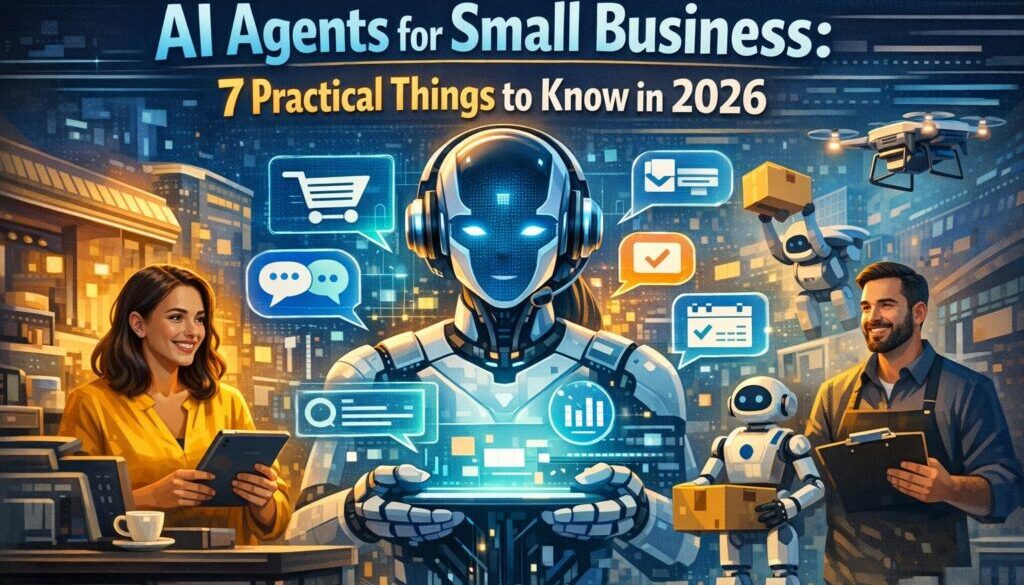
AI Agents for Small Business: A Practical Guide for 2026
AI agents for small business are becoming a practical option for owners who want to reduce admin, respond faster, and keep work moving while they are on the go. But the real question is not whether AI agents are impressive. It is whether they are useful, safe, and worth the effort for your business.
This guide explains what AI agents are in plain English, where they can help, what to check before you adopt one, and why privacy, cyber security, and connectivity matter so much for Australian businesses in 2026.
null
If you are also thinking more broadly about automation for small business, this article will help you see where AI agents fit, and where a more traditional automation workflow may still be the better choice.
What are AI agents for small business?
In simple terms, AI agents are software tools that can do more than just answer a question. They can help interpret a task, decide on a next step, and carry out parts of a workflow across connected tools.
That does not mean they should be treated like a fully independent employee. In most small-business settings, AI agents work best as a helpful assistant with clear rules, approvals, and limits.
How AI agents differ from chatbots and automation
A chatbot usually responds to a prompt or question. Basic automation usually follows a fixed rule, such as “when this happens, do that”. AI agents sit somewhere in between. They can often combine conversation, planning, and action.
- Chatbot: answers questions or drafts text.
- Automation: moves information between tools based on fixed triggers.
- AI agent: can interpret a task, choose between steps, and work across tools with more flexibility.
That flexibility is what makes AI agents for small business interesting. It also creates more risk if you do not set boundaries.
What they can do in practice in 2026
Based on current vendor documentation and market direction, AI agents are commonly being used for tasks such as customer support triage, lead qualification, scheduling, document summaries, internal knowledge search, and admin support. Microsoft, Google, OpenAI, AWS, and Salesforce all have current AI and agent-related documentation that reflects this trend.
For a small business, the practical benefit is not “full autonomy”. It is reduced manual effort in repeatable parts of the workflow.
For example, a customer enquiry might be sorted, summarised, and drafted for review before a human sends the final reply. Or a meeting request might be checked against a calendar and prepared for approval instead of handled entirely by hand.
For businesses looking at the wider implementation path, automation solutions are often the next step when you want something more tailored than an off-the-shelf tool.
Why AI agents matter for Australian small businesses
AI agents for small business are especially relevant where admin takes too much time away from client work, sales, or delivery. That is common in service businesses, solo operations, and small teams with a lot of email, follow-up, and scheduling.
Saving time on admin, support, and follow-up
Many small businesses spend a surprising amount of time on tasks that are useful but repetitive: answering the same questions, moving information between systems, chasing follow-ups, summarising notes, or preparing drafts.
An AI agent can help with the first pass on those tasks. That can free up time for the work that actually needs judgment, experience, or personal contact.
Working across time zones and travel schedules
This is where AI agents for small business can be especially helpful for Australian founders and consultants who travel or work with overseas clients. If you are in transit, in a different time zone, or simply not at your desk, an agent can help keep basic workflows moving.
That might include drafting responses, preparing summaries, or organising incoming requests so they are ready when you are back online.
Where they help most for mobile teams
Mobile teams usually need three things: fast access, clear handover, and low-friction tools. AI agents can help with all three if they are configured well. They can make it easier to keep on top of work from a laptop, tablet, or phone without needing a complex setup.
For teams that are still improving core admin processes, a simpler workflow may still be the best starting point. The Business Hub is a useful place to explore practical automation ideas before adding more advanced AI tools.
Common small-business use cases
Not every workflow is a good fit for AI agents. The best use cases are usually repetitive, low-risk, and easy to review.
Customer support triage
An agent can help sort incoming messages, identify common questions, and prepare a draft response. In some cases, it may also suggest the right team member or next step.
This is useful when a business receives more messages than it can answer immediately, but it still wants to maintain a consistent customer experience.
Lead qualification and sales follow-up
AI agents can help review incoming leads, extract key details, and suggest a follow-up action. That can be useful for service businesses and consultants who want to respond quickly without manually reading every enquiry from scratch.
The key here is human review. A lead may look simple at first glance but still need context before anyone responds.
Inbox, calendar, and scheduling support
Busy inboxes and calendars are a common pain point for small businesses. AI agents may help group emails, summarise threads, prepare meeting options, and reduce back-and-forth on scheduling.
If that sounds familiar, you may also benefit from reviewing content calendar automation, which shows how planning-heavy workflows can be made more manageable when the process is designed carefully.
Summaries, drafting, and internal search
One of the most practical uses of AI agents for small business is handling information more efficiently. They can summarise documents, draft first versions of emails, or help people find internal information faster.
That can reduce the time spent searching through notes, shared folders, or long email threads.
Travel and admin support for founders on the road
For business owners who travel, AI agents can support simple admin while you are away from the office. That may include drafting responses, organising receipts, or helping prioritise messages when time is tight.
Travel-heavy businesses often need systems that continue working even when the owner is in another city or country. That is where a combination of good automation, clear approvals, and reliable connectivity becomes important.
What to look for before you adopt an AI agent
Before you choose any platform, it helps to treat AI agents for small business like any other business system: useful only if it fits your workflow and your risk tolerance.
Human review and approval controls
You should be able to review, edit, or approve outputs before anything is sent to customers or stored as final. This is especially important for messages, quotes, marketing copy, and customer support replies.
Tool permissions and audit logs
If an agent can access email, calendars, CRM data, or files, check what it is allowed to do. Ask whether permissions can be restricted and whether activity can be tracked. An audit log can help you understand what happened if something goes wrong.
Privacy settings and data retention
Privacy matters whenever the system handles customer or employee information. Check how the provider uses your data, how long it is kept, and whether you can control retention. For Australian businesses, this is not optional background detail. It is part of due diligence.
Integration with your existing software
The best AI agent is not always the most advanced one. It is the one that works with the tools you already rely on. That could be your email, calendar, CRM, help desk, or file storage system.
If you are unsure whether a process needs a full AI agent or a simpler automation, Simple Automations’ solutions are designed to solve real workflow problems without adding unnecessary complexity.
Cost structure and scalability
Costs can vary widely depending on the platform and the level of usage. Some tools charge per user, some charge based on usage, and some add extra costs for premium features or connectors. It is worth understanding how pricing will behave if your team grows or usage increases.
Privacy, legal, and cyber considerations in Australia
This is the part many businesses overlook. If AI agents for small business are going to handle real customer or employee data, you need to think beyond convenience.
Privacy Act and Australian Privacy Principles
The Office of the Australian Information Commissioner provides guidance on AI and privacy, and the Privacy Act 1988 and Australian Privacy Principles may apply depending on your business and the type of information you handle. The practical takeaway is simple: do not treat an AI tool as outside your privacy responsibilities.
Read the OAIC’s guidance on artificial intelligence and privacy and review the Australian Privacy Principles if your agent will touch personal information.
ACSC basics: MFA, updates, backups, phishing protection
The Australian Cyber Security Centre’s small business guidance is clear on the basics: use multi-factor authentication, keep software updated, protect against phishing, and maintain backups.
That matters for AI agents because they often connect to the exact systems criminals try to access first, such as email and cloud storage. You can review the ACSC Small Business Cyber Security Guide for practical advice.
Australian Consumer Law and marketing claims
If you use AI-generated copy in advertising, sales messages, or customer communication, you are still responsible for the accuracy of the final message. The ACCC’s guidance on advertising and promotions is a useful reminder that AI does not remove legal responsibility.
See the ACCC’s advertising and promotions guidance for the broader consumer law context.
Using AI agents safely while travelling
For business travellers, AI agents for small business can be useful on the road, but travel adds another layer of risk and complexity.
Public Wi‑Fi risks
Hotel, airport, and café Wi‑Fi can be convenient, but it is not always the safest place to work with business data. If your AI agent accesses client information, files, or internal systems, public networks deserve extra caution.
At minimum, use strong passwords, multi-factor authentication, and secure device settings. The ACSC guidance above is a good baseline.
Why secure mobile data or eSIM can matter
A reliable mobile data connection can be more practical than public Wi‑Fi when you are handling sensitive work. For travellers, that is one reason eSIM or mobile data plans are worth considering.
Device support varies. Apple’s eSIM support, Google’s Pixel eSIM guide, and Samsung’s eSIM information are useful starting points if you are checking whether your device supports the setup you need.
If travel is part of your workflow, a stable connection can make AI agents for small business much more practical. If it is unreliable, the tools may feel frustrating rather than helpful.
Connectivity, latency, and hotspot considerations
Cloud-based AI tools depend on a live connection. That means not just “signal”, but quality of signal. Slow or unstable connections can affect how quickly a tool responds, especially if it is pulling information from other systems.
That is why many business travellers compare coverage and network options before they go. Australian carrier coverage pages can help you check the basics:
Managing time zones and customer expectations
AI agents can help reduce delay, but they do not replace clear communication. If you travel often, set expectations about response times, escalation rules, and when customers will hear from a person.
That combination of clear process and assisted response is usually far better than trying to make an agent do everything automatically.
Which AI agent approach fits your business?
There is no single best answer for AI agents for small business. The right choice depends on your workflow, team size, and how much control you need.
Productivity suites
These are tools embedded inside software many businesses already use, such as Microsoft 365 or Google Workspace. They are often a sensible starting point if your team wants help with documents, emails, summaries, and basic task support in a familiar environment.
Customer support and sales platforms
These are usually better for businesses with a lot of customer interaction. They can help manage enquiries, route requests, or prepare sales follow-up tasks.
Custom builder platforms
These are more flexible and can be more powerful, but they usually need a bit more planning. They make sense when your workflow is specific and off-the-shelf tools do not quite fit.
Which option suits solo operators vs growing teams
| Business type | Best starting point | Why it may suit |
|---|---|---|
| Solo operator | Productivity suite or simple workflow automation | Lower complexity, easier review, less setup |
| Small service team | Support or sales platform | Good for enquiries, follow-up, and scheduling |
| Custom workflow business | Builder platform | More control over steps, permissions, and integrations |
If your business has a process that is repetitive and clearly defined, a more tailored workflow may be the better fit. That is where a service like trust account automation is a helpful example of how document-heavy admin can be structured more simply.
How to evaluate AI agents without overbuying
One of the biggest mistakes small businesses make is buying a powerful tool before they have clearly identified the problem. A better approach is to start with the workflow.
- Choose one repetitive task.
- Map the current process from start to finish.
- Identify where human review is needed.
- Check what data the agent would need.
- Test the tool on a small scale.
- Review accuracy, speed, and safety before expanding.
This keeps the adoption practical. It also helps you decide whether AI agents for small business are actually the right answer, or whether a simpler automation would do the job better.
For businesses that deliver digital content or files, digital product automation is another example of a workflow where structure and consistency matter more than hype.
Final takeaway
AI agents for small business can save time, improve consistency, and help owners keep work moving while they are travelling or working across time zones. But the best results usually come from starting small, setting guardrails, and keeping a human in the loop.
For Australian businesses, the real decision is not just whether an AI agent can do something. It is whether it should, how it will handle data, and whether your team can trust the process.
If you want to simplify a workflow before jumping into a more advanced AI setup, practical automation solutions can often provide a cleaner starting point. And if you want to understand what this looks like in the real world, the content calendar automation case study shows how a planning process can be made more manageable with the right structure.
Ready to Simplify Your Business?
If you are exploring AI agents for small business and want help deciding what should be automated, Simple Automations can help you map the workflow and identify the safest, most practical next step.