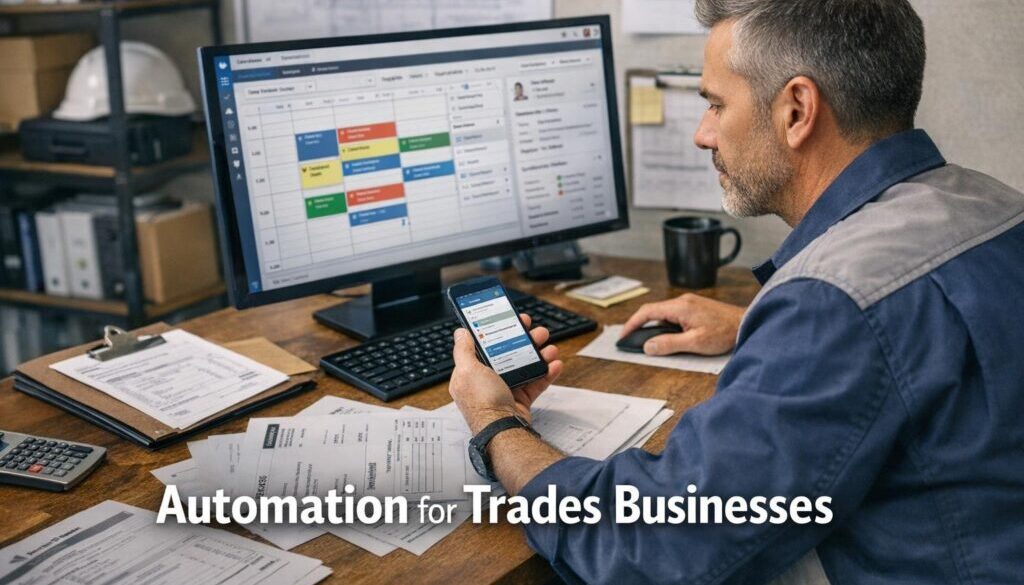
Automation for Trades Businesses: Practical Ways to Reduce Admin
For many tradies, the biggest time drain is not the work on site — it’s the admin around it. Quotes need to be written, jobs need to be scheduled, customer updates need to go out, invoices need to be sent, and records need to be kept properly. That is where automation for trades businesses can make a real difference.
The goal is not to replace the people doing the work. It is to reduce duplicate data entry, speed up routine tasks, and keep the office and field teams working from the same information. In this guide, we’ll look at the most useful automation opportunities for trades businesses, how the workflow usually works, where AI can help, and what should still be checked by a human.
null
If you are also looking at broader options for small business automation, the best place to start is usually with the most repetitive admin tasks first.
Why tradies are turning to automation
Most trades businesses run on a mix of phone calls, texts, emails, job notes, spreadsheets, accounting software and field apps. That can work, but it often creates delays and duplicated effort.
With automation for trades businesses, the aim is to make the path from enquiry to invoice simpler and more consistent. That means less chasing information, fewer manual handovers, and fewer mistakes caused by retyping the same details into multiple systems.
The admin bottlenecks that slow trade businesses down
Common pain points include:
- capturing lead details from calls, forms and emails
- building quotes from scratch every time
- re-entering job details into scheduling or invoicing software
- chasing job updates from technicians in the field
- sending reminders for unpaid invoices
- sorting receipts and supplier documents for bookkeeping
- keeping compliance records current
These are all good candidates for automation because they happen often, follow patterns, and usually depend on the same information being moved from one place to another.
Why manual systems create duplicate work and delays
Manual processes often force office staff to enter the same information more than once. A customer’s name, address, job type and contact details might be entered into a form, then copied into a quote, then copied again into a job booking, then entered again into an invoice.
That duplication creates three problems:
- more admin time
- more chance of errors
- slower responses to customers
Good automation for trades businesses reduces that friction by creating a single source of truth for the job and moving the data forward as the work progresses.
What parts of a trades business can be automated?
The best automation opportunities are usually the repeatable parts of the workflow. Not every step should be automated, but many can be simplified.
For many businesses, this starts with a combination of automation solutions, accounting software and job management tools that work together.
Lead capture and job creation
When an enquiry comes in through a website form, email or phone call, the details can be captured once and turned into a job record automatically or with minimal office input.
Business benefit: less typing, faster follow-up and fewer lost enquiries.
Quoting and approvals
Quote requests can be turned into draft quotes using customer details, standard job types, or recurring line items. This is one of the most useful areas for automation for trades businesses, especially when the work is repeatable.
That said, quotes should still be reviewed before they are sent. Pricing, exclusions, variations and warranty terms should remain human-checked.
Business benefit: faster quoting without sacrificing control.
Scheduling and dispatch
Once a quote is accepted, the job can move into scheduling. The office team should not need to retype the full job brief if the booking record already contains the right details.
Automated booking confirmations, calendar updates and technician notifications can also reduce back-and-forth.
Business benefit: fewer scheduling mistakes and smoother handover from office to field.
Job updates and customer notifications
Customers often want to know when a technician is on the way, when a job is complete, or whether there are any delays. Automated SMS or email updates can handle routine communication at these stages.
Business benefit: fewer “where are you?” calls and a better customer experience.
Invoicing and payment reminders
When a job is marked complete, an invoice draft can often be created from the job record. The draft still needs checking, but it is faster than starting from scratch.
Automated payment reminders can also help keep follow-up consistent after the due date.
Business benefit: faster billing and better follow-up on outstanding invoices.
Receipt capture and bookkeeping support
Supplier receipts and expense documents can often be captured digitally, then extracted into accounting software for review. AI-assisted extraction can help pull out amounts, dates and supplier names, but the final coding should still be checked.
This matters because the Australian Taxation Office requires businesses to keep records that support tax claims and GST-related reporting. The ATO’s guidance on record keeping for business and GST record keeping is a good reminder that clean digital records matter.
Business benefit: less manual bookkeeping work and better records when tax time comes around.
Supplier ordering and compliance reminders
Some businesses also automate reminders for licence renewals, equipment checks, insurance dates or materials that need reordering. These are small automations, but they can prevent bigger problems later.
Business benefit: fewer missed deadlines and fewer avoidable disruptions.
How automation works across the full job workflow
The most useful way to think about automation for trades businesses is as one connected workflow, not a series of disconnected tools.
The job should move through the business in a clear sequence: enquiry, quote, booking, completion, invoice and payment follow-up.
Enquiry to quote
Current problem: customer details are gathered manually from multiple sources.
Automation opportunity: capture the enquiry once and create a draft job or quote record automatically.
How it could work: a form submission or email request creates a new record in the system, then the office team reviews the job and prepares the quote.
Business benefit: faster response times and fewer missing details.
Quote to booked job
Current problem: accepted quotes are manually copied into the scheduling system.
Automation opportunity: convert the approved quote into a booked job.
How it could work: once a quote is accepted, the job details move into the calendar or field service system, and the customer receives a confirmation.
Business benefit: less rework and a smoother transition into delivery.
Job completion to invoice
Current problem: the office waits for field notes, then retypes the details into an invoice.
Automation opportunity: create an invoice draft from the completed job record.
How it could work: the technician marks the job complete in the mobile app, uploads notes or photos, and the invoicing system generates a draft for review.
Business benefit: quicker billing and fewer delays between finishing work and getting paid.
Invoice to payment follow-up
Current problem: unpaid invoices are followed up inconsistently.
Automation opportunity: send polite reminders when invoices are overdue.
How it could work: if an invoice remains unpaid after the due date, the system sends a reminder email or creates a task for the office.
Business benefit: more consistent accounts receivable management.
Document-heavy workflows like these are often the best starting point. Our trust account automation case study is one example of how a repetitive administrative process can be simplified with a structured workflow.
Where AI can help — and where it shouldn’t be trusted
AI can be useful in the office side of a trade business, especially when it is used to support staff rather than make final decisions. In the context of automation for trades businesses, AI is best used for drafting, summarising, classifying and extracting information.
Safe AI uses for trades admin
- drafting customer emails
- summarising job notes
- turning voice notes into text
- extracting details from receipts or PDFs
- sorting enquiries into categories
- rewriting technical notes into plain English
- creating first-draft scopes for repeat work
These uses can save time, but they still need someone to check the result before it goes out.
Tasks that still need human review
Some tasks should remain carefully reviewed by a person, even if AI helped prepare the draft:
- quote pricing
- GST treatment and accounting codes
- contract terms
- safety or compliance wording
- customer commitments
- invoice accuracy
AI is a support tool, not the final authority.
Common AI risks in quoting, invoicing and compliance
AI can produce confident but incorrect output. That matters in a trade business because a small error in a quote, invoice or compliance note can create rework, delays or disputes.
The safest approach is to use AI for first drafts and summaries, then keep a human approval step before anything reaches the customer or the accountant.
For businesses exploring AI more broadly, Simple Automations also covers practical workflow guidance in the Business Hub.
The software stack trades businesses usually need
You do not need a huge tech stack to get started. Most trades businesses only need a few categories of software working well together.
Accounting software
Accounting software is usually the financial core of the business. Common needs include invoicing, bank reconciliation, expense tracking and GST support.
Examples of widely used platforms in Australia include Xero, MYOB and QuickBooks Online.
What to look for:
- easy invoicing
- bank feeds and reconciliation
- GST and BAS support
- receipt capture
- integrations with job management tools
Job management and field service software
This is often where the day-to-day operational benefit comes from. The best systems help manage jobs, schedules, technician notes, photos, checklists and status updates in one place.
What to look for:
- scheduling and dispatch
- mobile access for field staff
- quote and invoice handover
- photo and document storage
- job status tracking
Workflow automation tools
Workflow tools connect the systems together. They can move data from forms to job records, from completed jobs to invoice drafts, or from overdue invoices to reminders.
Microsoft explains this type of workflow automation through Power Automate, which is a useful example of how automated workflows can move information between apps.
What to look for:
- trigger-based workflows
- conditional logic
- audit logs
- attachment handling
- integration with existing business tools
Office productivity apps
Many trades businesses also rely on email, shared calendars, document storage and spreadsheets. Those tools become much more useful when they are organised properly and linked into the rest of the workflow.
What to look for:
- shared inboxes and calendars
- central file storage
- easy document sharing
- simple approval processes
AI tools for drafting and summarising
AI tools can support admin if they are used carefully and with clear guardrails. Google Workspace’s Gemini for Workspace and Microsoft’s Copilot for Microsoft 365 are examples of office AI tools that can help with drafting and summarising.
What to look for:
- clear privacy settings
- simple review workflows
- compatibility with your file storage
- easy export of the final result into your business system
When the workflow is set up well, AI and automation can work together. That is the kind of practical process support we also explore in our content calendar automation case study, where repeatable planning work was structured into a more reliable workflow.
Australian tax, privacy and recordkeeping considerations
Any automation for trades businesses needs to fit Australian obligations around records, privacy and security. Automation should make recordkeeping easier, not weaker.
GST and BAS records
The ATO requires businesses to keep records that support income, expenses and GST claims. If your workflow creates or stores invoices, receipts, quotes and job notes, those records need to be kept in a reliable way.
That is one reason digital systems are so useful: they reduce the risk of losing paperwork and make it easier to find supporting records when needed.
Record retention requirements
According to ATO guidance, business records generally need to be kept for 5 years. For a trades business, that means your systems need to store job and financial information securely and keep it accessible when required.
Automation can help by storing documents in the right place automatically rather than leaving them scattered across inboxes, phones and paper folders.
Privacy and customer data handling
Trades businesses often collect customer names, phone numbers, addresses, access instructions and photos of property or work completed. That information can be sensitive, so privacy and access control matter.
The Office of the Australian Information Commissioner provides guidance on the Australian Privacy Principles and small business privacy. Even where a business is small, good privacy habits are still important.
Cyber security basics for mobile teams
When technicians use phones or tablets in the field, business data needs basic protection. The Australian Cyber Security Centre provides small business guidance at small business cyber security and recommends practical controls through the Essential Eight.
Simple good habits include:
- strong passwords
- unique logins for staff
- device locking
- limited access to sensitive records
- secure file sharing
- backups for important documents
How to start small without overcomplicating it
The best automation for trades businesses usually starts with one clear problem, not a full system overhaul.
Automate one workflow first
Choose the most repetitive task with the most obvious time cost. For many businesses, that is either lead capture, job booking, invoice drafting or reminder follow-up.
Start there, test it, and only then expand to the next step.
Keep the office and field system connected
The biggest gains usually come when the office and the field are working from the same job record. That means information is entered once, then carried forward through the workflow.
If a technician updates the job in the field, the office should see that update without needing another phone call or text message.
Build in review steps for quotes and invoices
Even if the system creates draft quotes or invoices automatically, a human should still check them before they go out. That helps prevent pricing errors, missed items and compliance issues.
This is especially important when using AI to assist with drafting.
Check integrations before committing
Some software systems work well together. Others do not. Before buying new tools, check whether they integrate with your accounting system, job management software and office apps.
That check can save a lot of frustration later.
If you want help working out what could be connected in your own business, automation services can be tailored around the workflow you already use rather than forcing you into a completely new system.
Common mistakes to avoid
Automation should reduce admin, not create more of it. A few common mistakes are worth avoiding.
Bad data leading to bad automation
If the source information is incomplete or inconsistent, the automation will carry those mistakes forward. Clean data matters.
Over-automating customer communication
Customers usually appreciate helpful updates, but too many automated messages can feel impersonal. Use automation where it helps clarity, not to replace good service.
Ignoring security and access control
Too many people with access to too much data can create risk. Staff and subcontractors should only see what they need for their role.
Choosing tools that don’t integrate well
If systems do not talk to each other, your team may end up doing even more manual work. Integration should be part of the decision, not an afterthought.
Real examples of practical automation
Automation becomes easier to understand when you see how it applies to a real workflow. While every business is different, the same principles show up again and again: capture the information once, move it through the process, and keep a human check where it matters.
Our digital product automation case study is another example of a workflow where delivery steps can be simplified once the process is mapped clearly.
If you want to see more examples of how Simple Automations approaches real business problems, you can also browse our automation case studies.
Final takeaway
The best automation for trades businesses is not the most complicated one. It is the one that reduces repetitive admin, keeps the office and field teams aligned, and still leaves room for human review where accuracy matters.
If your business is stuck with duplicate entry, slow quoting, late invoicing or messy job records, start with one workflow and simplify that first. That approach is usually safer, cheaper and easier to maintain.
When you are ready to look at a practical setup for your business, automation for small business can be tailored to the way your team already works.
Ready to Simplify Your Trades Admin?
If you want to reduce repetitive work and build a simpler workflow from enquiry to invoice, Simple Automations can help you identify the best opportunities first.