Make vs Zapier: Which Is Best for Small Business?
If you are comparing Make vs Zapier, you are probably trying to work out which automation platform will save your business the most time without creating more complexity. For small businesses, the right choice usually comes down to ease of use, workflow complexity, app coverage, pricing, and how comfortable you are with building and maintaining automations.
Both tools can help reduce repetitive admin, connect the apps you already use, and improve handoffs between teams or systems. The better fit depends on the kind of work you want to automate and how much control you need.
null
This guide breaks down the practical differences between Make and Zapier in plain English, so you can choose the platform that best suits your business.
Make vs Zapier: Quick Verdict
There is no universal winner in the Make vs Zapier comparison. The better platform depends on what you are trying to automate.
If you want simplicity, choose Zapier
Zapier is often the easier starting point for non-technical business owners who want to build straightforward automations quickly. It is designed around simple triggers and actions, which makes it a good fit for common tasks like sending lead notifications, updating records, or moving form submissions into another app.
If you want more workflow control, consider Make
Make is usually a stronger fit when your process needs more visual control, branching logic, or multi-step handling. Its scenario-based builder can suit businesses that need a clearer view of how data moves through a workflow.
If your business is still mapping out its processes, Simple Automations can help you think through the workflow first, then decide whether a simple platform or a more flexible one is the better fit. You can start with small business automation or explore automation solutions if you already know you need help building a workflow.
What Is the Difference Between Make and Zapier?
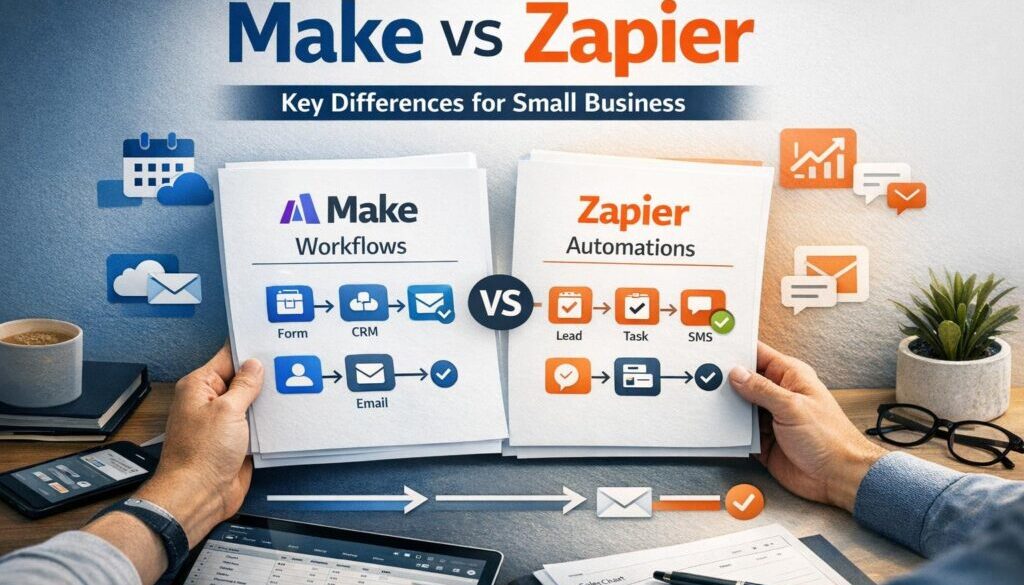
At a high level, both platforms connect apps and automate repeatable work. The main difference in the Make vs Zapier decision is how they structure that work.
Zapier’s app-first automation model
Zapier uses “Zaps” to connect one app event to another action. In practical terms, a new lead in one system can trigger a follow-up task, email, or CRM update in another. Zapier also supports multi-step workflows, filters, paths, webhooks, and AI-related features, but the overall experience is built around quick setup and broad app connectivity.
Make’s visual workflow builder
Make is built around visual scenarios made up of modules, routers, filters, scheduling, and error handling. That makes it easier to see how data moves from one step to the next. For businesses with more detailed workflows, this visual approach can be useful because it gives more control over branching and logic.
In other words, the Make vs Zapier difference is not just about features. It is also about how you prefer to think about automation: simple steps and speed, or visual control and flexibility.
Which Is Easier for Small Business Owners?
For many small business owners, ease of use is the deciding factor in the Make vs Zapier comparison.
Setup speed and learning curve
Zapier is commonly seen as the simpler option for getting started. If you want to connect two or three apps and get a workflow running quickly, it is usually the more approachable platform.
Make can still be very usable, but its visual builder often asks a little more of the user up front. That extra effort can pay off later if the workflow needs more structure, but it may feel more involved at the beginning.
When simplicity matters more than flexibility
If you run a busy service business, consultancy, or solo operation, you may not need a highly complex workflow to start saving time. In those cases, the simplest tool is often the best tool. A basic automation that reliably captures leads, creates tasks, and sends reminders can remove a lot of admin without requiring a steep learning curve.
If you are still identifying the right process to automate, our Business Hub has practical resources that can help you think through where automation makes the most difference.
Which Is Better for Complex Automations?
If your workflow has multiple branches, exceptions, or decision points, the Make vs Zapier comparison often starts to favour Make.
Branching logic, routers, and filters
Make is designed for workflows that need to split into different paths based on conditions. For example, a form submission might go to one team if it is a sales enquiry, and another team if it is support. That kind of branching can be easier to visualise in Make.
Zapier can also handle multi-step automations and conditional logic, but businesses that want finer visual control often prefer Make for more layered workflows.
Where complexity becomes a risk
Complex automations can save time, but they can also become fragile if they are poorly designed. The more steps and exceptions you add, the more important it becomes to test, monitor, and document the workflow.
This is where professional help can make a difference. Simple Automations has worked on document-heavy and workflow-heavy processes such as trust account automation, which is a good example of how repetitive administrative workflows can be simplified with a clear process design.
Which Has Better App Coverage?
App coverage matters because the best automation platform is only useful if it connects to the software your business already uses. In the Make vs Zapier decision, this is one of the first things to check.
Common small-business tools to check
Before choosing either platform, verify whether it supports the apps that matter to your business, such as:
- Google Workspace
- Microsoft 365
- Slack
- Microsoft Teams
- HubSpot
- Pipedrive
- Airtable
- Monday.com
- Trello
- Asana
- Typeform or other form tools
- Accounting and ecommerce tools where relevant
Official directories are the best place to confirm current app support. See the Make integrations directory and the Zapier apps directory.
Why app availability should be verified before committing
App libraries change over time, and some integrations may require specific plans or connection types. That means the best option for one business may not be the best option for another, even if they look similar on the surface.
If you already know the process you want to streamline, Simple Automations can help design the right workflow and build it around the tools you actually use. That is where a business automation solutions approach can be more useful than trying to force a generic template to fit.
Which Is Better for Common Small-Business Workflows?
The most useful way to compare Make vs Zapier is to look at everyday business tasks.
Lead capture and CRM updates
Both platforms can work well for lead capture. A form submission might trigger a CRM update, an internal notification, and a follow-up email. Zapier is often appealing here because the workflow is usually straightforward.
If the lead qualification process is more complex, such as routing enquiries based on service type, budget, or location, Make may give you more control over the logic.
Client onboarding
Client onboarding often includes multiple steps: capturing details, creating records, sending welcome messages, setting up tasks, and notifying the right person. Both tools can support this kind of workflow.
Where the process includes several branches or handoffs, Make’s visual workflow builder may be easier to map out. Where the process is simple and repetitive, Zapier may be faster to implement.
Finance and operations
Finance-related workflows need extra care because accuracy matters. Common automation opportunities include invoice reminders, payment notifications, and record updates. These are useful tasks to automate, but they should be designed carefully and reviewed where money or records are involved.
For accounting-sensitive processes, one of the main business benefits of automation is reducing manual data entry while keeping the workflow consistent. Our trust account automation example shows how document-heavy admin can be simplified when the process is clearly defined.
Internal team notifications
Internal notifications are often a good starting point for either platform. For example, a new enquiry can alert the right team member in Slack or Microsoft Teams, or a project update can trigger an internal task.
These automations are useful because they reduce delays and help staff respond faster without needing to check multiple systems manually.
Pricing and Value: What Small Businesses Should Check
Pricing is a major part of the Make vs Zapier decision, but it should be handled carefully because automation platform pricing changes often.
Why pricing changes frequently
Both platforms update plan names, limits, and feature availability from time to time. Rather than relying on second-hand pricing comparisons, it is better to check the current official pricing pages directly before making a decision.
See the Make pricing page and Zapier pricing for the latest information.
Task and complexity limits matter
The cheapest plan is not always the best value. A lower-cost plan may be enough for very simple automation, but it may not suit a business that needs more operations, advanced logic, or higher volumes.
When comparing value, ask these questions:
- How many workflows do we actually need?
- Will the plan support our app connections?
- Do we need branching logic or error handling?
- Will the workflow still work as the business grows?
This is one reason the Make vs Zapier decision should be based on real usage, not just the headline monthly price.
What About AI Features?
AI is becoming part of many automation tools, but it should be treated as a helper, not a replacement for good process design. In the Make vs Zapier comparison, AI may help with setup or with specific workflow steps, but the underlying automation still needs to make sense for your business.
AI-assisted workflow creation
Both platforms have expanded into AI-related features, but availability and functionality vary by product and plan. If AI helps you build a workflow faster, that can be useful for non-technical users.
AI for summarisation, routing, and text extraction
Practical AI use cases can include summarising enquiry text, classifying requests, extracting details from emails or forms, or drafting a first-pass response. These are useful because they reduce manual sorting and make handoffs faster.
Why AI steps still need review
Even where AI is helpful, the output should be checked before it affects customers, invoices, or sensitive records. AI can speed things up, but it should not be trusted blindly in workflows that need accuracy or compliance.
This is especially important for customer-facing processes, where a mistake can create confusion or damage trust.
Privacy, Security, and Australian Compliance Considerations
Australian businesses should think carefully about privacy and data handling when choosing between Make vs Zapier. If your automation moves personal information between systems, you may need to consider obligations under the Privacy Act 1988 and the Australian Privacy Principles.
Handling personal information under the Privacy Act
The key question is simple: what information is being moved, where is it going, and who can access it? The answer matters when you are automating customer, employee, or supplier data.
For official privacy guidance, see the OAIC pages on Australian Privacy Principles and the guide to securing personal information.
Access control and failure handling
Small businesses should think about who can edit automations, how failures are noticed, and what happens when an app connection breaks. A workflow is only useful if it is monitored and maintained properly.
When human approval is still necessary
Some tasks are better left for human review, especially when they involve legal documents, refunds, payment changes, payroll, or sensitive customer decisions. Automation should support judgment, not remove it where judgment is needed.
Which Tool Is Best for Your Business Type?
The best answer in the Make vs Zapier debate often depends on the kind of business you run.
Service businesses
Service businesses often need fast lead handling, booking follow-up, reminders, and client onboarding. Zapier can be a strong choice when the workflow is simple and the goal is to reduce admin quickly. Make may suit businesses with more detailed intake or approval steps.
Agencies
Agencies often manage many clients and multiple workflows. Make can be attractive when teams need more control over branching logic, status updates, and multi-step processes. Zapier may still work well for lighter, repeatable tasks.
Ecommerce businesses
Ecommerce workflows often involve orders, shipping, customer updates, and internal notifications. Either platform can be useful, but the choice depends on the systems involved and how complex the order-handling process is.
Solo operators and freelancers
For solo operators, simplicity usually wins. If you want to automate follow-ups, task creation, and basic admin without spending too much time learning the tool, Zapier may be the easiest starting point.
That said, if your workflow has multiple conditions or you want more visibility into the process, Make may be worth the extra setup effort.
For businesses that want practical help deciding what should be automated, automation for small business can be a sensible next step.
When Neither Tool Is the Best Fit
Sometimes the right answer in the Make vs Zapier comparison is that neither tool is the whole solution on its own.
Over-automation risks
If a process is poorly defined, automating it can make the problem happen faster. It is worth mapping the manual workflow first and fixing obvious issues before trying to automate everything.
Data sensitivity and compliance concerns
Some processes involve information that needs careful handling. If your workflow includes sensitive data, approval steps, or business-critical records, you may need a more customised design and a better review process.
Alternatives to consider
In some cases, the right solution may be a different tool, a custom integration, or a simpler process redesign. Automation is most useful when it supports a clear business process rather than trying to patch over a messy one.
That is why a good automation project starts with understanding the process, not just choosing software.
Final Verdict: Make or Zapier?
The simplest way to decide in the Make vs Zapier comparison is this:
- Choose Zapier if you want a simpler, faster path into automation and your workflows are mostly straightforward.
- Choose Make if you want more visual control, branching logic, and flexibility in more complex workflows.
For most small businesses, the best platform is the one that fits the actual workflow, the current team capability, and the business’s tolerance for complexity. The cheapest or most powerful tool is not always the best one.
If you want help identifying what should be automated, or you want a workflow designed around the way your business actually operates, Simple Automations can help. Start with automation services or explore examples of content calendar automation and digital product automation to see how practical workflows can be simplified.
Ready to Simplify Your Business?
If you are weighing up Make vs Zapier and want a clearer path forward, Simple Automations can help you choose the right workflow and build it properly.
Further Reading
For official product and privacy references, these sources are useful starting points:
These resources can help you verify current features, pricing, and compliance considerations before you commit to a platform.