Business Automation: A Practical Guide for Small Business
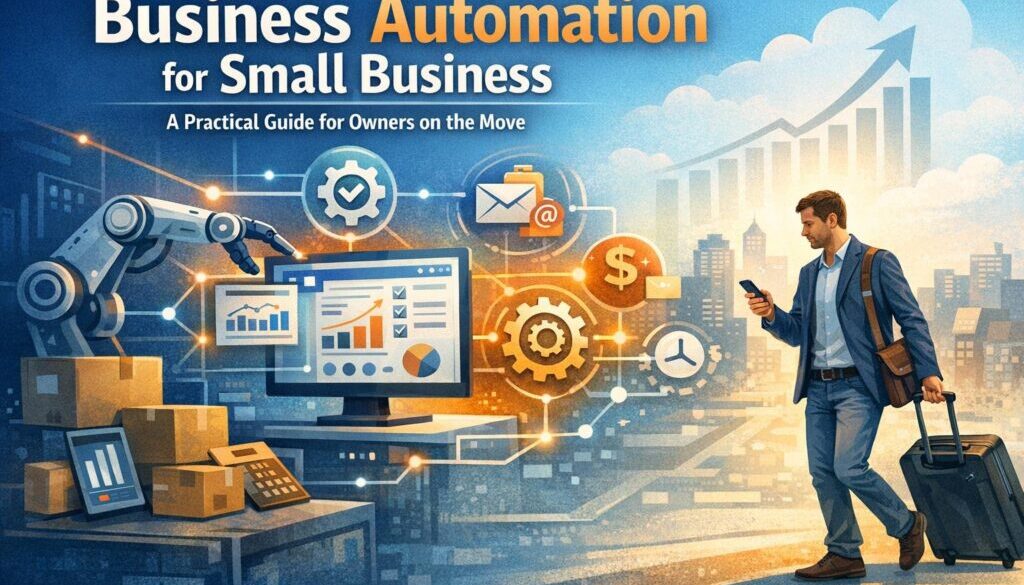
If you run a small business, business automation can take a lot of pressure off your day-to-day work. It helps reduce repetitive admin, keeps information organised, and makes it easier to stay on top of tasks whether you are in the office, at home or travelling overseas.
For Australian business owners, the benefit is even bigger when work needs to continue on the move. The right tools can help you manage invoices, customer follow-up, bookings, reporting and approvals without having to do everything manually. This guide explains what business automation is, where it usually delivers the biggest wins, and what to consider if you need to stay connected and secure while travelling.
null
We will also look at the practical side of working remotely: mobile access, cloud tools, roaming versus eSIMs, and why secure authentication matters when you are away from your usual setup.
For businesses that are just starting out, the goal is not to automate everything. It is to automate the right things first. If you want a broader overview of practical options, our small business automation page is a useful place to start.
What Is Business Automation?
Business automation means using software and connected tools to reduce manual work in recurring tasks. Instead of completing the same steps by hand every time, part of the process is handled automatically.
In a small business, that might include sending an invoice, reminding a customer about a payment, moving a lead into a CRM, scheduling an appointment, or updating a spreadsheet when a form is submitted.
The main idea is simple: less repetitive work, fewer mistakes, and more time to focus on customers and growth.
Common tasks small businesses automate
- Invoicing and payment reminders
- Customer follow-up and lead management
- Appointment bookings and calendar updates
- Bookkeeping and reporting
- Payroll-related admin
- Document collection and approval workflows
- Email marketing and enquiry responses
These are the kinds of tasks that can quietly consume hours each week, especially when they involve copying information between systems or checking the same details over and over.
Why business automation matters for Australian business owners
Australian small business owners often need to do more with limited time and smaller teams. That makes business automation especially valuable where the work is repetitive, time-sensitive or easy to miss.
It can also help create more consistency. Instead of relying on memory or manual reminders, your process runs the same way each time. That is useful for customer service, finance, and internal admin.
For general official guidance on running and digitising a small business, it is worth checking business.gov.au and the Australian Taxation Office for current compliance and record-keeping information.
Where Business Automation Delivers the Biggest Wins
Most businesses do not need complex automation to see a difference. The best place to start is usually the work that is repetitive, predictable and easy to define.
Invoicing and payments
Manual invoicing often involves creating documents, sending them, checking whether they have been paid, and following up when they are overdue. That process can become tedious fast.
Current problem: You or your team keep recreating the same invoice steps every time a job is finished.
Automation opportunity: Invoice creation, delivery, reminder emails and payment status updates can often be streamlined.
Business benefit: Faster admin, better consistency and less chance of missed follow-up.
Customer follow-up and CRM
Leads are easy to lose when enquiry details are scattered across email, message apps and spreadsheets. Business automation can help collect, sort and route enquiries into the right place.
Current problem: New enquiries need to be entered manually and followed up one by one.
Automation opportunity: Form submissions, contact updates and follow-up reminders can be connected to your CRM or email system.
Business benefit: Better response times and fewer missed opportunities.
If you are exploring what can be built for a real workflow, our automation solutions page explains the kind of problems automation services can help solve.
Scheduling and bookings
Appointment-based businesses often spend time manually confirming bookings, sending reminders and updating calendars. That is a good candidate for automation because the workflow is usually predictable.
You can reduce back-and-forth emails by letting customers choose available times, then automatically sending confirmations and reminders.
Bookkeeping, payroll and reporting
Accounting work is another common area where business automation can help. Even when the final review still needs a person, there may be many steps that can be simplified: collecting documents, sorting transactions, creating reports, or routing information to the right system.
For businesses handling sensitive or document-heavy processes, our trust account automation case study is a practical example of how a repetitive workflow can be simplified without adding unnecessary complexity.
Why Business Automation Matters More When You Travel
For owners who travel for work, business automation is not just about saving time. It is also about keeping the business running when you are away from your desk.
If you are in transit, on a work trip, or travelling overseas, it helps to have systems that keep information moving without needing you to manually check every task. That is where cloud tools, mobile access and simple workflows become especially useful.
Managing a business on the move
When you are travelling, your business still needs attention. Customers may send enquiries, invoices may need approval, and deadlines do not stop.
Automation can reduce the number of actions you need to take while away. Instead of logging in to handle every small task, you can receive only the alerts that matter and let routine steps happen in the background.
This is one reason many owners prefer workflow-based systems over ad hoc manual processes. It makes the business easier to manage from a laptop or phone.
Accessing cloud tools from overseas
Cloud-based tools are useful because they can usually be accessed from anywhere with a reliable internet connection. That matters if you are checking bookings from an airport lounge, approving an invoice from a hotel, or reviewing customer messages while abroad.
The trade-off is that you need a secure and reliable way to stay connected. Public Wi-Fi may be convenient, but it is not always the best option for sensitive business activity.
The Australian Cyber Security Centre provides guidance on safer remote work practices, and it is worth reviewing before relying on public networks for business access.
Staying responsive without being chained to admin
The real benefit of business automation while travelling is not that you can work more. It is that you do not have to babysit repetitive tasks all day.
When routine admin is handled in the background, you can be more selective about what needs your attention. That helps you stay responsive without feeling tied to your inbox.
For travellers who want a more flexible way to explore a destination between work tasks, the idea also fits well with mobile-first travel experiences. Walkables is a related brand that supports independent, flexible exploration at getwalkables.com.
Connectivity Considerations for Travelling Business Owners
Good business automation is only useful if you can actually stay connected to it. For Australian travellers, that usually means thinking about roaming, eSIMs, local SIMs and mobile data before you leave.
Roaming vs travel eSIM vs local SIM
| Option | Best for | Things to consider |
|---|---|---|
| Roaming | Short trips and simple backup access | Often convenient, but pricing and inclusions vary by carrier |
| Travel eSIM | Compatible devices and data-focused travel | Check device support, hotspot rules and whether the plan is data-only |
| Local SIM | Longer stays or specific local needs | Requires swapping SIMs and may involve more setup |
The right choice depends on your device, trip length and how much you rely on mobile data for business systems.
If you need up-to-date information on Australia-related mobile options, check the current pages for Telstra, Optus and Vodafone Australia.
Why dual-SIM can help with SMS and 2FA
Many travellers keep their Australian SIM active for SMS while using a travel eSIM for data. That can be useful if your bank, accounting software or other business tools still send one-time codes by text message.
That said, SMS is not always the most reliable authentication method overseas. Where possible, it is sensible to check whether your tools support app-based authentication, passkeys or backup codes before you travel.
This is a practical example of how business automation and remote access go hand in hand: the workflow is only smooth if the authentication steps are equally manageable.
Hotspot and tethering needs
If you plan to work from a laptop while travelling, consider how much mobile data you will need and whether your chosen plan supports hotspot use. Video calls, file uploads and cloud accounting can use more data than people expect.
It is better to check these details before departure than to discover limits after you arrive.
Security Risks to Plan For
When you manage a business remotely, security is part of the workflow. Automation can reduce manual tasks, but it cannot replace sensible security habits.
Public Wi-Fi and account security
Public Wi-Fi can be convenient, but it is not ideal for sensitive business tasks. If you need to approve payments, access client data or log in to accounting software, a more secure connection is usually the better option.
For travel safety and current advice, the Australian Government’s Smartraveller site is a useful official source, and the Italy destination page should be checked if you are heading there specifically.
SMS-only verification and backup authentication
SMS-based codes can become a problem if you cannot receive messages, your phone is misplaced, or your number is not working as expected overseas. That is why it is sensible to set up more than one method of access where your systems allow it.
Before travelling, review your critical accounts and confirm how you will log in if SMS is unavailable. This is especially important for banking, payroll and accounting systems.
Scam and phishing awareness
Travelling can make it easier to miss warning signs in emails or messages, especially when you are busy. Fake invoice requests, urgent payment messages and login prompts are common scam tactics.
The Scamwatch website is a good official source for staying across current scam patterns and advice.
Clear workflows can help here too. When approval steps are automated and consistent, it is easier to spot anything that does not fit the usual process.
How to Choose the Right Automation Tools
Not every tool is right for every business. The best business automation setup is usually the one that fits your workflow, your team and your comfort level.
Ease of use and mobile access
If you travel often, mobile access matters. A tool may look good on desktop but be awkward on a phone. That can be a problem if you need to approve something quickly while away from the office.
Ask whether the system is easy to use on mobile, whether notifications are helpful, and whether important tasks can be completed without desktop-only steps.
Integrations and compliance support
Automation usually works best when your tools can talk to each other. For a small business, that might mean connecting forms, calendars, accounting software and customer records so data only needs to be entered once.
You should also consider whether the system supports your business obligations. Current guidance from the ATO and business.gov.au can help you check what matters for your setup.
Security, audit logs and scalability
If more than one person uses a system, it helps to know who changed what and when. Audit logs, user permissions and secure access controls become more important as the business grows.
Scalability matters too. A good solution should work when you are a sole operator, but still make sense if you later add staff or more customers.
If you are not sure where to begin, a tailored workflow review is often a better starting point than buying more software. That is where business automation resources can help you think through the process before you build anything.
A Practical Example of What Can Be Automated
Some business processes are simple enough to automate in stages. A content workflow is a good example.
Current problem: Content ideas, drafts, approvals and publishing tasks are tracked manually across different tools.
Automation opportunity: A workflow can be created to organise content stages, track approvals and reduce back-and-forth admin.
How it could work: A new idea is entered once, the content moves through an agreed sequence, and reminders are triggered automatically when something needs attention.
Business benefit: Less chasing, fewer missed steps and a clearer publishing process.
Our content calendar automation case study shows how a structured workflow can support this kind of business process.
For digital products or file-based delivery workflows, the digital product automation project is another useful example of how a repetitive process can be streamlined without adding extra complexity.
What to Check Before You Travel
If you plan to rely on business automation while overseas, it is worth preparing before you leave. A little planning can save a lot of stress later.
- Check which business tasks must still be done manually.
- Confirm that critical systems work on mobile.
- Set up backup authentication methods where possible.
- Review roaming, eSIM or local SIM options for your destination.
- Test cloud access and notifications before you depart.
- Review current travel and cyber advice from official sources.
- Make sure someone else can access urgent information if needed.
If you are travelling to Italy or elsewhere in Europe, the official Italy travel advice page is a sensible place to check current conditions before departure.
Ready to Simplify Your Business?
For many small businesses, the best place to start is with one or two annoying tasks that take too much time or create unnecessary risk. Once those are simplified, it becomes much easier to build a business that runs smoothly at home and on the move.
If you want help identifying the right workflow to automate, Simple Automations works with small businesses to design practical automation solutions that reduce admin and make business processes easier to manage.
Ready to Simplify Your Business?
Let’s look at the repetitive tasks in your business and identify the most practical automation opportunities first.
Conclusion
Business automation is one of the most practical ways for small business owners to save time, reduce repetitive work and stay organised. It becomes even more valuable when you travel, because the right setup helps you keep work moving without being tied to manual admin or unreliable connections.
The key is to start simply. Focus on the tasks that are repetitive, predictable and easy to improve. Then make sure your tools are mobile-friendly, secure and suitable for working on the move.
When you are ready to take the next step, Simple Automations can help you turn a manual workflow into a simpler one with automation for small business that is designed around real business needs.