Automation Tools for Small Business: A Practical Guide for 2026
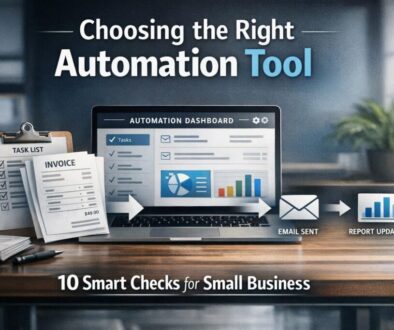
If you are looking at automation tools for small business in 2026, the main challenge is not finding tools. It is choosing ones that genuinely make work easier without creating new problems.
For Australian business owners, that question becomes even more important when you are travelling or working remotely. The best tools need to be secure, mobile-friendly, easy to manage, and practical when you are away from the office, on patchy hotel Wi-Fi, or relying on mobile data overseas.
This guide explains the main types of automation tools, what to look for before you buy, and how to use them safely while travelling. It also shows where automation can reduce repetitive admin, improve consistency, and help your business run more smoothly.
nullFor small businesses that want help identifying the right processes to automate, Simple Automations offers small business automation support that focuses on practical outcomes rather than technical complexity.
What automation tools actually do for small businesses
At a simple level, automation tools help software do repeatable tasks for you. Instead of manually copying information between systems, sending the same reminders again and again, or updating records by hand, an automation tool can move information, trigger actions, or generate routine outputs automatically.
That matters because many small business tasks are repetitive, time-sensitive, and easy to get wrong when done manually.
Common tasks people automate in 2026
- Sending enquiry follow-ups
- Booking reminders and confirmations
- Invoice creation and payment reminders
- Receipt capture and bookkeeping support
- Contact list updates
- Customer support routing
- Social media scheduling
- Document approvals
- Internal task notifications
These are the kinds of processes where automation can save time without changing the core of how the business operates.
Why automation matters more for travelling business owners
If you are travelling, the value of automation increases. You are less likely to want to log into multiple systems several times a day, and you may not always have reliable access to a desktop, a fast connection, or the right time zone for manual follow-up.
That is where automation tools for small business can make a real difference. They can keep the business moving even when you are in transit, in a different time zone, or working from a café or hotel.
For businesses that are still finding the right starting point, a general overview of automation solutions can help you think about the kinds of workflows that are worth automating first.
The main categories of automation tools
Not all automation tools do the same job. Most small businesses use a mix of tools across a few categories. The right setup depends on what kind of work you do and where your biggest admin bottlenecks are.
Workflow automation
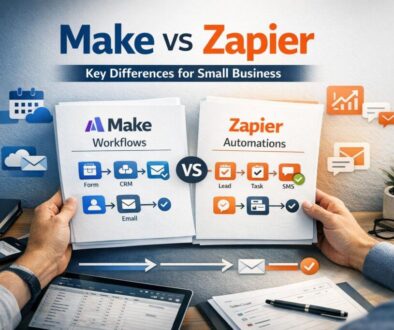
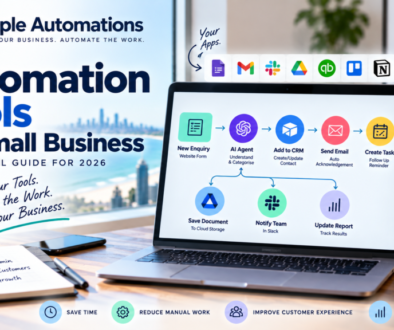
Workflow automation tools connect different apps and move information between them. For example, they can turn a form submission into a task, update a spreadsheet when a new lead arrives, or send a notification when a file is uploaded.
These tools are usually the most flexible category of automation tools for small business because they can support many different processes.
Simple Automations has also demonstrated this kind of work in practice through its content calendar automation case study, which shows how a repeatable planning workflow can be simplified.
Accounting and bookkeeping automation
Accounting and bookkeeping tools can reduce manual data entry, help categorise transactions, and support faster invoice handling. For Australian businesses, this category often matters because it touches core financial administration and record keeping.
The main thing to look for is whether the tool supports the way your business actually works, rather than just offering a long feature list.
Useful reference points for business owners include business.gov.au for general small business guidance and Australian Cyber Security Centre guidance for security-aware digital practices.
Marketing automation
Marketing automation tools can help with email follow-ups, audience segmentation, lead nurturing, and scheduled campaigns. For small businesses, this usually means less manual sending and more consistent communication.
This is one of the easiest areas to automate because the work is often repetitive and rule-based. A new lead might receive a welcome email, a reminder, or a follow-up sequence without anyone having to remember to send it manually.
Customer service automation
Customer service tools can route enquiries, suggest answers to common questions, or send messages based on customer actions. These tools do not replace good service, but they can reduce the load on your team and make responses more consistent.
For small businesses that travel or operate across time zones, this can be especially helpful because customers can still receive acknowledgment and updates even when you are not online.
Scheduling and bookings
Booking and scheduling tools are useful for service businesses, consultants, clinics, and any business that depends on appointments. They can reduce back-and-forth emails, send reminders, and keep calendars more organised.
In a travel context, time zone handling matters. If your business is based in Australia but you are overseas, the tool needs to handle scheduling clearly so customers do not book at the wrong time.
What to look for when choosing a tool
When comparing automation tools for small business, it helps to focus on practical criteria rather than marketing language. A tool may sound impressive, but if it is hard to use on mobile or awkward to secure, it may create more work than it saves.
Integrations and workflow depth
One of the most important questions is whether the tool connects properly with the software you already use. It is not just about how many apps it claims to support. It is about whether it can actually handle the workflow you need.
If you are using multiple systems, ask:
- Can it pass data cleanly between apps?
- Can it handle conditions or branches in a workflow?
- Can it alert you when something fails?
- Does it support the tools your team already relies on?
When a process is more complex, professional help may be worthwhile. That is where business automation solutions can be useful, especially if you want automation built around a real process rather than a generic template.
Mobile usability and offline practicality
Travel-friendly tools should work well on a phone. That sounds obvious, but many platforms are still much easier to manage on a desktop than on mobile.
Check whether you can:
- Review notifications on your phone
- Approve tasks or requests on the go
- Access key dashboards without friction
- Handle urgent issues if you are not at your laptop
Offline access also matters. Most cloud tools still need an internet connection, so the real question is how gracefully the tool handles interruptions.
Security, MFA, and access control
Automation tools often connect to email, accounting platforms, CRM systems, cloud storage, and payment tools. That means security is not optional.
Look for:
- Multi-factor authentication
- Role-based access
- Ability to limit who can edit workflows
- Clear session and login controls
- Good vendor security documentation
The ACSC provides practical small business cyber guidance that is worth reviewing before you connect any automation platform to important business systems.
Australian business fit
For Australian small businesses, it is worth checking whether a tool fits local needs. That may include GST, BAS-related workflows, Australian dollar pricing, local support hours, and compatibility with common accounting setups.
You do not need every tool to be Australian-made, but you do need it to fit your business environment.
Pricing transparency and support
Many tools change their pricing and plan features regularly. For that reason, do not rely on old comparisons or generic “best of” lists. Check the current product documentation and pricing pages before making a decision.
Also consider what happens when something goes wrong. If an automation breaks while you are overseas, you need to know whether support is available, what the response process looks like, and whether the issue can be diagnosed from a mobile device.
How to use automation tools safely while travelling
Using automation tools for small business while travelling is absolutely possible, but it needs a bit of planning. The biggest risks are not usually the tools themselves. They are poor connectivity, weak login habits, and rushed admin on insecure networks.
Why roaming and eSIM planning matter
If your business depends on secure access to cloud tools, you should plan connectivity before you leave. Australian carriers and travel eSIM providers all have different approaches, and many travel eSIMs are data-only.
That matters because some logins and banking workflows may still rely on SMS verification to your Australian number. If that is the case, keeping your home SIM active may still be important.
Before travelling, check the current roaming information from your carrier, such as Telstra International Roaming, Optus International Roaming, or Vodafone AU International Roaming.
Why public Wi-Fi is risky for admin work
Hotel Wi-Fi, airport Wi-Fi, and café Wi-Fi are convenient, but they are not always the best choice for sensitive business work. If you are logging into accounting platforms, payment systems, or customer databases, it is smarter to use secure mobile data where possible.
Public networks can create unnecessary risk if you are entering credentials or approving business changes on the fly. The ACSC offers practical guidance on safer online behaviour for small businesses, which is especially useful when you are working outside your usual environment.
Best practices for secure access on the road
- Use strong, unique passwords for business systems.
- Enable multi-factor authentication wherever possible.
- Keep your phone and laptop updated.
- Avoid approving sensitive tasks on open Wi-Fi if you can use mobile data instead.
- Check that you can still receive verification codes before you leave.
- Make sure more than one person knows how to recover access if needed.
These habits are not complicated, but they make a big difference when you are relying on automation systems from overseas.
Connectivity considerations for Australians travelling in Italy and Europe
This article is about automation, but travel connectivity affects whether your tools work smoothly in practice. If you are travelling in Italy or elsewhere in Europe, you need to think about roaming, eSIMs, verification messages, and device compatibility.
Carrier roaming vs local SIM vs travel eSIM
There is no single best option for everyone. The right choice depends on how much data you need, whether you need your Australian number active, and how often you use business apps that require secure logins.
- Carrier roaming can be convenient, but costs and allowances vary.
- Local SIM or eSIM may suit longer stays, but setup and number management can be more complex.
- Travel eSIM is often convenient for data, but may not handle SMS or voice the way your home SIM does.
Before deciding, check whether your phone supports eSIM and whether dual SIM use will work the way you expect.
Data-only eSIMs and SMS verification
Many travel eSIMs are designed for data, not calls or SMS. That can be perfectly fine for email, cloud apps, video meetings, and messaging tools, but it may not be enough if your login process relies on SMS verification to your Australian mobile number.
In other words, a travel eSIM can solve the data problem without solving every access problem. That is an important distinction for small business owners who need reliable access to accounting systems, CRM platforms, or banking tools.
Device compatibility and dual SIM questions
Not every phone handles eSIM in the same way. Before you leave, confirm:
- Whether your device supports eSIM
- Whether dual SIM functionality is available
- Which line will handle data
- Whether your Australian number can remain active for messages
- Whether hotspot/tethering is allowed on your plan
These practical checks can save a lot of frustration later, especially if you are trying to keep your business running while moving between cities.
Questions to ask before you buy
When you compare automation tools for small business, the simplest way to avoid a poor choice is to ask direct questions before committing.
Does it work well on mobile?
If you travel, this is non-negotiable. Test the mobile experience, not just the desktop demo. Can you actually use the tool when you are away from your desk?
Does it support Australian workflows?
Ask whether it fits the way your business operates in Australia. That includes local tax settings, support expectations, time zones, and any other practical requirements that matter to your team.
What happens if I lose connectivity?
Cloud tools depend on the internet. The question is not whether a connection is needed. The question is how your workflows behave when connectivity drops, especially if you are overseas.
If a workflow is critical, build a fallback. That might include a backup internet option, clearer handover steps, or a simpler process for urgent approvals.
Practical examples of what can be automated first
If you are not sure where to begin, start with the work that is repetitive, frequent, and easy to define. Those are usually the best candidates for automation.
- Lead capture and follow-up
- Appointment reminders
- New customer onboarding emails
- Invoice reminders
- Internal task notifications
- Receipt collection and bookkeeping preparation
These smaller wins can create momentum and help you see where automation is genuinely useful before you invest in more complex workflows.
For businesses that want to see how automation can work in real-life admin-heavy environments, Simple Automations has published a trust account automation case study that shows how a document-heavy workflow can be simplified.
For businesses selling digital products, the digital product automation case study is another useful example of how manual delivery steps can be reduced.
How to think about automation as a travelling business owner
Travel changes how you work, but it should not make business harder than it needs to be. The best automation tools for small business are the ones that keep working when you are on the road, not just when you are sitting in the office with perfect connectivity.
That is why the best buying decision is usually a balance of four things:
- Functionality — does the tool do the job?
- Usability — can you manage it easily on mobile?
- Security — can you access it safely from overseas?
- Fit — does it match how your business really works?
When those four things line up, automation becomes much more than a convenience. It becomes a reliable part of how your business runs.
Need Help Choosing the Right Automation Setup?
If you are trying to simplify repetitive admin, improve reliability while travelling, or work out which processes should be automated first, Simple Automations can help you identify practical next steps.
Explore Automation SolutionsFinal takeaway
In 2026, the best automation tools for small business are not just the ones with the most features. They are the ones that are secure, mobile-friendly, and practical enough to use in real life, including when you are travelling.
Start with the repetitive tasks that slow your business down. Check the tool’s mobile experience, security settings, and Australian fit. Then make sure your connectivity plan supports the way you actually work overseas.
If you want support moving from “we should automate this” to a real workflow that saves time and reduces admin, Simple Automations resources are a good place to keep learning, and automation solutions can help when you are ready to implement.
For more practical examples, you can also explore automation case studies to see how different business workflows have been approached in real projects.