What Should a Small Business Automate First?
If you are wondering what should a small business automate first, the short answer is: start with the repetitive, low-risk work that eats up time every week. For most small businesses, that means admin tasks such as inbox sorting, scheduling, invoice reminders, receipt collection and document handling.
The best first automation is usually not the biggest or most complicated one. It is the one that removes the most friction from daily operations without creating unnecessary risk. That matters even more if you work while travelling, because your systems need to be simple, reliable and usable from a phone when you are away from the office.
nullIn this guide, we will look at how to decide what should a small business automate first, which tasks usually deliver quick wins, what to avoid automating too early, and how travel, mobile data and security affect the decision.
What should a small business automate first?
The best place to start is with work that is:
- done often
- easy to define
- low risk if something goes wrong
- time-consuming when done manually
- based on clear rules rather than judgement
That is why many small businesses begin with simple admin automations before moving on to more complex workflows. If you want a practical overview of the kinds of tasks that suit this approach, Simple Automations has small business automation resources that explain the basics in plain English.
The best first automation is usually repetitive, low-risk work
When people ask what should a small business automate, they sometimes expect a dramatic answer. But the smartest starting point is often the unglamorous work that happens every day.
Examples include:
- sorting enquiries
- sending standard replies
- reminding clients about invoices
- saving attachments to the right folder
- moving information from one tool to another
These are ideal because they tend to follow a pattern. Once a process is predictable, it is easier to simplify it.
What makes a process worth automating
Not every task should be automated. A good candidate usually has these traits:
- Clear trigger — something happens, such as a new enquiry or unpaid invoice.
- Repeatable steps — the same actions happen each time.
- Low judgement requirement — it does not need a person to interpret every case.
- Measurable benefit — time saved, fewer mistakes or faster response times.
- Limited risk — the business will not be damaged if human review is still needed.
If you need help turning a process into a practical workflow, Simple Automations’ automation solutions page is a useful place to see how business problems can be approached step by step.
The top tasks to automate first
Here are the tasks that usually make the strongest first-wave shortlist for a small business.
Email triage and common replies
Email is a classic starting point when deciding what should a small business automate. Many businesses spend too much time reading, sorting and forwarding the same kinds of messages.
Current problem: enquiries and internal messages pile up, and someone has to check them manually.
Automation opportunity: simple rules can sort messages by topic, flag urgent items, or route enquiries to the right person.
How it could work: a form submission or incoming email could trigger a label, a notification or a task in your workflow tool.
Business benefit: faster response times, less inbox clutter and fewer missed messages.
Appointment scheduling and calendar management
Scheduling is another strong first automation because it often follows fixed rules and creates a lot of back-and-forth if handled manually.
For service businesses, consultants and freelancers, this can quickly save time. Automated booking confirmations, reminders and rescheduling messages can reduce admin while keeping the customer experience smooth.
This is especially useful for people who work from different locations or across time zones, because it reduces the need to coordinate everything in real time.
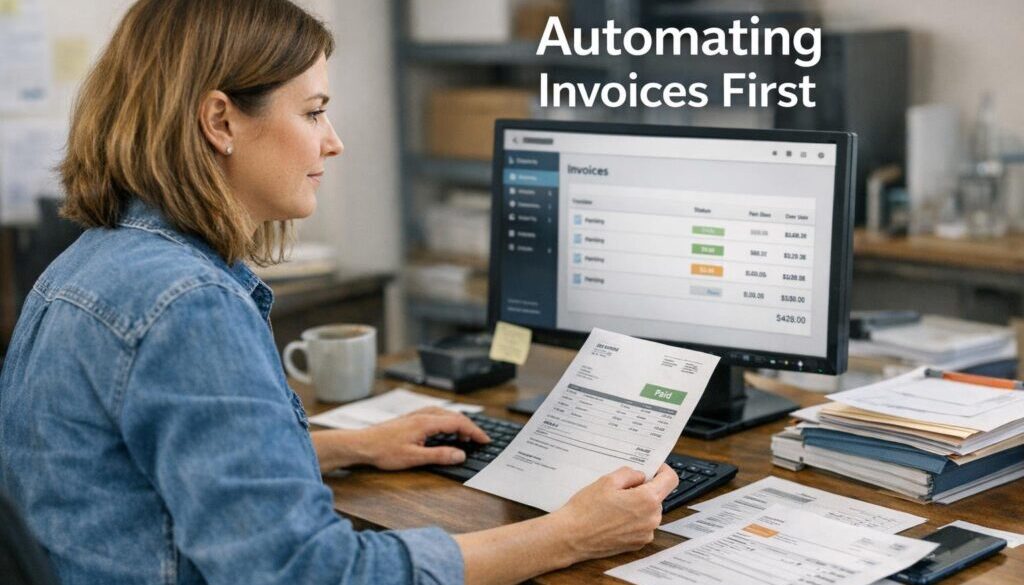
Invoice reminders and payment follow-ups
Chasing overdue invoices is repetitive, sensitive and easy to forget. A well-designed reminder workflow can help keep payments moving without requiring someone to send each message manually.
What to automate carefully: the tone, timing and escalation of reminders should still suit your business relationships.
Why it matters: it can reduce awkward manual follow-up and make your cash flow process more consistent.
Receipt capture and bookkeeping admin
Bookkeeping is often a strong candidate for simplification because it involves many repetitive steps. One example is collecting receipts, naming files and getting them into the right place for later processing.
Document-heavy workflows are often a good starting point. Simple Automations’ trust account automation case study is one example of how a repetitive administrative process can be simplified in a more structured environment.
You do not need to automate the entire accounting function to get value. Even small reductions in manual file handling can make a difference.
File syncing and document sharing
If your team regularly sends the same files around, or stores documents in too many places, this can create confusion and version issues.
Automation opportunity: new documents can be saved into the right folder, shared with the right people, or copied into a standard structure.
Business benefit: better organisation, less duplication and fewer “where is that file?” moments.
Lead capture and customer enquiry routing
If your business depends on enquiries, the first automation may be how those leads are captured and handed off.
For example, a website form could trigger a notification, create a record and send the visitor a confirmation message. That means less manual sorting and a faster response to potential customers.
If this is the kind of problem you are trying to solve, the Business Hub is a helpful place to explore practical business automation resources.
How to prioritise automation by impact
If you are still deciding what should a small business automate, use a simple scoring approach. The best starting point is usually the task that scores well across several of these factors, not just one.
| Priority factor | What to look for | Why it matters |
|---|---|---|
| Time saved | Tasks that take time every day or every week | Gives you visible value quickly |
| Frequency of repetition | Work that happens again and again | Small savings add up faster |
| Error reduction | Steps where mistakes are common | Improves consistency and reduces rework |
| Customer impact | Processes that affect service speed or clarity | Can improve the customer experience |
| Setup complexity | Simple workflows with clear rules | Easier to implement and maintain |
| Human review required | Tasks that still need judgement | Helps you decide how much should stay manual |
Time saved
Look for work that repeatedly interrupts the day. If a task only happens once a month, it may not be the best first automation. If it happens ten times a day, it is worth a closer look.
Frequency of repetition
The more often a task occurs, the more value you are likely to get from simplifying it. Repetition is one of the clearest signs that a process is ready for automation.
Error reduction
Manual processes often fail because someone is busy, distracted or copying information across systems. Automation can help reduce those small mistakes, especially where data entry is involved.
Customer impact
Some automations are worth doing early because they improve response times and make the business feel more reliable. A faster reply or a timely reminder can make a real difference to the customer experience.
Setup complexity
When deciding what should a small business automate, simpler is usually better at the start. A quick win that is easy to manage will often beat a complicated project that takes months.
Human review required
Some processes should always keep a human in the loop. Automation can prepare the work, sort it or flag it, but final decisions may still need a person.
What to automate carefully
Not everything should be automated straight away. Some tasks are too sensitive, too risky or too dependent on context.
Security and 2FA-related tasks
Security basics are essential, but they should be handled with care. The Australian Cyber Security Centre recommends strong basic protections for small business, including multi-factor authentication, backups, updates and strong passwords. You can read more on the official ACSC small business security guidance.
Automation can support security hygiene, but it should not replace careful access control or human oversight.
Customer service workflows that need oversight
Automated replies can help with first response and simple routing, but more complex customer issues usually need a person. The goal is not to remove service quality; it is to reduce the admin around it.
That balance is why it helps to start small and review the workflow after it has been running for a while.
Banking or compliance-related steps
Banking, trust processes and compliance-related work should be approached cautiously. These areas often involve rules, approvals or risk controls that should not be oversimplified.
That does not mean automation is off-limits. It means the process should be designed carefully, with the right checks in place. The trust account automation example shows how document-heavy work can be streamlined while still respecting the need for accuracy.
Why connectivity matters if you work while travelling
For many business owners, the question is not only what should a small business automate, but also how to keep those automations working while travelling. If your workflow lives in cloud software, it depends on reliable internet access, notifications and secure logins.
Cloud apps and automation need reliable mobile data
Automation tools often rely on cloud platforms, app notifications and browser access. If your internet drops out or becomes too slow, the workflow may still exist but become harder to manage.
That is why travellers often think about mobile data, hotspot use and coverage before they leave. If you are extending a business trip into a more flexible travel experience, Walkables offers self-guided walking tours that can fit around a working schedule without forcing you into a fixed timetable.
SMS, MFA and app notifications can break if travel setup is poor
Many business tools still rely on SMS codes, push notifications or app-based verification. If you cannot receive those codes, even simple tasks can become frustrating.
For Australian travellers in Europe, it is worth checking how your phone plan, roaming setup or travel eSIM will handle those messages before you leave.
Roaming, local SIMs and travel eSIMs each have trade-offs
Connectivity choices are not the main topic of this article, but they do matter if your business depends on cloud access. Official EU guidance explains that roaming rules vary by plan and provider, and Australian visitors do not automatically receive EU domestic roaming treatment. You can review the official information from the European Commission and Your Europe.
If you are relying on a travel eSIM, check device compatibility before purchase. Apple, Google and Samsung all provide official support information for eSIM setup on recent devices: Apple eSIM support, Google Pixel eSIM support and Samsung eSIM support.
Travel setup checklist before you leave Australia
If you run a business from your phone or laptop while travelling, use a simple checklist before departure. It can save a lot of stress later.
Check device compatibility for eSIM
Not every phone supports eSIM, and not every model or carrier setup is the same. Confirm your device can use the service you plan to rely on.
Confirm your phone is unlocked
A locked phone may not accept the travel setup you expect. Check this with your carrier before you leave.
Back up data and update software
Before any trip, make sure your devices are backed up and up to date. That helps protect both your files and your access to the systems you use for work.
Test 2FA and banking access
Do not wait until you are overseas to discover that a bank login or security code does not work as expected. Test your key logins while you are still at home.
Confirm hotspot and data needs
If you plan to use a laptop, tablet or backup device, make sure your mobile plan supports the kind of sharing you need. Also consider how much data your regular business tools use.
How to avoid automating the wrong thing first
When deciding what should a small business automate, it is easy to focus on the most annoying task rather than the most valuable one. A better approach is to ask three simple questions:
- How often does this happen?
- How much time does it take?
- What happens if it goes wrong?
If the process is frequent, time-consuming and low-risk, it is usually a strong candidate. If it is rare, sensitive or heavily dependent on judgement, it may be better to leave it manual for now.
That is the mindset behind practical automation: improve the business process first, then build the technology around it. If you want examples of what this looks like in practice, Simple Automations’ content calendar automation case study shows how a recurring planning workflow can be organised more efficiently, while digital product automation demonstrates how a delivery process can be simplified once it becomes repeatable.
What a good first automation often looks like
A strong first automation is usually invisible to the customer but very noticeable to the business owner. It reduces admin without changing the core service.
Common signs you have chosen well include:
- fewer manual reminders
- less copying and pasting
- cleaner file handling
- faster response to enquiries
- less chance of missing a step
That is why it helps to think in terms of business process improvement rather than technology for its own sake. The goal is not to automate everything. The goal is to simplify the work that slows you down.
Ready to Simplify Your First Workflow?
If you are trying to work out what should a small business automate first, Simple Automations can help you identify the best starting point and turn it into a practical workflow.
Explore Automation SolutionsFinal takeaway
If you are still deciding what should a small business automate, start with the repetitive, low-risk tasks that drain time every day. Email sorting, scheduling, invoice reminders, receipt handling and document routing are often the best first wins.
Keep security in mind, test your mobile access before you travel, and make sure the workflow works well on a phone as well as a laptop. The best automation is the one that makes the business simpler without adding confusion.
For further practical guidance, explore small business automation, browse the Business Hub, or look through our automation case studies to see how simple workflows can make a real difference.