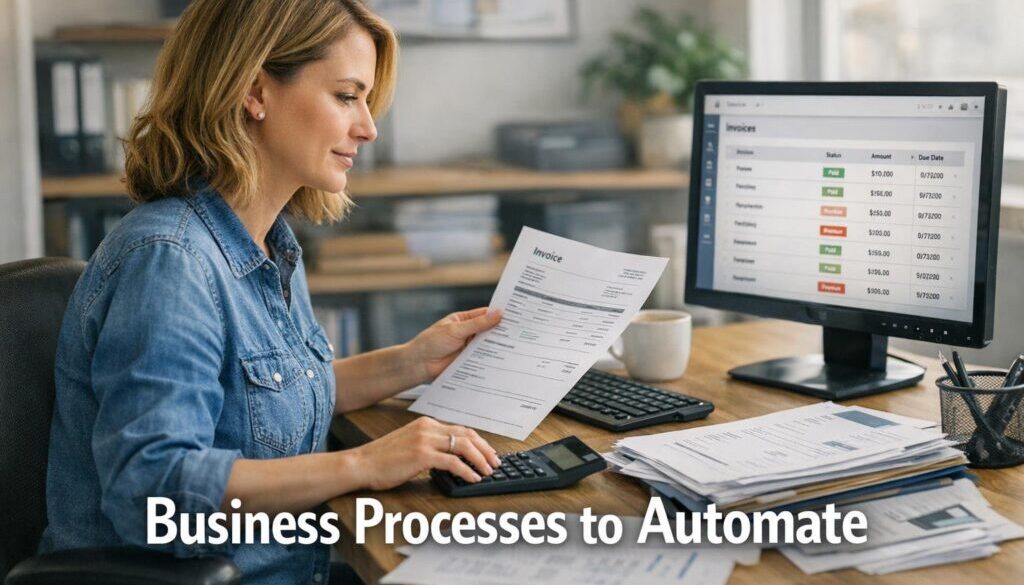
Business Processes to Automate: A Practical Guide for Small Business
If you are trying to work out which business processes to automate first, the best place to start is usually the work your team repeats every week. That might be booking follow-ups, customer emails, invoicing, reminders, approvals or internal updates. These tasks are often important, but they do not always need to be done manually.
This guide explains how to spot the right opportunities, what to prioritise, and where automation can save time without making your business more complicated. It is designed to help small business owners make smarter decisions about business processes to automate, especially when the goal is to reduce admin and improve consistency.
nullFor a practical overview of how automation fits into day-to-day operations, you may also find small business automation useful.
What business processes should small businesses automate first?
The first business processes to automate are usually the ones that are repetitive, rule-based and high-volume. In plain English, that means the tasks you do over and over again in a similar way. These are often the easiest to improve because the steps are predictable.
Look for repetitive, rules-based tasks
If a process follows the same pattern every time, it is a strong candidate for automation. Examples include sending a confirmation email after a form is submitted, creating a task when a new enquiry comes in, or reminding a customer about an upcoming appointment.
These kinds of business processes to automate are often ideal because they do not require a lot of judgement once the rules are clear.
Focus on high-volume customer touchpoints
Customer-facing processes can have a big impact on how professional and organised your business feels. If your team answers the same questions repeatedly, sends similar follow-up emails, or manually tracks bookings and requests, automation can help create a smoother experience.
That does not mean removing the human touch. It means freeing up your team so they can spend more time on meaningful conversations rather than repetitive admin.
Prioritise processes that cause delays or errors
Some tasks are not just time-consuming; they are also prone to mistakes. Manual data entry, missed follow-ups and inconsistent handovers can all create avoidable problems. These are strong candidates when deciding which business processes to automate first.
If a workflow regularly slows people down or causes things to slip through the cracks, it is worth reviewing.
Common business processes worth automating
There is no single list that works for every business, but most small businesses tend to get value from automating a few familiar workflows first. The key is to choose tasks that are repetitive, easy to define and valuable when improved.
Booking and scheduling
Booking and scheduling are classic business processes to automate because they often involve back-and-forth communication, calendar checks and reminders. Automation can help with confirmations, rescheduling notices and appointment reminders.
For businesses that rely on appointments or reservations, even small improvements here can reduce admin and improve the customer experience.
Customer enquiries and support
Enquiries are another strong candidate. A simple automation can acknowledge receipt, route the message to the right person, or collect key details before a team member responds.
This kind of workflow is especially useful when your team receives similar questions every day. It creates a faster response without replacing human support where it is needed.
Invoicing and payments
Billing workflows often involve the same steps every time: create the invoice, send it, follow up if needed, and record payment status. Automating parts of this process can reduce manual entry and make it easier to stay organised.
When reviewing business processes to automate, finance-related workflows are often worth considering because they are repetitive and need consistency.
Email follow-ups and reminders
Follow-up emails are a good example of work that can be automated without feeling impersonal, provided the timing and content are thoughtful. You might send a thank-you message, a reminder before a deadline, or a nudge after no reply.
These automations help keep communication moving without relying on someone to remember every step.
Internal approvals and notifications
Some of the best business processes to automate are behind the scenes. For example, a form submission can trigger an approval request, a task assignment or a notification to the right team member.
This can reduce delays and improve handovers, especially in small teams where people wear multiple hats.
How to decide what to automate
Not every repetitive task should be automated straight away. A sensible approach is to look at business value, complexity and risk before deciding what to change.
Assess time saved
Start by asking how often the task happens and how long it takes. A process that only happens once a month may not be a priority. A process that happens dozens of times a week could be a much better candidate.
When you compare business processes to automate, the ones that save the most routine time are often the easiest to justify.
Measure error reduction
Automation is not just about speed. It is also about making work more consistent. If a process often gets missed, entered incorrectly or handled differently by different people, automation can reduce variation.
That can be especially helpful for tasks like data collection, follow-up emails and status updates.
Consider customer impact
Some automations improve the customer experience straight away. Faster replies, clearer updates and fewer manual delays all help a business look more organised and responsive.
If a process affects how customers feel about your service, it may be worth prioritising earlier.
Start with low-risk workflows
When in doubt, begin with simple, low-risk business processes to automate. These are tasks where a small change will not disrupt the whole business if something needs adjusting.
That approach gives you room to test, learn and refine before tackling more complex processes.
Automation tools and workflow types to consider
Business automation does not need to be complicated. In many small businesses, the most useful improvements come from a few simple workflow types.
Rule-based automation
Rule-based automation follows a clear instruction: if this happens, do that. It is useful when the process has predictable triggers and outcomes. For example, when a customer submits a form, send an acknowledgement and create a task.
These are often some of the most practical business processes to automate because they are straightforward to define.
Trigger-based messaging
Trigger-based messages are sent when a specific event occurs. That could be a booking confirmation, a reminder before an appointment, or a follow-up after a service has been completed.
This helps communication happen at the right time without someone needing to remember each step manually.
Self-service forms and portals
Self-service tools can reduce back-and-forth by collecting the right information upfront. Instead of chasing details by email, a form can capture what the business needs in one place.
This is especially useful for businesses that rely on enquiries, onboarding or requests for information.
Alerts and reporting dashboards
Some business processes to automate are not customer-facing at all. Internal alerts and dashboards can help teams track what needs attention, what has been completed and where action is still required.
That visibility can make a big difference in busy small businesses where tasks are shared across multiple people.
Risks and limits of automation
Automation is useful, but it should not be applied blindly. A good workflow can make a business simpler. A poor one can make it harder to manage.
Don’t automate a broken process
If a process is messy, confusing or inconsistent, automation will not fix the underlying problem. It will usually just make the same bad process happen faster.
Before automating, it is worth mapping the current workflow and removing unnecessary steps.
Keep a human fallback
Even the best business processes to automate should have a backup plan. Sometimes a customer needs help, a record needs checking, or a situation falls outside the normal rules.
A human fallback helps the business stay flexible when something unusual happens.
Watch for customer frustration
Automation should support service, not get in the way of it. If customers are forced through too many steps, or cannot reach a real person when they need one, the experience can feel frustrating.
That is why it is important to think about the customer journey as well as the internal workflow.
Review compliance and data handling
Whenever a process involves customer information, it is worth being careful about how data is collected, stored and shared. If your business handles sensitive information, check the relevant rules and policies before making changes.
For general guidance on trusted business resources, the Business Hub is a helpful starting point, and official information from the Australian Communications and Media Authority can also be useful when looking at communications and consumer-related obligations.
A simple framework for getting started
If you are not sure where to begin, keep it simple. A step-by-step approach is usually the safest and most effective way to introduce automation into a small business.
- Map the current process from start to finish.
- Identify the repeated steps that do not need manual judgement.
- Remove unnecessary actions before automating anything.
- Choose one workflow to improve first.
- Test the new process with a small group or a limited use case.
- Review the result and make adjustments.
This method works well because it keeps the focus on business outcomes, not technology for its own sake.
Examples of practical automation opportunities
Some of the most useful business processes to automate are the ones that happen quietly in the background. They may not be glamorous, but they can make a real difference to day-to-day operations.
For example, a document-heavy workflow can often be improved through structured automation. Our trust account automation case study shows how a repetitive administrative process can be simplified when the workflow is clearly defined.
Planning and publishing content can also benefit from structured systems. The content calendar automation case study is a practical example of how a recurring workflow can be organised more efficiently.
For businesses that deliver digital files or products, the process of sending access after purchase is another common candidate. Our digital product automation example shows how that kind of delivery workflow can be streamlined.
These examples are different in nature, but they share the same underlying idea: if a workflow is repetitive, predictable and important, it may be one of the better business processes to automate.
If you want more examples of how this works in practice, you can also browse the automation case studies page.
How automation supports better customer experience
One of the most overlooked benefits of automation is customer confidence. When a business responds promptly, sends clear updates and follows through consistently, it feels more reliable.
That is why the best business processes to automate are often the ones customers notice indirectly. They may not see the system itself, but they do notice that things happen on time and without unnecessary friction.
For a service business, that could mean faster confirmations. For a booking-based business, it could mean clearer reminders. For an online business, it could mean smoother onboarding. In each case, automation helps create a calmer, more organised experience.
Where Simple Automations fits in
If you can identify the processes you want to improve but are not sure how to build the workflow, that is where professional help can be useful. Simple Automations works with small businesses to design practical automation solutions that reduce repetitive work and simplify operations.
Rather than adding complexity, the goal is to make business processes to automate easier to manage in real life. That might involve improving handovers, reducing manual data entry, or making a customer-facing workflow more consistent.
You can explore more about automation solutions if you are ready to look at what could be improved in your own business.
Ready to Simplify Your Business?
If you have a process that takes too much time, causes errors or gets repeated every day, it may be a good candidate for automation. Start with the workflow that creates the most admin, then build from there.
Explore Small Business AutomationFinal takeaway
The best business processes to automate are usually the ones that are repetitive, rules-based and important to your customer experience. Start small, look for simple wins, and focus on workflows that save time without adding complexity.
If you approach automation carefully, it can help your business become more organised, more consistent and easier to run. That is the real benefit: not technology for its own sake, but technology that makes business simpler.
For more practical guidance, you can also return to Simple Automations and continue exploring the best next step for your business.
Further reading
For official guidance on business communications and consumer considerations, see the Telecommunications Consumer Protections Code. For international travellers or travel-adjacent businesses exploring self-service experiences, the Australian Government’s Smart Traveller service is the official source for destination advice.