Automated Estimates for Service Businesses: How to Save Time Without Losing Control
For many service businesses, quoting is one of the most repetitive parts of the job. The details change from customer to customer, but the workflow is familiar: gather the enquiry, work out the scope, check pricing, prepare the estimate, send it, then follow up if needed. Automated estimates can help simplify that process by reducing manual data entry and making quote preparation more consistent.
The goal is not to remove human judgement. It is to remove unnecessary admin. Done well, automation can help a business respond faster, keep quote formatting consistent, and make it easier to move from enquiry to accepted job. In this article, we’ll look at what automated estimates are, what parts of the workflow can be automated safely, where AI can help, and what Australian businesses need to consider around privacy, GST and follow-up messages.
null
If you are thinking about improving your quoting process, the wider principles of small business automation apply here too: start with repeatable tasks, standardise the workflow, then automate the parts that are predictable.
What are automated estimates for service businesses?
Automated estimates are quote workflows where some or all of the estimate preparation happens automatically. That might mean a web form creates a new quote request, customer details are pre-filled into a template, pricing rules are applied, and the estimate is sent to the customer with less manual retyping.
For service businesses, this is especially useful because quotes often follow similar patterns. Trades, cleaners, landscapers, consultants, agencies and repair businesses often price from a combination of job type, labour, materials, service tiers and location. If the quote is based on repeatable rules, there is usually a good opportunity to automate part of it.
How estimate workflows usually work
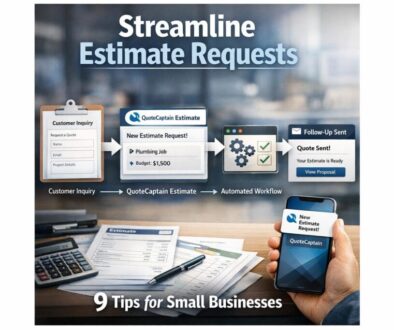
A typical manual quote process might look like this:
- A customer sends an enquiry by form, email or phone.
- The business collects job details and contact information.
- Someone calculates labour, materials, tax and margin.
- The estimate is written or assembled in software.
- The quote is sent to the customer.
- If the customer accepts, the job may be converted into an invoice or scheduled work.
Automation can support each of those steps, depending on the software stack and the level of complexity involved.
What “automation” means in quoting
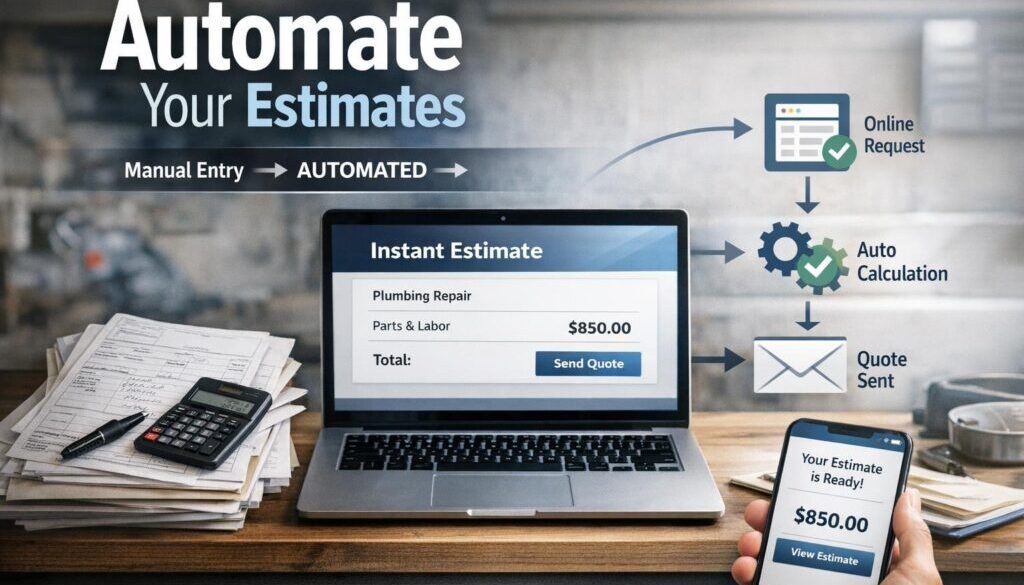
In simple terms, automation means software handles a repetitive action based on a rule or trigger. For example, if a quote request comes in from a form, the system can create a new record, fill in standard fields and notify the team. In some systems, accepted estimates can also flow into invoicing or job management without duplicate entry.
That is the practical value of automated estimates: less typing, fewer handoffs and a more consistent process.
Why service businesses automate quotes and estimates
Most businesses look at automation because quoting takes time and often interrupts the rest of the day. The business still has to think through the scope, but it should not have to rebuild the same quote from scratch every time.
Faster response times
When estimates are built from templates or pre-filled data, the business can often respond more quickly. That matters because many customers compare options and want a quote while the need is fresh.
Less manual data entry
One of the biggest opportunities with automated estimates is reducing duplicate entry. If the customer details, job type and notes are already captured once, there is less need to retype them into another system.
More consistent pricing and presentation
A quote template helps standardise how prices are presented, what exclusions are included and what notes appear every time. That consistency can reduce mistakes and make your business look more organised.
For businesses that want to go further, automation solutions can connect quote requests, follow-up tasks and customer records into one smoother workflow.
Which parts of the estimate process can be automated?
Not every part of quoting should be automated. But many parts are predictable enough to benefit from automation.
Capturing enquiry details
A web form, intake form or structured email response can collect key details before anyone starts pricing. This may include customer name, address, service type, urgency, photos and notes.
That information can then feed into the quote workflow instead of being copied manually from one place to another.
Pre-filling customer and job data
If the customer has contacted you before, existing details can often be pulled from a CRM, job system or accounting platform. That saves time and reduces the chance of small errors in names, addresses or contact details.
Calculating labour, materials, tax and margins
Many businesses use pricing rules, templates or calculators to work out standard jobs. This works best where the pricing structure is repeatable, such as fixed call-out fees, service packages or common job types.
For Australian businesses, GST handling needs to be correct. The Australian Taxation Office GST guidance is a useful reference point when setting up quote and invoice workflows.
Sending quotes and reminders
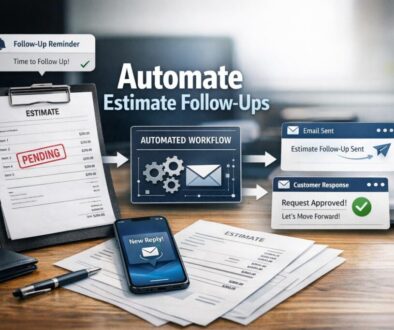
Once an estimate is ready, software can often send it automatically by email. Some systems also support follow-up reminders if the customer has not responded after a set period. That said, automated follow-up messages need to be handled carefully in line with Australian spam rules.
The ACMA Spam Act 2003 overview explains the rules that may apply to automated emails and reminders.
Turning accepted estimates into jobs or invoices
One of the most useful automation opportunities is the handoff after acceptance. If the customer accepts the quote, the system may create a job, project or invoice draft automatically. That reduces double handling and helps the work move forward faster.
What data do you need to generate an estimate automatically?
Good automation depends on good input. If the quote request is incomplete, the estimate will be incomplete too. This is why structured forms and clear templates matter so much.
Customer details
At minimum, most workflows need a name, email address, phone number and service location. If you store this information, Australian privacy obligations may apply depending on your business and circumstances. The Australian Privacy Principles and business.gov.au privacy guidance are useful starting points.
Job scope and service type
The estimate needs enough detail to understand what the customer is asking for. For example, a cleaning business may need property size and frequency, while a repair business may need the fault description, access details and any photos.
Pricing rules and templates
This is where automated estimates become practical. Pricing rules might include standard labour rates, fixed package prices, material mark-ups or minimum charges. Templates help ensure those rules are applied consistently.
Notes, photos and supporting documents
Attachments can make a big difference in quote quality. Photos, drawings, previous job notes or scope documents may help the person reviewing the estimate choose the right pricing approach.
It is also worth keeping records properly. Australian businesses should think about how quotes, accepted estimates and supporting messages are stored. business record-keeping guidance can help with that side of the process.
Where AI can help — and where humans still need to review
AI can be a useful support tool in quoting, but it should not be treated as the final decision-maker. In most businesses, the safest and most valuable use of AI is to assist with preparation rather than final pricing.
Drafting quote text and summaries
AI can help turn rough notes into a clearer summary or draft wording for a quote. That may save time, especially when the enquiry came in by email or from a phone call that was typed into notes.
Classifying enquiries
If incoming requests are varied, AI may help sort them into categories such as maintenance, urgent repair or standard service. That can make routing and prioritising easier.
Suggesting line items from similar jobs
In some workflows, AI may help suggest possible line items based on previous jobs. This can be useful as a starting point, but it should not replace pricing logic or judgement.
Why final pricing and terms still need review
AI can misunderstand scope, miss exclusions or make unsupported assumptions. That is why final pricing, terms and quote wording should still be checked by a human before sending. This is especially important for custom jobs, larger projects or anything with compliance risk.
If you are exploring the right mix of tools and workflow, it may help to look at how Simple Automations approaches practical process design in its Business Hub.
Software and tools that support automated estimating
There is no single “best” quoting tool for every business. The right setup depends on how you work now and what you need to connect.
Accounting software
Many small businesses already use accounting software for quotes, invoices and customer records. Examples include Xero, MYOB and QuickBooks Online. Their official help centres are the best place to verify current quote features.
For example, Xero’s help article on creating a quote explains the current quoting workflow in that platform.
Job management and field service software
Service businesses often need more than a quote. They may need scheduling, job tracking and customer communication too. Software such as ServiceM8, simPRO and Tradify can support those workflows, but the exact features should always be checked directly with the vendor.
These tools are often a good fit when estimates need to become jobs quickly and cleanly.
CRM and workflow tools
CRM systems and automation platforms can help route quote requests, trigger reminders and keep customer information in sync. Microsoft Power Automate, Zapier and similar tools may be useful where the software supports the needed connection.
Microsoft’s Power Automate documentation is a good example of how automation workflows are structured. Zapier’s apps directory can also help you check whether the tools you use are supported.
Office applications
Many businesses still begin with Excel, Google Sheets, Google Forms, Word or Google Docs. That is not a bad starting point. If the quoting process is still small and simple, a well-designed template plus some lightweight automation can go a long way.
Australian compliance considerations for automated estimates
Automation is useful, but it needs to be set up responsibly. Australian businesses should think about privacy, messaging rules, pricing accuracy and record keeping from the start.
Privacy and customer data handling
If your estimate workflow collects personal information, you need to think about how that data is stored and used. The OAIC Guide to the Privacy Act is a helpful reference for businesses handling customer information.
Spam law and quote follow-ups
It is common to send reminders after a quote has been issued, but automated follow-up emails still need to be lawful. Be especially careful if the messages start to look promotional rather than purely transactional.
GST and tax handling
GST settings need to be right in both quotes and invoices. Even if the software supports tax calculations, the business remains responsible for ensuring the numbers and wording are correct.
Quote wording, exclusions and consumer law
Clear wording matters. Estimates should not leave room for misunderstanding about what is included, what is excluded and what assumptions the pricing is based on. That helps reduce disputes and supports more transparent customer communication.
Common mistakes to avoid
Automation can create problems if it is rushed or too broad. These are some of the most common mistakes service businesses make when setting up automated estimates.
Over-automating pricing
Some jobs are straightforward. Others are not. If the work is complex or bespoke, the quote should usually be reviewed by a person before it goes out.
Poor data quality
If the intake form misses key details, the estimate may be wrong. Automation does not fix incomplete information — it often makes the mistake happen faster.
Weak version control
If different staff use different templates or price lists, quotes can become inconsistent. Standardising your templates is an important part of the process.
Sending unreviewed AI-generated estimates
AI can save time, but it should not be trusted to finalise price or scope without review. Human checking is still essential.
Document-heavy workflows are often a strong starting point for automation. Our trust account automation case study is one example of how a repetitive administrative process can be simplified with the right workflow design.
What should small businesses look for in quote software?
If you are comparing tools, focus on how well the software fits your process rather than chasing every possible feature.
Templates and rules
The software should make it easy to build repeatable quote templates and apply standard pricing logic where appropriate.
Integrations
Look for tools that connect cleanly with the systems you already use, such as CRM, accounting or job management software. The fewer times data has to be retyped, the better.
Approval workflows
If discounts or non-standard pricing need review, an approval step can be valuable. That keeps control in the right place.
Acceptance and invoicing handoff
The best workflow often does not stop at quote creation. It also makes it easy for accepted estimates to move into jobs or invoices without manual duplication.
Reporting and record keeping
Quote history, response times and win/loss information can help you improve the process over time. Good record keeping also supports compliance and internal review.
Practical examples of where automated estimates make sense
Automated estimates tend to work best when the business can define clear rules around scope and pricing. Examples include:
- standard call-out fees
- package-based cleaning services
- repeat maintenance jobs
- fixed-scope consulting services
- common repair work with known labour ranges
- simple add-on items or optional extras
They are usually less suitable where every job is highly custom, pricing changes constantly or scope is difficult to define without a detailed human conversation.
How to start simplifying your quoting process
The best way to begin is not with the software. It is with the workflow.
- Map how quotes are created now.
- Identify the repeatable parts of the process.
- Decide what data must be captured every time.
- Build or refine your quote template.
- Set pricing rules for the most common job types.
- Add follow-up and acceptance steps where appropriate.
- Review how the process behaves before automating more of it.
That approach keeps the business in control and makes it easier to scale the workflow later.
Practical examples from Simple Automations
When businesses have repetitive admin tasks, they often benefit from the same principle: identify the repetitive workflow, standardise it, then automate the handoff. That is the thinking behind many of our projects.
For content operations, our content calendar automation case study shows how a structured workflow can reduce manual coordination. For digital delivery workflows, digital product automation is another example of a process that becomes much simpler when the right steps are automated.
These examples are not quoting systems, but they show the same core idea: when a process repeats, automation can reduce admin and improve consistency.
Ready to Simplify a Repetitive Business Process?
If your quote workflow is taking too long or creating too much manual work, Simple Automations can help you map the process, identify the best automation opportunities and build something practical for your business.
Conclusion
Automated estimates can make a real difference for service businesses that deal with repeat quote requests, standard pricing rules and time-consuming admin. The most effective systems do not try to remove human judgement. They support it by capturing better information, reducing duplicate work and making the quoting process more consistent.
If you start with the repeatable parts of quoting, use clear templates and keep human review in the loop where needed, you can improve speed without sacrificing accuracy or compliance. For businesses ready to simplify more of their admin, small business automation is usually the best place to start.