“`html
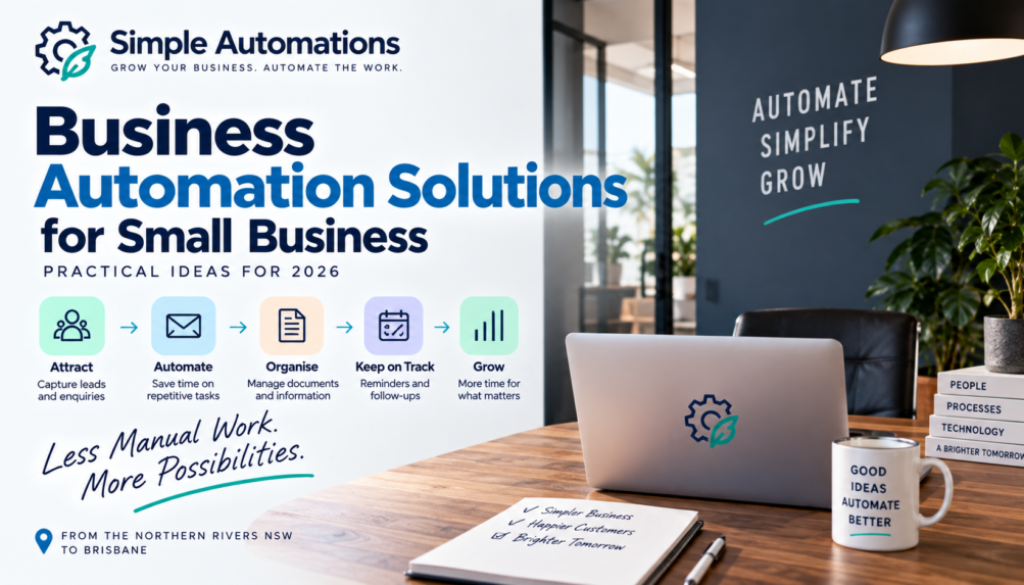
Business Automation Solutions for Small Business: Practical Ideas for 2026
Running a small business means solving problems every day.
Customers need answers. Leads need following up. Documents need processing. Emails need responding to. Information needs to be entered into systems. Reports need to be prepared.
And while none of these tasks may seem particularly difficult, they can take up a significant amount of time when you are doing them repeatedly.
This is where business automation solutions can make a real difference.
Rather than changing the way your entire business operates, automation can be used to solve specific problems and remove repetitive work from individual processes.
For a small business, that can mean spending less time on administration and more time dealing with customers, winning work and running the business.
The best automation isn’t about using more technology. It’s about solving the right problem with the simplest reliable solution.
In this guide, we’ll look at some of the most common problems small businesses face and how business automation solutions can help address them.
What Are Business Automation Solutions?
Business automation solutions are systems designed to use software and technology to reduce the amount of manual work involved in a business process.
The solution might be a simple workflow connecting two applications, a more complex automated process involving several systems, or an AI-powered workflow that can interpret information before taking action.
For example, imagine a customer completes an enquiry form on your website.
Without automation, someone might need to:
- Read the enquiry.
- Copy the customer information.
- Add it to a CRM or spreadsheet.
- Send an acknowledgement.
- Notify the appropriate person.
- Create a follow-up reminder.
With the right automation solution, much of this can happen automatically.
The important point is that automation is not the solution by itself.
The business problem comes first.
The technology is simply how you solve it.
If you’d like to explore the broader approach, see our small business automation solutions.
What Problems Can Business Automation Solve?
There are many different types of problems that can be addressed with automation.
Some are obvious, such as repetitive data entry.
Others are less obvious, such as customers waiting for a response because an enquiry has been missed or a team member spending time manually preparing information that already exists in another system.
Here are some of the most common opportunities.
1. Too Much Repetitive Administration
Administration is one of the biggest opportunities for business automation solutions.
Small businesses often have many administrative tasks that are performed repeatedly throughout the day or week.
These might include:
- Entering customer information.
- Updating spreadsheets.
- Creating records.
- Sending routine emails.
- Creating reminders.
- Moving files.
- Copying information between applications.
Individually, these tasks might only take a few minutes.
But five minutes repeated 20 times can quickly become a significant amount of lost time.
Automation can often connect the systems involved and remove unnecessary manual steps.
Instead of someone remembering what needs to happen next, the workflow can take care of predictable actions automatically.
2. Leads Aren’t Being Followed Up Consistently
A new enquiry is potentially valuable, but it is easy for follow-up to become inconsistent when you’re busy.
A typical manual process might look like this:
New enquiry
↓
Read email
↓
Record details
↓
Send response
↓
Remember to follow up
The problem is often not that the business doesn’t want to follow up.
It’s that someone has to remember to do it.
An automation can create the customer record, send an acknowledgement and create a follow-up task automatically.
AI can also be introduced when the incoming enquiry needs to be interpreted or categorised.
For example, an AI system could identify whether an enquiry appears to be a new sales opportunity, an existing customer question or a support request.
The appropriate workflow can then be triggered.
3. Customer Enquiries Are Taking Too Long to Process
Customers increasingly expect businesses to respond quickly.
But responding quickly doesn’t necessarily mean someone has to sit in front of an inbox all day.
Business automation solutions can help manage the administrative steps surrounding customer enquiries.
For example:
- Capture the enquiry.
- Identify the customer.
- Classify the enquiry.
- Record the information.
- Send an acknowledgement.
- Notify the appropriate person.
- Create a follow-up task.
AI can potentially help interpret natural-language enquiries, while traditional automation handles the predictable actions that follow.
This combination can be particularly useful for small businesses that receive enquiries through multiple channels.
4. Your Team Is Copying Information Between Systems
If someone regularly copies information from one application into another, that should immediately raise the question:
Does someone actually need to do this manually?
For example, a customer might submit a form.
Someone then copies the information into a CRM, updates a spreadsheet and creates a task.
Those systems may already be capable of communicating with each other.
Automation platforms such as Make and Zapier can connect different applications and automate the movement of information between them.
That means the person who previously spent time copying information can concentrate on work that actually requires their attention.
5. Your Inbox Is Full of Routine Messages
Email can become a significant administrative burden.
Not every message requires the same response, but someone still needs to read and sort them.
Automation can help organise incoming email according to predefined rules.
AI can add another layer by helping interpret messages that don’t follow a fixed format.
For example, an AI-powered workflow could identify whether an email is:
- A sales enquiry.
- A customer support request.
- An invoice.
- A document.
- A booking request.
- A general enquiry.
The automation can then send each type of message into the appropriate workflow.
The goal isn’t necessarily to automatically reply to everything.
Sometimes the biggest benefit is simply making sure the right person sees the right information at the right time.
6. Documents Are Taking Too Long to Process
Businesses receive information in many different formats.
PDFs, forms, invoices, applications and other documents may all contain information that needs to be extracted and entered somewhere else.
This can create a repetitive manual process.
AI can potentially help identify relevant information within a document, while automation can move that information into another business system.
For example:
Document received
↓
AI identifies relevant information
↓
Automation records information
↓
Human checks where required
↓
Process continues
This approach can reduce manual data entry while still keeping people involved where accuracy and judgement are important.
7. You’re Spending Too Much Time Creating Reports
Regular reporting can involve a surprising amount of preparation.
Information may need to be collected from several different applications, combined into a spreadsheet and then summarised.
Business automation can help gather the information automatically.
AI can then potentially help turn the information into a plain-English summary.
For example, instead of manually preparing a weekly report, an automated workflow could:
- Collect the required information.
- Combine information from different systems.
- Calculate or organise relevant figures.
- Identify notable changes.
- Prepare a summary.
- Send the report to the appropriate people.
This can make recurring reporting much easier to manage.
8. Customers Are Waiting for Reminders
Businesses often rely on reminders for appointments, follow-ups, payments, renewals, documents and other activities.
The problem is that reminders are only useful if someone remembers to send them.
Automation can trigger reminders based on dates, events or changes in a customer’s status.
For example:
Customer completes an action
↓
Automation records the date
↓
Time period passes
↓
Reminder is automatically sent
↓
Business is notified if further action is required
This can create a more consistent customer experience without requiring someone to maintain a manual reminder list.
9. You’re Spending Too Much Time Managing Files
Files are another area where simple automation can remove unnecessary administration.
Businesses may need to download attachments, rename documents, move files into folders, notify staff or keep records of what has been received.
Depending on the systems involved, these steps can often be automated.
For example, a new document could trigger a workflow that saves the file to the appropriate location, records the information and alerts the relevant person.
This is particularly useful when documents arrive regularly and follow a reasonably consistent process.
10. Your Business Depends on Someone Remembering the Next Step
This is one of the most important automation opportunities.
Whenever a process depends on someone remembering what needs to happen next, there is a potential risk of something being missed.
For example:
- Remember to follow up the customer.
- Remember to send the document.
- Remember to update the CRM.
- Remember to notify the team.
- Remember to check whether payment has been received.
- Remember to send the next email.
Automation can create the next action automatically.
Instead of relying on memory, the system becomes responsible for keeping the process moving.
Business Automation Solutions Don’t Have to Be Complicated
One of the biggest misconceptions about automation is that a useful system has to be technically complicated.
It doesn’t.
A simple automation might do one thing:
When a new customer completes the form, send them an acknowledgement and notify the business owner.
That’s a perfectly valid automation.
Another might connect several applications and include AI decision-making.
The complexity should be determined by the business problem.
Not by what the technology is capable of doing.
AI Automation and Business Automation Can Work Together
Modern business automation solutions don’t necessarily have to choose between traditional automation and AI.
They can use both.
For example:
AI reads a customer email.
↓
AI determines the likely enquiry type.
↓
Automation records the customer.
↓
Automation sends the appropriate approved information.
↓
Automation creates a follow-up task.
↓
Human handles the sales conversation.
AI services such as OpenAI and Claude can provide AI capabilities within appropriate workflows, while automation platforms can connect the systems involved.
The result is a system where each technology does the job it is best suited to perform.
How to Choose the Right Automation Solution
You don’t need to start by choosing an automation platform.
Start by understanding the problem.
Step 1: Identify the Problem
What is taking too much time?
Step 2: Map the Current Process
Write down what happens from beginning to end.
Step 3: Identify Repetitive Steps
Look for copying, sorting, sending, updating and reminding.
Step 4: Identify Human Decisions
Decide which parts genuinely require human judgement.
Step 5: Decide What Can Be Automated
Look for predictable actions that don’t need constant human involvement.
Step 6: Decide Whether AI Is Necessary
If the process simply follows fixed rules, traditional automation may be enough.
If information needs to be interpreted, categorised or summarised, AI may add value.
Step 7: Test the Process
Run the automation carefully before relying on it for important business operations.
DIY Automation or Have Someone Build It?
There are now many tools that allow business owners to create their own automations.
Platforms such as Make and Zapier provide visual ways to connect applications and build workflows.
For a simple process, DIY automation can be a great option.
However, more complicated workflows can become difficult to maintain if they involve several applications, AI services, data processing and multiple decision points.
Getting professional help can make sense when:
- You don’t have time to learn the technology.
- You aren’t sure what should be automated.
- The workflow involves multiple systems.
- The process is important to your business.
- AI needs to be incorporated into the workflow.
- You need testing and ongoing support.
The important thing is that the final system should be understandable and maintainable.
Business Automation Solutions for Northern Rivers NSW to Brisbane
Simple Automations is initially focused on helping businesses across the Northern Rivers, Northern NSW, Gold Coast and Brisbane.
That means helping local small businesses find practical ways to reduce repetitive work without forcing them to completely change the software they already use.
Businesses in Byron Bay, Ballina, Lismore, Tweed Heads, the Gold Coast and Brisbane can have very different products, customers and industries.
But many of the underlying problems are similar.
There are enquiries to process, customers to follow up, documents to manage, information to enter and routine tasks that need to happen consistently.
That’s where practical automation can help.
You can explore the types of problems we can help solve on our Solutions page.
What Makes a Good Automation Solution?
A good automation should make the business easier to run.
It should not create another complicated system that requires constant attention.
A good solution should:
- Solve a genuine business problem.
- Reduce repetitive manual work.
- Be reliable.
- Be understandable.
- Have appropriate human oversight.
- Be easy to maintain.
- Use the simplest appropriate technology.
- Be capable of adapting as the business changes.
Most importantly, the business owner should be able to understand what the automation is doing and why.
Start With One Problem
You don’t need to automate your entire business.
In fact, trying to do everything at once is usually a poor place to start.
Instead, choose one problem.
Maybe it’s following up leads.
Maybe it’s processing enquiries.
Maybe it’s managing documents.
Maybe it’s copying information between systems.
Maybe it’s preparing reports.
Or maybe it’s something completely specific to your business.
Once that process has been improved, you can look at the next opportunity.
This approach allows automation to grow alongside the business rather than becoming a large technology project.
Technology That Makes Business Simpler
Business automation isn’t about replacing people.
It’s about removing the repetitive work that prevents people from concentrating on the things that actually require their attention.
A well-designed automation might only save a few minutes at a time.
But when those minutes are repeated every day, every week and every month, the benefit can become significant.
And when automation also helps make sure that customers are followed up, information is captured correctly and routine processes happen consistently, the value goes beyond time savings.
Business automation solutions should make your business simpler, more consistent and easier to manage.
Ready to Find a Problem Worth Automating?
You don’t need to understand AI, APIs or automation platforms to get started.
Start by looking at the work you or your team repeat every day.
Ask yourself:
What do we keep doing manually that probably shouldn’t require a person every time?
That question can uncover some surprisingly valuable opportunities.
Simple Automations helps small businesses identify those opportunities and create practical automation solutions around the way they already work.
From the Northern Rivers and Northern NSW through the Gold Coast to Brisbane, our focus is on making automation practical, understandable and useful for small businesses.
Whether you want to explore automation yourself or would prefer someone to design and build it for you, the objective remains the same:
Grow Your Business. Automate the Work.
Explore Simple Automations Solutions →
For more practical guides about AI, automation and business technology, visit the Simple Automations Business Hub.
“`