Recurring Task Automation: A Practical Guide for Small Businesses
Recurring task automation can help small businesses reduce repetitive admin, keep work consistent, and free up time for more valuable tasks. The key is to automate the right jobs, keep human review where it matters, and start with simple workflows that fit the tools you already use.
This guide explains what recurring task automation is, which tasks are best suited to it, how it works in practice, and what Australian businesses need to watch for around privacy, record-keeping, and security.
null
If you are looking for a straightforward way to automate repeat business work without overcomplicating your systems, this article will help you identify the best starting points.
For many small businesses, recurring task automation starts with everyday workflows such as invoice follow-ups, appointment reminders, onboarding checklists, file sorting, and internal approvals. Simple Automations works with businesses that want practical automation solutions, not unnecessary complexity, and that often begins by understanding where time is being lost in the first place.
Some workflows also benefit from examples of how automation is used in the real world. Our trust account automation, content calendar automation, and digital product automation case studies show how repetitive business work can be simplified in different contexts.
What Is Recurring Task Automation?
Recurring task automation means setting up a workflow that handles a repeated business task with little or no manual effort each time it happens. The task might happen on a schedule, or it might be triggered by an action such as a form submission, a new invoice, a change in payment status, or a new row in a spreadsheet.
The aim is not to remove people from the process entirely. In most small businesses, the best approach is to automate the repetitive parts and keep human review for exceptions, approvals, and anything that needs judgment.
What counts as a recurring business task?
A recurring business task is anything your team does over and over in a similar way. It may be daily, weekly, monthly, or triggered by a repeat event.
- Sending invoice reminders
- Following up quotes or enquiries
- Booking appointments and sending reminders
- Collecting client documents during onboarding
- Assigning internal tasks after a form is submitted
- Generating reports
- Saving and organising files
- Updating records across systems
If a task follows a clear pattern and uses the same information fields each time, it is often a strong candidate for recurring task automation.
Manual vs automated vs AI-assisted workflows
It helps to think about three different ways work can happen:
- Manual: a person completes each step, copies the data, sends the email, and files the record.
- Automated: software performs the repeat steps when a trigger happens.
- AI-assisted: software helps draft, summarise, classify, or extract information, but a person still reviews the output.
In many small businesses, the best result comes from combining all three. For example, a form submission can trigger a workflow, AI can draft a response or summarise the request, and a staff member can review and send the final version.
That same principle appears in business tools such as Microsoft Power Automate documentation and the Google Apps Script documentation, which show how automation and scripting are commonly used to connect repeat business tasks.
Which Recurring Tasks Are Best to Automate?
The easiest wins usually come from tasks that are repetitive, rule-based, time-sensitive, and low-risk when standardised. The more a task depends on judgment, exceptions, or sensitive decisions, the more likely it still needs human oversight.
Invoicing and payment reminders
Recurring invoicing is one of the most common examples of recurring task automation. A business might create invoices on a schedule, send reminders when payment is due, and notify staff when something is overdue.
This is especially useful for service businesses, retainers, memberships, and regular billing cycles. Accounting software such as Xero, MYOB, and QuickBooks Online Australia are often part of these workflows, but the exact features and setup should always be checked in the current product documentation.
The main benefit is consistency. Once the rules are set, invoices and reminders can follow the same process every time, reducing missed steps and manual follow-up.
Follow-ups and customer notifications
Follow-up emails are another strong candidate for recurring task automation. For example, a business can trigger a message after a quote is sent, after a meeting is booked, or after a form is submitted.
Common examples include:
- Quote follow-up reminders
- Post-enquiry acknowledgements
- Service updates
- Requesting missing information
- Checking in after no response
These workflows help teams respond consistently without relying on memory or manual tracking.
Appointment scheduling and reminders
Scheduling and reminders are ideal for automation because they are highly repeatable. A booking confirmation, reminder email or SMS, and reschedule notice can all be sent based on a clear trigger.
This is useful for clinics, consultants, trades, trainers, and other service businesses where no-shows or missed appointments create unnecessary work.
Onboarding and approval workflows
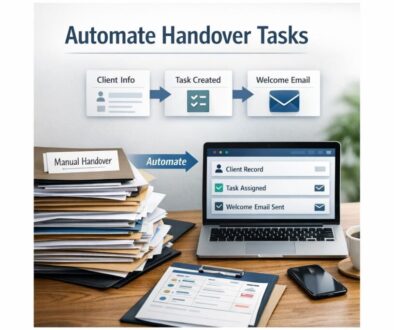
Onboarding often involves a long list of repeat steps: welcome emails, information requests, forms, internal checklists, and approvals. A workflow can trigger these tasks automatically when a new client, contractor, or employee is added.
Approvals are also a good fit when there is a defined process. For example, a request can be routed to the right person, escalated if it is overdue, and stored for record-keeping once approved.
Data entry, reporting, and file organisation
Many small businesses still spend time moving information from one system to another. Recurring task automation can reduce this by transferring data between forms, spreadsheets, CRM systems, task tools, and accounting platforms.
It can also help with recurring reports and document filing. For example, attachments can be saved to a folder, renamed according to a pattern, or sorted by project or date.
These are not flashy tasks, but they are often the ones that consume the most time.
How Recurring Task Automation Works in Practice
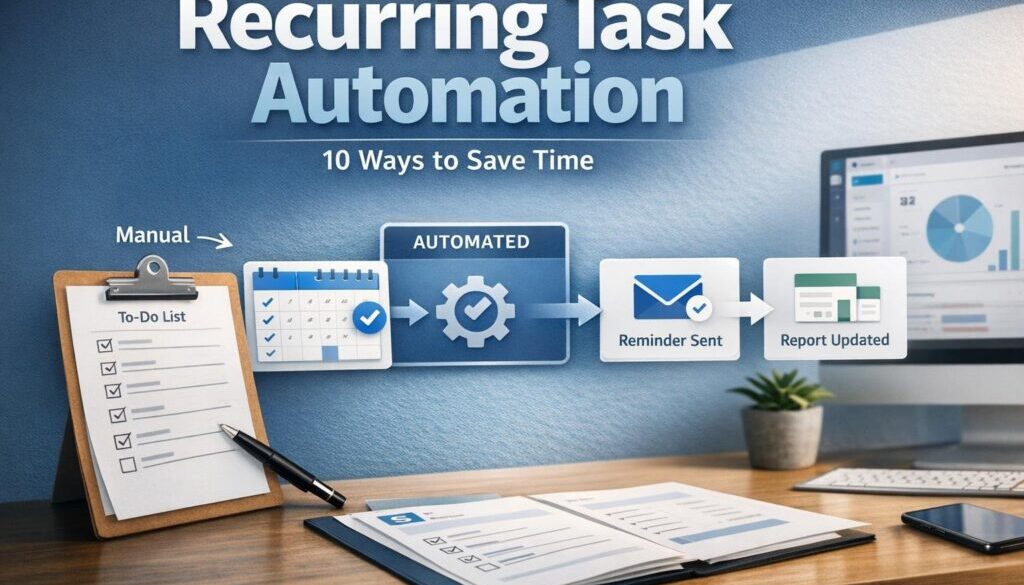
Most recurring task automation follows a simple pattern: something happens, software recognises it, and an action is completed automatically. The trigger can be time-based or event-based.
Trigger-based automation basics
A trigger is the event that starts the workflow. Common triggers include:
- A scheduled date or time
- A form being submitted
- A new row in a spreadsheet
- A new lead in a CRM
- A payment status change
- A document upload
- An approval being completed
- An email being received or labelled
Once the trigger happens, the automation runs one or more actions, such as creating a task, sending a notification, saving a file, or drafting a response.
Common tools small businesses already use
Many businesses already have tools that can support recurring task automation without buying a completely new system. Common examples include:
- Email and calendar tools
- Accounting software
- CRM platforms
- Cloud file storage
- Forms and spreadsheets
- Task and project management tools
- Automation platforms such as Zapier, Make, or Microsoft Power Automate
If you are already using Microsoft 365 or Google Workspace, there may be a lot of automation potential inside the tools you pay for already. That is why it often makes sense to start with what you have before introducing anything more complex.
For businesses that want a broader view of where automation fits, the small business automation page explains how practical automation can reduce admin without disrupting the way a business already works.
Simple workflow example
Here is a simple example of how recurring task automation can work:
- A client submits an enquiry form.
- The system creates a record in a spreadsheet or CRM.
- An acknowledgment email is sent automatically.
- A task is created for a team member to follow up.
- If no reply is received after a set time, a reminder is sent.
This kind of workflow does not need to be complicated. The best automations are usually the ones that quietly remove repeated work while leaving the business in control.
Where AI Fits in Recurring Workflows
AI can support recurring task automation, but it should usually act as an assistant rather than a replacement for review and judgment. In practical business settings, AI is most useful when the task involves drafting, summarising, classifying, or extracting information.
Drafting, summarising, and classification
AI may help with tasks such as:
- Drafting routine email replies
- Summarising meeting notes
- Pulling key details from documents
- Classifying incoming requests
- Generating first-draft reports or updates
- Suggesting next steps for a task queue
For example, a new support email might be summarised and categorised before being assigned to the right person. Or a document attachment might be read and key fields extracted before a staff member reviews the result.
Microsoft’s support documentation for Microsoft 365 Copilot and Google’s help resources for Gemini for Workspace are useful references for understanding how AI assistance is being positioned inside common business software.
Why human review is still important
AI output can be incomplete or wrong. That matters more when the task affects money, compliance, customer communication, or sensitive information.
Human review is still appropriate when a workflow involves:
- Financial decisions
- Refunds or billing disputes
- Legal or employment-related content
- Privacy-sensitive information
- Customer-facing communications
- Exceptions to normal rules
Used properly, AI can make recurring task automation faster and more efficient. Used carelessly, it can create errors that repeat at scale.
What Australian Small Businesses Need to Watch Out For
Automation should make a business simpler, not create hidden risk. For Australian small businesses, the main issues are privacy, record-keeping, security, and accounting integrity.
Privacy and personal information
If an automation handles personal information, businesses should think about the Australian Privacy Principles and the Privacy Act 1988 where applicable.
That means considering what data is collected, where it is stored, who can access it, and whether third-party tools process information offshore. If customer data is part of the workflow, the business should be comfortable with how that data is handled.
Record-keeping and audit trails
Automation should not damage record integrity or remove evidence of what happened and when. This is especially important for invoices, payroll, approvals, contracts, and other business records.
The Australian Taxation Office’s record-keeping guidance for business is a useful reference point when workflows involve accounting or tax-related information.
In other words, recurring task automation should help keep records organised, not make them harder to trust.
Security and access control
Automations often need access to email, files, accounting systems, or customer records. That access should be limited to what is necessary, reviewed regularly, and protected with sensible security practices.
The Australian Cyber Security Centre’s Essential Eight is a good starting point for thinking about broader security controls in a small business environment.
Accounting and tax workflow considerations
Recurring invoicing, receipts, payment reminders, and bank reconciliation are common automation opportunities. They can save time, but they should still align with your accounting process and record-keeping expectations.
If a workflow changes financial records, it should be tested carefully and reviewed by someone who understands the process. Automation is useful, but accounting mistakes are expensive to fix if they are repeated automatically.
How to Start Small With Automation
The safest way to begin is to start with low-risk repetitive tasks that are easy to check. You do not need to automate everything at once.
Choose low-risk repetitive tasks first
Good starter tasks are usually ones that:
- Happen often
- Follow the same rules each time
- Do not require much judgment
- Use clear and consistent data fields
- Are easy to test and reverse if needed
Examples include appointment reminders, internal notifications, file sorting, and routine follow-up emails.
Test before relying on it
Every recurring task automation should be tested before it is trusted in day-to-day operations. Check what happens when:
- The trigger does not fire
- Someone enters bad data
- An attachment is missing
- A request needs manual review
- An approval is delayed
- Two workflows happen at the same time
Testing helps you find edge cases before the automation reaches customers or affects records.
Build in approvals and exception handling
Not every workflow should run from start to finish without review. A good automation often includes a checkpoint where a person can approve, edit, or stop the workflow if something looks wrong.
This is one of the biggest advantages of thoughtful automation: it removes repetitive work while still leaving room for judgment.
For businesses that want support turning that thinking into a workable process, the automation solutions page explains how Simple Automations approaches practical workflow improvements.
Common Mistakes to Avoid
Recurring task automation works best when it is designed carefully. A few common mistakes can turn a good idea into extra maintenance.
Over-automation
Not every task should be automated end-to-end. If a process involves exceptions, sensitive decisions, or changing business rules, it may be better to automate only part of it.
Poor permissions
If too many people or tools have access to too much information, the risk increases. Limit access where possible and review permissions regularly.
Not planning for errors
Every automation should have a plan for things going wrong. That might include alerts, fallback steps, or manual overrides.
Ignoring compliance needs
Automation does not remove the need to meet privacy, record-keeping, and accounting obligations. It should support them.
That is why many businesses choose to begin with simple automations first, then expand once the process is stable. If you want to explore that approach further, the Business Hub is a useful place to continue learning.
When a Spreadsheet Is Enough, and When You Need More
Sometimes a spreadsheet is enough. Other times, a dedicated automation platform or workflow system is a better fit.
| Use Case | Spreadsheet May Be Enough | Dedicated Automation Tool May Be Better |
|---|---|---|
| Simple tracking | Yes, if the process is small and manual review is easy | Not always necessary |
| Scheduled reminders | Sometimes, with basic formulas or add-ons | Often better for reliability |
| Multi-step workflows | Can become fragile | Usually a better fit |
| Data transfer between systems | Manual copying is possible but time-consuming | Better for consistency |
| Approvals and notifications | Limited | More suitable |
The right choice depends on how important the process is, how often it runs, and how much risk you can tolerate if something goes wrong.
How Simple Automations Approaches Recurring Task Automation
At Simple Automations, the focus is on making business processes simpler without adding unnecessary complexity. That usually means identifying the repetitive work first, then designing a practical workflow that fits the business rather than forcing the business to adapt to the tool.
In document-heavy or repetitive environments, this might involve routing information, reducing manual handoffs, or setting up review steps where they are needed. The practical value of automation is not that it is clever. It is that it saves time, reduces mistakes, and keeps the business moving more smoothly.
If you would like to see examples of this approach in practice, the trust account automation case study, content workflow automation, and digital product delivery automation pages are useful reference points.
Final Takeaway
Recurring task automation is one of the simplest ways for a small business to reduce repetitive admin without losing control. The best opportunities are usually the tasks that are repeated often, follow the same rules, and can be checked by a person when needed.
Start with low-risk workflows, test carefully, keep an eye on privacy and record-keeping, and use AI as an assistant rather than a replacement for judgment. Done well, automation makes business work cleaner, faster, and easier to manage.
Ready to Simplify Repetitive Work?
If your business is spending too much time on recurring admin, Simple Automations can help you identify practical workflows to automate safely and simply.
For businesses looking for a broader starting point, you can also explore automation for small business or visit the Simple Automations homepage to learn more about the brand’s practical approach: technology that makes business simpler.