How Much Time Can Business Automation Save?
If you have ever wondered how much time business automation can save, the honest answer is: it depends on the work you automate, but the time savings can be very real. For small business owners, solo operators and travellers trying to keep work moving away from the office, automation is often less about “doing everything automatically” and more about removing repetitive tasks that slow you down.
That matters even more when you are working on the move. Travel creates fragmented time, patchy connectivity and more pressure on your attention. The right automation can take care of routine admin in the background so you spend less time chasing emails, entering data or manually moving information between systems.
nullIn this guide, we’ll look at what business automation can realistically save time on, why the time savings depend on the workflow, and why reliable mobile connectivity is part of making automation actually useful while travelling.
For a broader overview of practical automation ideas, you may also want to explore small business automation and the automation solutions available through Simple Automations.
How much time can business automation save?
There is no single number that applies to every business. The time saved by business automation depends on how repetitive the task is, how often it happens, and how much manual checking is involved.
A simple rule of thumb is this: the more often a task repeats, the better the automation opportunity. Tasks like sending reminders, routing documents, entering data or updating records are usually more suitable than work that needs judgement, personal judgement or detailed human review.
Why the answer depends on the task
Some tasks take only a few minutes each time, but they happen dozens of times a week. Others take longer but happen less often. Automation is most useful when it can handle a task consistently without needing constant supervision.
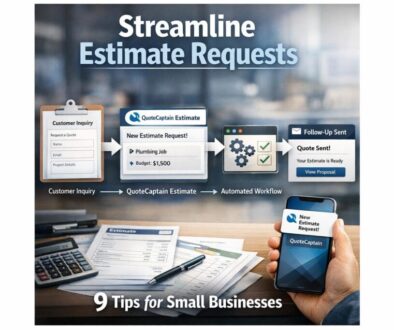
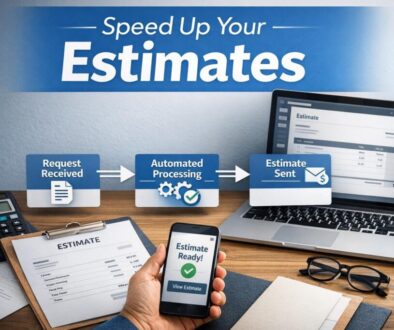
For example, a manual workflow might involve opening an email, copying details into another system, saving a file, and then notifying a team member. Automated workflows can often reduce the number of steps a person needs to perform, which saves time and helps reduce errors.
The kinds of work automation handles best
According to official and vendor documentation from tools such as Microsoft Power Automate and Google AppSheet, automation is commonly used for structured, repeatable work. In plain English, that means tasks where the steps are clear and the inputs are predictable.
- Invoice and expense processing
- Scheduling and calendar management
- Customer service and chat handling
- Data entry and document routing
- Reporting and workflow approvals
- Inventory or order updates
These are the kinds of workflows where business automation can make a noticeable difference without needing a major system overhaul.
What business automation can realistically save time on
When people ask how much time business automation can save, they are usually asking which parts of the business are worth automating first. The best place to start is with work that is repetitive, rules-based and easy to define.
Invoice and expense processing
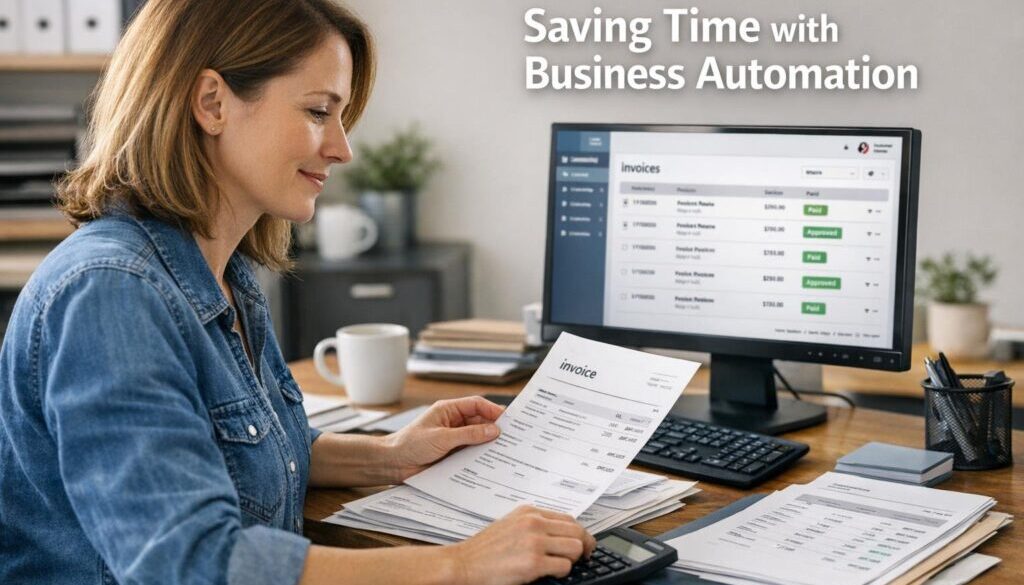
Current problem: Someone has to manually check invoices, sort receipts, enter amounts and make sure the right records are stored in the right place.
Automation opportunity: Routine document handling can often be simplified by automatically capturing information, routing it for approval and saving it in the right system.
How it could work: A received invoice could be sent into a workflow that extracts the relevant details, sends it to the right person for review and stores the file once approved.
Business benefit: Less manual admin, fewer missed steps and a cleaner process for keeping financial records organised.
Document-heavy workflows are a strong starting point for automation. Our trust account automation case study is one example of how a repetitive administrative process can be simplified with a more structured workflow.
Scheduling and calendar management
Current problem: Staff or clients spend time going back and forth to find a meeting time, confirm bookings or update calendars.
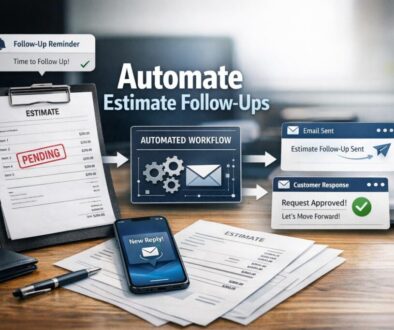
Automation opportunity: Booking confirmations, reminders and rescheduling updates can often be automated.
How it could work: When a booking is made, the system could send a confirmation, add it to the calendar and trigger a reminder before the appointment.
Business benefit: Fewer manual follow-ups and less risk of missed appointments.
This is especially useful for service businesses that rely on regular client communication and need to keep calendars accurate without constant admin.
Customer service and chat handling
Current problem: Simple customer questions arrive repeatedly, and someone has to answer the same basics over and over.
Automation opportunity: Some common responses, routing steps and initial triage can be automated.
How it could work: A first-response workflow could acknowledge the enquiry, gather key details and route it to the right inbox or team member.
Business benefit: Faster response times and less interruption for the person managing support.
Not every customer conversation should be automated, but a good first layer of automation can reduce repetitive workload and free up time for more valuable conversations.
Data entry and document routing
Current problem: Information is copied from one tool to another, or documents are manually moved between inboxes, folders and systems.
Automation opportunity: Files and records can be routed automatically based on rules you define.
How it could work: When a form is submitted or a file arrives, the workflow can send it to the correct person, folder or system without manual sorting.
Business benefit: Less duplication, fewer errors and more consistent record-keeping.
Work like this is a good fit for business automation solutions because the benefit is usually practical and immediate: less admin and better organisation.
Reporting and workflow approvals
Current problem: Reports need to be compiled manually, or approval requests get lost in email threads.
Automation opportunity: Reporting tasks and approval flows can often be standardised.
How it could work: A workflow might gather information from a few sources, prepare a summary and send it to the right person for approval.
Business benefit: Better visibility, faster sign-off and less time spent chasing updates.
For many small businesses, this is one of the most valuable uses of business automation because it keeps everyday operations moving without constant checking.
Why automation matters more when you’re travelling
Automation saves time in any business, but the benefit becomes more obvious when you are away from your usual desk. Travelling creates a different kind of workday: less routine, more interruptions, and more dependence on tools that work reliably in the background.
Travel creates fragmented time
When you are moving between airports, hotels, meetings or sightseeing, you rarely have long blocks of uninterrupted time. That makes manual admin harder to finish because every task has to compete with something else.
Business automation helps by handling routine steps asynchronously. Instead of waiting until you are back at your laptop, the process can keep moving while you are in transit.
Time zones, delays and limited Wi‑Fi make admin harder
For Australian business owners working overseas, time zones can also make communication slower. Add patchy Wi‑Fi, flight delays and short windows of access, and simple admin tasks can start to feel disproportionately time-consuming.
Automation reduces the amount of work that has to be done live. That can be especially useful for reminders, acknowledgements, notifications and approvals that do not require immediate human decision-making.
Automation helps you work asynchronously
Asynchronous work simply means things can happen without everyone being online at the same moment. A workflow can trigger an email, move a file or send a reminder while you are offline.
That is one of the biggest practical advantages of business automation for travellers: it keeps routine work moving even when you are not available to manage it step by step.
If you want more examples of practical workflow ideas, the Business Hub is a useful place to explore further.
The role of connectivity in making automation work on the road
Automation is only useful on the road if your connectivity holds up. Many workflows depend on cloud access, app notifications, authentication codes and real-time syncing. Without a reliable connection, even a well-designed automation can become difficult to use.
That is why connectivity is part of the automation conversation, not separate from it.
Why reliable mobile data matters
Travel often exposes the weakness of workflows that depend on one office Wi‑Fi connection. If your business tools live in the cloud, you need a dependable way to reach them while moving around.
Official support pages from Apple and Google explain how eSIM support works on compatible devices, which is helpful for travellers who want mobile connectivity without physically swapping SIM cards.
eSIMs, dual SIM setups and MFA access
Many small businesses rely on multi-factor authentication, or MFA, for secure login. In plain English, that means a second step is used to confirm it is really you signing in.
When you travel, it is worth checking whether your login method depends on SMS messages, app notifications or another verification step. If you are switching networks, a dual SIM or eSIM setup can help keep your business and travel connectivity separate.
For Australian travellers, carrier roaming pages from Telstra, Optus and Vodafone are useful references when checking current roaming options and conditions.
What Australian travellers should check before they go
If you rely on business automation while travelling, it helps to plan ahead. Before you leave, check:
- Whether your phone supports eSIM
- Whether your business login method will still work overseas
- Whether your automation tools are cloud-based and mobile-friendly
- Whether key contacts and approvals can be handled asynchronously
- Whether you have a backup connectivity option if one network fails
This kind of planning makes automation more dependable and reduces the chance of getting stuck with avoidable admin while away.
What to consider before choosing an automation tool
Not every automation tool is worth the setup effort. The right choice is the one that saves more time than it takes to manage, and that works well in the way your business actually operates.
Setup time vs time saved
Some workflows are simple and quick to automate. Others require more planning because there are exceptions, approvals or multiple systems involved. If a workflow is very irregular, the setup time may not be worthwhile.
The best business automation opportunities usually sit in the middle: repetitive enough to justify the effort, but important enough to deliver a clear benefit.
Mobile usability and cloud access
If you travel regularly, you need tools that are accessible from a phone or tablet, not only from a desktop office setup. Cloud-based systems tend to be easier to use on the road because you are not tied to one location.
That does not mean every step must happen on mobile. It means your workflow should remain manageable if you need to review or approve something from your phone between flights or during a layover.
Security, permissions and integrations
Automation often links several tools together, so permissions matter. A safe setup should only access the systems it actually needs to perform the task.
In simple terms, an API is just a way for two software systems to exchange information. You do not need to be technical to benefit from automation, but it helps to know that many workflows rely on these connections working properly behind the scenes.
Compatibility with business systems
Before you invest time in automation, check that your accounting, CRM, calendar or document tools can support the workflow you want. A well-planned automation should fit the business system you already use rather than force you into unnecessary complexity.
If you need help identifying what could be automated, Simple Automations works on practical automation solutions that are designed to reduce repetitive admin without making the process harder than it needs to be.
How Australian travellers can stay productive while away
The goal is not to turn travel into more work. The goal is to make the work you do have to manage simpler, faster and less dependent on being in one place.
Keep workflows simple and cloud-based
Simple workflows are easier to maintain, easier to use on mobile and easier to recover if something changes while you are travelling. Cloud-based systems also make it easier to access records, check tasks and keep your business moving from almost anywhere.
Avoid SMS-only login dependencies where possible
If your security setup depends entirely on SMS, you may run into trouble when travelling. Consider whether your business can use a more reliable authentication method that works across networks and countries.
This is not just a technical detail. It directly affects whether your business automation can be used confidently on the road.
Plan for roaming, eSIM and destination coverage
Reliable mobile data helps keep everything connected: email, approvals, cloud storage, booking systems and automation tools. For many travellers, that means planning data access as carefully as flights and accommodation.
The more dependable your connectivity, the easier it is to trust the automated workflows you set up before leaving.
Practical examples of time-saving automation
Sometimes the easiest way to understand the value of business automation is to look at the kind of work it can remove from your day.
| Manual task | Possible automation | Practical benefit |
|---|---|---|
| Copying invoice details into another system | Automatically route and organise document data | Less data entry and fewer mistakes |
| Sending meeting reminders one by one | Triggered calendar notifications | Less admin and fewer missed appointments |
| Answering the same basic customer questions | Automated first response and triage | Faster replies and less repetitive work |
| Chasing approvals by email | Workflow-based approval requests | Clearer process and quicker decisions |
| Moving files between folders manually | Rule-based document routing | Better organisation and less duplication |
These are not advanced ideas. They are the kinds of practical changes that can genuinely save time in a small business.
How automation and travel freedom work well together
There is a strong connection between working efficiently and travelling well. When your business is less dependent on manual admin, you have more flexibility to move, explore and work in shorter bursts.
That is one reason this topic matters to independent travellers and mobile business owners. Saving time on routine work does not just make the business simpler. It also makes your schedule more flexible.
For travellers who value freedom and independence, that can create a better balance between work and everything else you want to do in a destination.
If travel is part of how you work, you may also find value in Roamzy Connect for mobile connectivity support and Walkables for making more of your time in destination with self-guided experiences.
Ready to Simplify Your Business?
If you can see repetitive admin in your business, there is a good chance some of it could be streamlined. Simple Automations helps small businesses identify practical ways to save time and reduce manual work without unnecessary complexity.
Explore Automation SolutionsConclusion
So, how much time can business automation save? Enough to matter, especially when it removes repetitive admin that keeps pulling you away from higher-value work. The exact amount depends on the workflow, but the biggest savings usually come from tasks that are repeated often and follow clear rules.
For Australian business owners and travellers, the value is even greater because travel adds extra friction: fragmented time, connectivity issues and more pressure to keep things moving remotely. When automation is paired with reliable mobile access, it becomes much easier to run a business without being tied to one desk.
If you want to explore practical next steps, start with small business automation, browse the case studies, and look at the kinds of automation solutions that could simplify your day-to-day work.
And if you want to see how automation works in practice, these examples are a useful starting point: trust account automation, content calendar automation, and digital product automation.