How to Automate Recurring Business Tasks
Recurring task automation is one of the simplest ways small businesses can reduce repetitive admin without jumping straight into complex systems. If your team keeps doing the same reminders, follow-ups, data entry, approvals or document handling every week, there is usually a practical way to automate at least part of it.
The goal is not to automate everything. It is to remove the low-value, repeatable work so people can focus on the tasks that need judgment, customer care and decision-making. In this guide, we will look at what recurring task automation is, which tasks are worth automating, which ones should stay manual, and what tools small businesses can use to start simply.
null
For many businesses, recurring task automation is the difference between constantly chasing admin and having a workflow that runs quietly in the background. The right setup can improve consistency, reduce errors and make everyday operations easier to manage.
What is recurring task automation?
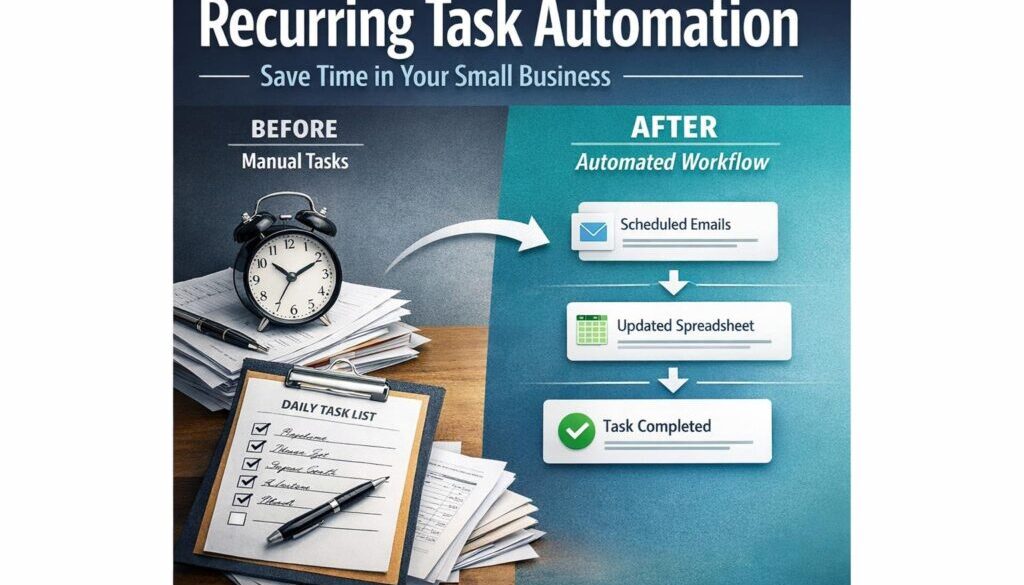
Recurring task automation means using software to handle repeatable business tasks that happen on a schedule or when a certain trigger occurs. Instead of someone manually sending the same reminder, updating the same spreadsheet or creating the same follow-up task, the workflow happens automatically.
This usually works best when the process is clear and predictable. For example, a new form submission might trigger a notification, an invoice might trigger a reminder sequence, or a completed job might trigger a follow-up task for the next team member.
The types of repetitive work small businesses automate
Small businesses often start with simple admin tasks such as:
- invoice reminders and recurring invoices
- customer follow-ups
- appointment or renewal reminders
- form handling and file routing
- internal notifications and approvals
- CRM updates and task creation
- document generation from templates
These are ideal candidates because they usually follow a repeatable pattern. That makes them easier to automate safely.
If you want a broader overview of practical automation ideas for small businesses, the small business automation page is a useful place to start.
Why this matters for time, accuracy and consistency
Manual repeat work creates small problems that add up. Someone forgets to send a reminder. A file is saved in the wrong place. A task gets entered twice. A follow-up is delayed because the team is busy.
Recurring task automation helps reduce those issues by making the process consistent. It also helps small teams do more without adding more admin overhead. That matters for owners and operators who are already stretched across sales, service, operations and finance.
Which recurring tasks are best to automate?
The best tasks to automate are usually the ones that are repetitive, low-risk and easy to describe in steps. If the workflow has a clear trigger, a clear action and a limited number of exceptions, it is often a good candidate.
Invoice reminders and recurring invoices
Accounting tools commonly support recurring invoices and reminder workflows. Xero, for example, provides support for recurring invoices in its product documentation. That does not mean every billing task should be automated, but it does show how useful recurring task automation can be in finance admin.
For small businesses, this can help with regular billing, overdue follow-ups and reducing the chance of missed invoices.
Official sources worth reviewing include Xero and its support article on recurring invoices.
Follow-ups, renewals and onboarding tasks
Many service businesses rely on repeat follow-up tasks. A new client might need an onboarding email, a checklist, a welcome pack or a reminder to provide missing information. A renewal might need a notice a few weeks before expiry. A quote might need a follow-up if the customer has not responded.
These are good automation candidates because they are routine and time-sensitive. If the workflow is clear, automation can make sure the follow-up happens at the right time.
Form handling and document routing
When a business receives forms, applications or requests, someone usually needs to sort them, save them somewhere, notify the right person and sometimes create a task. That is a classic recurring task automation opportunity.
For example, a submitted form could:
- save the response to a spreadsheet or database
- notify the right team member
- create a follow-up task
- send an acknowledgement email
This type of workflow is often supported through Microsoft and Google business tools. Microsoft Power Automate is designed for workflow automation across Microsoft and other services, while Google Workspace includes automation and app-building options through AppSheet.
Learn more from the official sources: Microsoft Power Automate and Google AppSheet.
Internal notifications and approvals
Many small businesses still rely on someone manually remembering to tell the next person in the process. That creates bottlenecks. If a manager approves a request, the finance team may need to know. If a form is submitted, operations may need to act. If a job is completed, the next task may need to begin.
Recurring task automation can handle these internal hand-offs. The result is usually less chasing, fewer delays and clearer accountability.
Which tasks should stay manual or require review?
Not every repetitive task should be fully automated. In fact, some processes should always include human review because the cost of a mistake is too high.
Payroll, superannuation and tax-related workflows
Payroll, superannuation and tax-related tasks may involve automation support, but they are not good candidates for “set and forget” workflows. Australian businesses also need to consider record keeping obligations and reporting requirements.
The Australian Taxation Office provides guidance on record keeping for business, Single Touch Payroll and super for employers. These are all areas where automation may help with reminders or data handling, but human checking still matters.
Customer promises and compliance-sensitive communication
Automation can help draft or send standard messages, but anything that involves promises, deadlines, refunds, complaints or legal wording should be reviewed carefully. AI and workflow tools are useful for drafting and triage, but they should not be allowed to make sensitive commitments without oversight.
The same applies to workflows that involve personal information. The Australian Privacy Principles and related OAIC guidance are relevant when systems move customer or employee information between tools.
Cases with exceptions or subjective judgement
If a task often needs a human to make a judgment call, it may not be ready for full automation. For example, if every customer request is different, or if the workflow has lots of exceptions, automation can become more trouble than it is worth.
A good rule of thumb is this: if the process is still messy, automate only the simple parts first.
What tools can small businesses use?
Most small businesses do not need custom software to get started. In many cases, the best option is to use tools already in the business stack.
Microsoft 365 and Power Automate
If your business already uses Microsoft 365, Power Automate can be a practical starting point for recurring task automation. It is built for workflow automation across Microsoft and other services, which makes it useful for tasks such as approvals, notifications and file handling.
Microsoft also offers Copilot in Microsoft 365, which can assist with productivity and content tasks. That makes the Microsoft ecosystem particularly useful for businesses that want automation and AI support in familiar tools.
Official information is available from Microsoft Copilot in Microsoft 365 and the Power Automate documentation.
Google Workspace and AppSheet
Google Workspace can also support recurring task automation through its business productivity tools and app-building options. AppSheet is Google’s no-code platform for building apps and workflows without traditional development.
That can be useful when a small team needs something lightweight for approvals, task routing or structured data collection.
See the official Google Workspace site and Google Workspace help content for current information.
Xero, MYOB and QuickBooks automation features
Accounting platforms commonly used by Australian small businesses also support recurring business tasks. These may include recurring invoices, reminders, bank feeds, receipt capture, approval workflows and integrations with other apps.
Xero, MYOB and QuickBooks Online are all relevant examples, but the exact features available depend on the product version and plan. It is always worth checking the official product information before making a decision.
Integrations, connectors and low-code platforms
Many recurring task automation setups use integrations between apps. An integration is simply a connection that lets two systems share information. In practice, that can mean a form submission creates a task, or an approved request updates a spreadsheet automatically.
This is where low-code tools are often useful. They let small businesses build practical workflows without needing a developer for every change.
If you are exploring what could be automated in your business, automation solutions can help identify the simplest approach for your workflow.
How can AI help with recurring tasks?
AI can be helpful in recurring task automation, but it works best as an assistant rather than a decision-maker. In many business settings, AI is most useful for drafting, summarising, classifying and extracting information.
Drafting, summarising and classifying information
Examples include:
- drafting a standard reply to a customer enquiry
- summarising a long email thread
- classifying incoming requests into categories
- extracting key details from a form or message
These tasks are repetitive and often time-consuming, so AI can speed them up. But the output still needs review, especially if the content affects customers, money or compliance.
Using AI for triage and first drafts
AI is often most useful at the front end of a process. It can help sort, summarise and prepare information so a person can make the final call faster.
For example, a business could use AI to draft a follow-up email, then have a team member approve it before sending. That approach keeps the benefits of automation without losing control over important communication.
Why human review still matters
AI can produce plausible but incorrect output. That is why it is better to use it for support tasks than for sensitive decisions. Financial, legal, payroll and customer-facing workflows should always have clear review points.
In other words, AI can help your recurring task automation run more efficiently, but it should not replace accountability.
What are the privacy, security and compliance risks?
Any automation that handles personal or business information needs to be designed carefully. A workflow may be convenient, but if it moves data in the wrong way, it can create privacy or record-keeping problems.
Australian Privacy Principles and personal information
If your business automates workflows that handle customer or employee data, the Privacy Act guidance and Australian Privacy Principles are relevant. Small businesses need to think about access control, secure handling and how third-party tools store information.
Record keeping and audit trails
Automation should make it easier to keep good records, not harder. If you cannot see what happened, who approved it or when it changed, the workflow may not be suitable for important business processes.
Good recurring task automation should leave a clear trail that helps the business understand the action taken and why.
Avoiding over-automation in sensitive workflows
It is tempting to automate everything once the first workflow works well. But that can be risky. Sensitive workflows often need exceptions, checks and human approval. Over-automating can lead to mistakes being made faster.
A safer approach is to automate the routine part first, then add review steps where needed.
How should a small business start?
The easiest way to start with recurring task automation is to choose one simple task that happens often and causes regular friction.
Choose one low-risk repetitive task
Start with something that is:
- done regularly
- easy to describe
- low risk if something goes wrong
- useful to more than one person
Good first projects often include reminders, task creation, file routing or form handling.
Map the trigger, steps and exceptions
Before building anything, write down:
- what starts the task
- what happens next
- where a person needs to review it
- what should happen if the information is missing or unusual
This helps you see whether the workflow is actually automatable or whether it still needs a lot of manual intervention.
Test, monitor and refine before scaling
Do not roll out a new automation across the whole business on day one. Test it with one process, check whether the output is accurate and watch for edge cases. Once it is stable, you can expand to other tasks.
That practical, staged approach is often the best way to build confidence in recurring task automation.
Practical examples of recurring task automation
Here are a few simple examples of how recurring task automation might work in a small business:
| Business task | Automation opportunity | Business benefit |
|---|---|---|
| Overdue invoice follow-up | Send a reminder after a set number of days | Reduces manual chasing and missed follow-ups |
| New form submission | Notify the right team member and create a task | Speeds up response time |
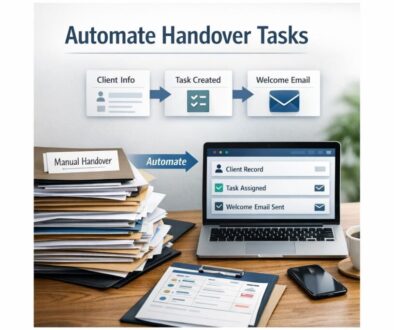
| Client onboarding | Trigger an onboarding checklist and welcome email | Improves consistency |
| Internal approval request | Route the request to the right person automatically | Reduces bottlenecks |
These are not flashy automations, but they are often the ones that save the most time because they remove constant small interruptions.
For an example of how a repetitive workflow can be simplified in practice, see the trust account automation case study.
If you are more interested in content and publishing workflows, the content calendar automation example shows how recurring planning work can be structured more efficiently. For file and delivery workflows, the digital product automation case study is another useful reference.
How recurring task automation relates to the way people work
Automation is not only about software. It is also about reducing friction in how work gets done. When a business removes unnecessary repeat steps, people spend less time switching between tools, checking reminders or re-entering the same information.
That is why recurring task automation is often most valuable when it supports a simple, well-defined process rather than trying to replace human decision-making.
As a softer example outside business admin, the idea is similar to choosing a self-guided experience instead of a rigid schedule. Walkables is built around helping people explore at their own pace, which reflects the same broader principle: remove unnecessary friction so the important part of the experience is easier to enjoy. If that approach interests you, you can visit Walkables.
Key takeaways
Automate simple, repeatable tasks first
The best recurring task automation projects are usually the simplest ones: reminders, notifications, form routing, task creation and recurring documents.
Keep humans in the loop where accuracy matters
Payroll, tax, compliance and sensitive customer communication should still involve review. AI and automation can support the process, but they should not replace oversight.
The most effective approach is usually practical and gradual: automate the routine, keep the exceptions manual and refine the process as you learn.
Ready to Simplify Repetitive Work?
If your business is spending too much time on repeat admin, Simple Automations can help you identify what is worth automating and what should stay under human review.
To keep learning, you may also find the Business Hub useful for practical automation ideas and small-business resources, or visit Simple Automations for a broader overview of how technology can make business simpler.